Retail Software
 Distribution Software
 Retail Chain

How Cloud-Based POS Software Powers Growth for Multi-Store Retail Chains

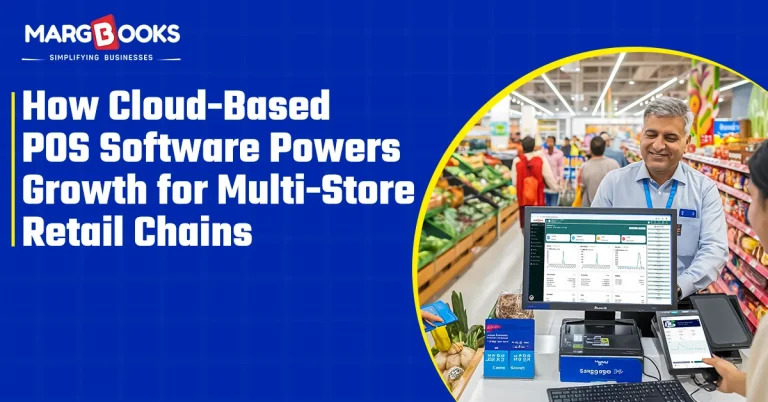
Ask any retailer running more than one store, and they’ll tell you the same thing, more or less: the moment you cross from one outlet to two, everything gets harder to manage. Not twice as hard. Sometimes it feels like five times as hard.
Store A is sitting on inventory nobody’s buying. Store B ran out of the one product that’s actually selling. Your evening is spent trying to reconcile numbers coming from three different employees in different formats via WhatsApp, only to have those numbers not match up with the results from each employee. When you look into why most owners have not opened additional locations yet, most will say something along the lines of not knowing how they could manage it if they did.
Here’s the thing, though, that’s rarely an inventory problem or a hiring problem. It’s usually a system’s problem. And it’s one that’s already been solved, mostly by moving away from disconnected, on-premise billing setups and onto something built for exactly this situation: cloud-based POS software.
So, What Actually Is a Cloud POS Software?
Nothing complicated, really. An easy way to eliminate some confusion is by having a point of sale (POS) software, for example, that uses cloud-based billing software rather than systems that utilize individual workstations. This allows for all sales and returns to be updated throughout the entire system in real-time, thus enabling one central database where all transactions are logged.
In contrast, all of the current multi-store retail billing software are set up the same way, meaning each location has its own standalone system, and when the owner collects their sales numbers from each of the three stores, they have to manually recreate everything into one central database at the end of the day (or more realistically at the end of the week). One method gives you a live view of the whole business. The other gives you a jigsaw puzzle you have to assemble yourself, usually under time pressure.
Where It Actually Moves the Needle for Growing Chains
Everything in one place.
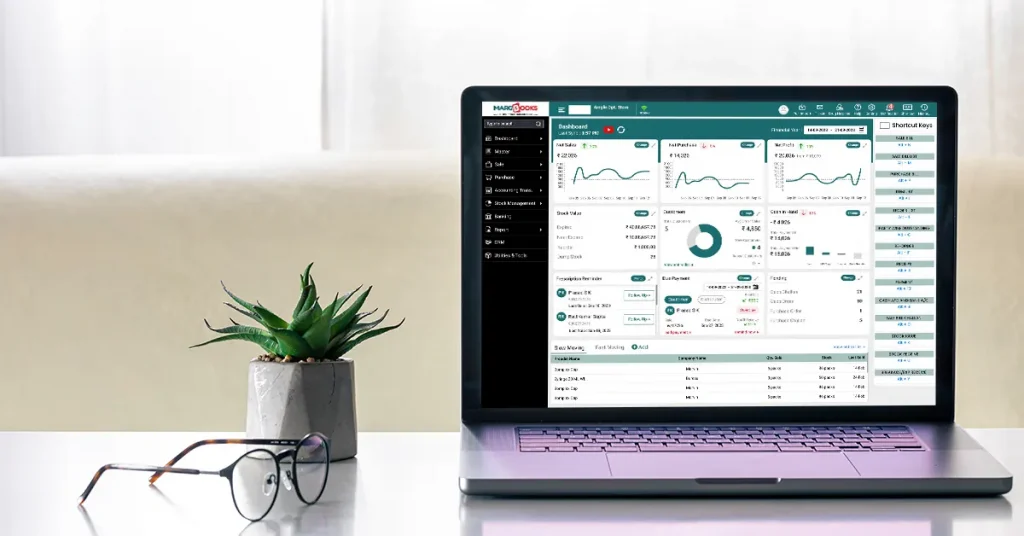
Instead of five browser tabs and three WhatsApp groups, you get one dashboard showing sales, stock, and staff performance across every store. Sounds minor until you realize this is what everything else depends on; you simply can’t make good calls across ten stores while looking at ten different spreadsheets.
Stock that updates on its own.
This tends to be the one multi-store owners get most excited about. Every sale, return, or transfer between stores is reflected instantly, everywhere. No more calling around to check if Store B actually has what a customer wants before sending them across town. No more finding out you’re out of stock only after someone’s already left unhappy.
Numbers you can actually trust.
When all your data is stored together, rather than distributed among multiple systems, you’ll automatically see more patterns emerging. For example, see which store is outperforming the others without making noise? Which item sells fast in one location and just sits in another? What your real peak hours look like, not what you’ve assumed for years. That kind of visibility changes how you buy stock, schedule staff, and decide where the next store should go.
A new store stops being an IT headache.
Old-school setups often meant new servers and fresh installations every time you opened somewhere new, basically a small IT project each time. With cloud POS, it’s mostly configuration. Set it up, connect it, done. That difference matters a lot more once you’re thinking about going from five stores to fifteen.
You can run things without being there.
Sales figures, stock levels, how each outlet’s performing, all checkable from your phone, wherever you happen to be. If you’re managing multiple locations, that alone can save you a few hours a week you didn’t know you were losing.
Pricing that doesn’t drift.
One way that a multi-location retailer can quietly lose their profitability is by running a promotion that was promotionally expired in one location while still being run as a promotion in another, or by pricing an item that doesn’t match the proposed head office price. Centralising pricing will eliminate the gap between what each location is supposed to be selling based on when they received the promotion and when they actually sell promotionally priced product, so all stores will use the same playbook regarding pricing.
Less to lose sleep over.
Automatic backups, encrypted storage, and access controls based on who actually needs to see what. None of this is glamorous, but it means a device failing or a bad day at one branch doesn’t take your data down with it.
The Problems POS Software Is Actually Solving
If you’re nodding along to any of this, it’s probably already relevant to you:
- Reconciling numbers from different stores by hand, daily
- Prices or offers are quietly going out of sync between outlets
- Reports that show up too late to actually act on
- Opening a new store and only discovering the inventory gaps after it’s already a problem
What to Actually Check Before Choosing One
Not every cloud-based POS software is built with chains in mind, so it’s worth pushing a little on a few things: is the dashboard genuinely centralized, or is it just a bunch of linked reports? Does inventory sync in real time, or only at the end of the day? Does it talk to your accounting or ERP setup properly? Can you add a new store without a technical scramble? And does it actually take security seriously, encryption, backups, access control, the basics done right?
Where MargBooks Comes In
This is more or less the gap MargBooks software was built to close. Billing, inventory, and reporting for every store, on one cloud platform, so you’re not stitching together five different versions of the truth at the end of each day. Stock updates in real time, no matter which store it happens at. Pricing stays consistent across the board. And you can check how any location is doing from your phone without calling anyone.
For a growing chain, that’s not a nice-to-have. It’s what lets you say yes to opening the next store without already dreading the mess that used to come with it.
Conclusion
Cloud-based POS software isn’t really a billing upgrade; it’s the infrastructure that makes growth manageable in the first place. It swaps the daily scramble of reconciling numbers across stores for one live, accurate picture of the whole business, and it turns opening your next outlet into a decision you can make with some confidence instead of some dread.
If you’re already running more than one store and still feel like you’re piecing the business together by hand every evening, it’s probably worth seeing what an actual cloud POS, such as MargBooks software, looks like.
FAQs
Q1. What’s the actual difference between cloud POS and the billing software most stores already use?
It comes down to where the data lives. Traditional POS software usually runs on one machine at one store, so if you’ve got five outlets, you’ve got five separate little islands of data that someone has to manually connect at the end of the day. Cloud POS puts everything on one shared system instead, so every store updates the same set of records in real time. You’re not combining five versions of the truth; there’s just one.
Q2. Is switching from our current system going to be a huge disruption?
It’s a fair worry, especially if you don’t want to mess with something that’s technically “working.” In practice, most cloud POS providers, MargBooks included, handle the data migration and setup on their end, and it’s usually done in a matter of days rather than weeks. The bigger adjustment is often just getting your staff comfortable with the new interface, which tends to happen faster than people expect, a day or two of actual use, in most cases.
Q3. How does this help if I’m planning to open more stores, not just manage the ones I have?
This is really where cloud POS earns its keep. Adding a new outlet to a cloud system is mostly a setup task — you configure the store, connect it, and it’s part of the network. You’re not buying new servers or waiting on an IT team to install anything locally. Due to the rapid expansion of chain stores into other regions, their growing reliance on cloud-based software solutions rather than traditional on-premise installations explains why so many chains that have a high growth rate utilize cloud-based solutions.
Q4. What happens if one store loses internet in the middle of the day?
Most cloud POS systems, MargBooks included, are designed to keep working locally even if the connection drops; billing doesn’t just stop. When a connection is re-established, it automatically uploads any pending transactions before syncing, meaning there shouldn’t be any issues waiting for a connection to upload pending transactions when you’re evaluating suppliers. Just to be safe, verify with the vendors prior to deciding who you want to work with.
Q5. Is this only useful for big chains, or does it make sense for someone with just two or three stores?
It’s honestly worth it even at two stores. That’s usually around the point where manual reconciliation starts becoming a real time sink, and it only gets worse from there. You don’t need ten locations to feel the benefit; a lot of the pain multi-store owners describe shows up as early as store number two.
Q6. How is MargBooks different from other cloud POS options out there?
MargBooks is specifically designed for Multistore Retailers; it was not created for one location and later adapted to suit the needs of Multi-Store Retailers. All billing, inventory, and reports are maintained on one platform, and there is an immediate update of stock across all locations in real-time. Additionally, you can check if an outlet has merchandise from your mobile device without having to call someone to get that information using the app’s security code. The two items mentioned in this paragraph are usually important for managing multiple outlets.

Aman Kannojia is the Digital Team Lead at MargBooks. He started out as an SEO Specialist and never lost his love for words. With 5 years of experience across banking, SaaS, and finance, both domestic and international, he brings strategy, leadership, and storytelling together. He doesn’t just manage a team, he builds one that creates.