Retail Software
 Distribution Software
 Retail Chain

How to Send Payment Reminders Without Losing Customers

The most stressful aspect of owning and operating a small business today is the ongoing struggle of getting paid for the products or services that you provide. Chasing customer payments can feel delicate and nerve-wracking because the small business owner is concerned about being perceived as pushy or rude to the customer who is behind on payment or might think the business owner does not trust them. They wait. And waiting is usually the worst option, because invoices don’t get more urgent by sitting quietly in someone’s inbox.
Here’s the thing, though, most late payments have nothing to do with the customer being difficult. They forgot. Someone in finance is on leave. Most of the time, when there is a delay in receiving an invoice, it ends up in the client’s spam folder. If you view these situations as unexciting and unintentional, it becomes a lot less confrontational to send a reminder. It’s just… admin. This guide covers how to actually do that well.
What Is a Payment Reminder?
A payment reminder is a message that tells a customer an invoice is coming up, due today, or already overdue. Could be an email. Could be a WhatsApp ping. Some businesses still pick up the phone, which honestly works better than people expect.
People mix this up with “collections” sometimes, but they’re not really the same animal. A reminder is soft; it’s the calendar-notification version of asking for money. Collections is what happens later, after a few of those soft nudges have gone nowhere, and you need to be more direct about it. If you send something that reads like a legal threat three days after the due date, you’ve skipped several steps you probably shouldn’t have skipped.
Why Sending Payment Reminders Is Important
Many small business owners tend to see this as a boring administrative function; therefore, they often fail to adequately document and track it like they should. Cash flow is another huge issue related to this. Money tied up in unpaid invoices is money you can’t use; it doesn’t matter how good your revenue number looks if half of it hasn’t actually landed in your account yet. Reminders also just… reduce the number of invoices that go overdue in the first place, because again, most of this is accidental, not adversarial.
There’s also a slower effect that’s easy to miss: customers who get reminded consistently tend to start paying closer to schedule on their own, over time, because they know someone’s watching the account. Catch a slow payer early enough, and it never becomes bad debt you’re writing off at the end of the year. And frankly, having a schedule for this saves you the mental overhead of manually deciding, every week, who to chase and when. Anyone who’s tried to run that out of a spreadsheet knows how much time it quietly eats.
Why Customers Delay Payments
A short, unglamorous list, because the reasons usually are unglamorous:
- They forgot the invoice existed (more common than you’d think)
- It never actually reached the right person
- It’s stuck somewhere in an approval chain
- They’re short on cash themselves this month
- Something on the invoice is wrong — amount, PO number, whatever
- A purchase order is missing or doesn’t match
- The payment attempt quietly failed, and nobody noticed
Why do customers pay invoices late? Mostly friction, not intent. A missed email, a slow internal approval, a cash crunch on their end. A well-timed reminder clears up most of it without any drama.
When Should You Send Payment Reminders?
Timing matters more than wording, if I’m being honest. Too early or too often, and you’re the annoying vendor. Too late, and the invoice starts to feel optional. This spacing works for most businesses:
| Timeline | Reminder Type | Tone |
| 3 days before the due date | Friendly reminder | Light, informational |
| On the due date | Gentle reminder | Polite, confirming |
| 3 days after the due date | Follow-up | A little more direct |
| 7 days after the due date | Firm reminder | Clear, specific |
| 15+ days after due date | Final reminder | Serious, action-oriented |
When should I send a payment reminder?
One before it’s due, one on the day, then follow-ups around 3, 7, and 15+ days if it’s still sitting unpaid.
Best Practices for Sending Payment Reminders
When you send your first reminder for a past due account, be polite, assuming that the customer’s late payment was unintentional and/or an oversight, then provide the customer’s name, invoice number, and reason why you are sending the reminder. The reason is most likely due to your usage of a generic reminder template that makes it easy to assume the previous email was sent to five hundred others (which it probably was) without it appearing that way. Mention the invoice number every time, because “you owe us money” without a reference is just confusing. Drop in a payment link so there’s zero friction between “reminded” and “paid”; this alone probably recovers more invoices than a perfectly worded message would.
Keep it short. State the amount clearly. Leave a door open for questions, because sometimes the “late payment” is actually a billing dispute nobody told you about. Stay professional even when you’re on reminder number four and getting a little annoyed. And automate what you can, because the reminder that never gets sent because you were slammed that week is the one that costs you the most.
Email vs WhatsApp vs SMS Payment Reminders
| Method | Best For | Response Rate | Speed |
| Detailed invoices, formal records | Moderate | Slower, can sit unread | |
| Quick, personal nudges | High | Fast | |
| SMS | Short, urgent alerts | High | Very fast |
| Phone Call | High-value or long-overdue invoices | Highest | Immediate |
Email is still worth keeping as your default because it doubles as a record, invoice attached and all, even if it sometimes sits unread for a day. WhatsApp opens faster, in my experience, just because people check it more compulsively than their inbox. Good for a nudge, not great for anything that needs explaining. SMS should stay short and urgent, nothing more. And a phone call, old-fashioned as it sounds, is genuinely the fastest way to unstick a big or badly overdue invoice; a real conversation moves things a written message can’t.
Common Payment Reminder Mistakes
Allowing too much time before sending your first nudge to get paid often results in your invoice being forgotten by both you and the payer, and being harsh or accusatory during these nudges will cause greater harm to your working relationship with the payer than the late payment itself ever could. Reminding someone every single day crosses into harassment territory fast, and customers notice. Leaving out the invoice number or amount just forces them to dig through old emails to figure out what you’re even talking about. Not giving a direct way to pay adds friction exactly where you don’t want it. And skipping automation means reminders quietly stop happening the second things get busy, which, let’s be honest, is most weeks.
How Automated Payment Reminders Save Time
Past a certain number of invoices, manually tracking due dates in a spreadsheet just stops working. Automation handles the scheduled sends without anyone remembering to do it, manages recurring reminders for retainer clients, keeps tracking centralized instead of scattered across five different tools, and shows invoice status in real time so you’re not guessing. Good billing software basically removes the “did we forget to follow up” problem entirely.
How MargBooks Helps Businesses Send Payment Reminders
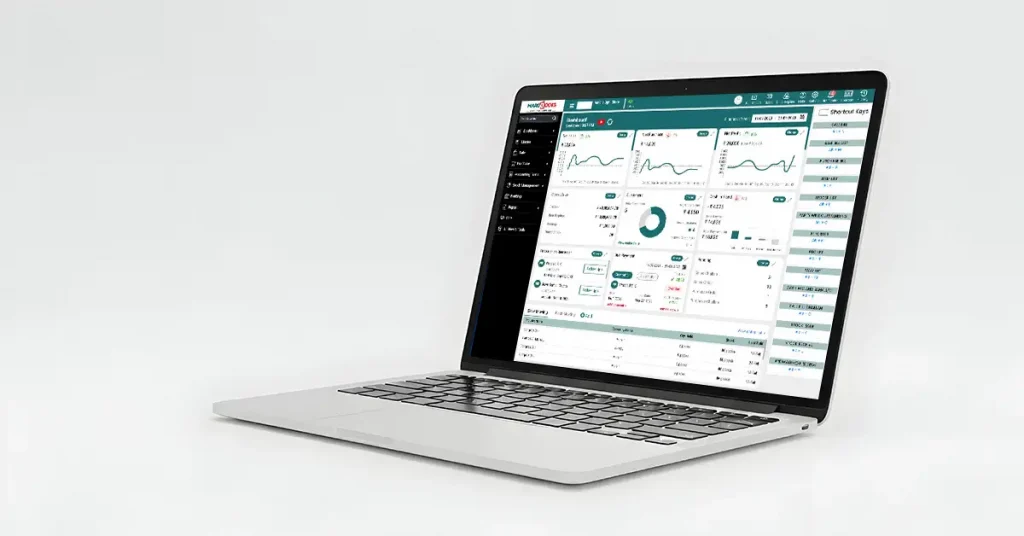
If most of this is still manual for you, a Cloud Based Accounting Software takes a chunk of the repetitive work off your plate. MargBooks, for instance, builds a lot of this straight into its invoicing, automated reminders on whatever schedule you set, GST-compliant invoicing from day one, and invoice tracking that shows what’s paid, pending, or overdue without you digging through records.
It also puts together outstanding payment reports so your receivables picture is in one place instead of five, lets you send invoices and reminders over WhatsApp (where people actually respond faster), and keeps a customer ledger so you’ve got payment history on hand instead of relying on memory. Payment status updates as customers pay, and it ties back into cash-flow management rather than sitting off as its own separate task that nobody checks.
None of this replaces actually talking to your customers when it matters. It just makes sure the routine stuff happens even on the weeks you don’t have time to think about it.
Conclusion
Simple guidelines for sending your payment nudges are courtesy, consistency, clarity in creating short nudging messages, and utilizing some sort of automation to help you remember to send your nudges. The relationship matters as much as the payment, maybe more, long-term.
If you’re still tracking due dates in your head or chasing invoices one at a time, it’s worth looking at what billing software such as MargBooks Software can take off your plate. Setting up notifications and reminders on your customer’s calendar will help remind your customer and you, as the business owner, of when your business is due to receive payment for the products or services provided, along with keeping track of overall cash flow.
FAQs
What is the best payment reminder message?
Short, specific, and polite, invoice number, amount, due date, and payment link. Nothing accusatory, especially not the first time around.
How many payment reminders should I send?
Somewhere between three and five works for most businesses: one before due, one on the day, and a couple of follow-ups if it’s still unpaid.
Should payment reminders be automated?
For most businesses, yes, past a certain invoice volume, it’s really the only way to stay consistent without it eating your week.
How do I remind customers politely?
When sending out reminders for invoices that have exceeded their original due date for payment, assume good intentions for the recipient. A comment like “Just flagging this for you in case you missed it” will be taken much better than anything that sounds like an accusation.
Can I send payment reminders through WhatsApp?
Using WhatsApp for reminders is an excellent way to create urgency and help ensure your customers open your messages. WhatsApp messages are opened much quicker than those received in email.
What should I include in a payment reminder?
Be sure to include the invoice number, amount due, and the due date. Provide a link to the payment option and ask about any concerns or questions that could benefit from a longer explanation.
When should I stop sending reminders?
If you have sent a follow-up reminder approximately 15 days after the invoice was due without receiving a response, you should have a conversation with the customer or move to formal collections processes, rather than continuing to automate reminders to your customer.
How often should businesses follow up on unpaid invoices?
Businesses should generally follow up approximately every 5 – 7 days past the due date. You can adjust the frequency based on the size of the invoice as well as your relationship with the customer.

Aman Kannojia is the Digital Team Lead at MargBooks. He started out as an SEO Specialist and never lost his love for words. With 5 years of experience across banking, SaaS, and finance, both domestic and international, he brings strategy, leadership, and storytelling together. He doesn’t just manage a team, he builds one that creates.