Retail Software
 Distribution Software
 Retail Chain


10 Best Cloud-Based Accounting Software for Small Business in 2026

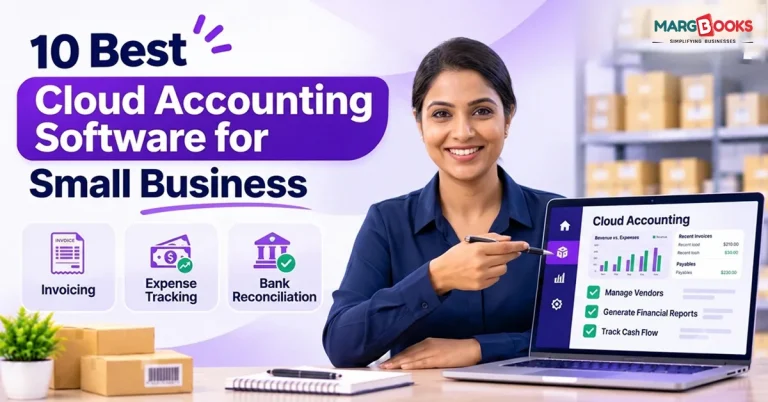
Keeping accurate books is one of the least exciting parts of running a small business, and one of the most important. Missing a GST deadline, an incorrect stock count not matching the sales log, or your CA waiting for documents that haven’t arrived can all lead to a waste of time and money.
Cloud accounting software resolves these issues by taking your books online. You can access your records from any device; your accountant can edit the file at the same time as you, backups happen automatically, and tax-related updates reach you without your own research.
This guide discusses ten products for Indian small businesses focusing on GST compliance. For each product, it notes the pros, cons, and alternatives for clients. Please keep in mind that the pricing and free plan availability change regularly, so check the product websites to confirm all the information before you make any decision.
What is cloud accounting software?
Cloud accounting is a type of accounting software installed on the vendor’s computers instead of one particular computer located in the office. You access it through your web browser or a mobile app, so all your data is saved and secured at a single centralized point.
The effect of this for small enterprises is fourfold. Firstly, you will be able to view sales, debts, and reports from anywhere in the world. Secondly, your accountant will be able to work in the same system without the need to send any files. Thirdly, the backups would not depend on anyone remembering to do it. Fourthly, any changes in compliance, such as changes in the GST regulations, would be automatically introduced into the software.
The factor that has to be kept in mind is the necessity to have a reliable Internet connection. If you do not have a reliable Internet connection, it is worth checking the offline functionality of the software.
How these ten were picked
Each option was assessed on six criteria:
- GST support: automatic tax calculation, return-ready reports, e-invoicing, and e-way bills
- Ease of use: whether a non-accountant can operate it without extended training
- Inventory handling: from basic quantity tracking to batch and expiry control
- Pricing and free plans: what you get at no cost and where the limits sit
- Support and ecosystem: vendor responsiveness and how familiar the tool is to Indian accountants
- Scalability: whether it can grow with added users, branches, and transaction volume
The order below places the strongest fit for stock-selling businesses first, then moves toward tools better suited to service businesses and specialized needs.
Comparison between Different Softwares
In the table below, we have given a comparison between different software.
| Software | Best for | Free plan | Indian GST support | Inventory |
| MargBooks | Pharmacy, retail, any stock-selling business | Ask for a quote | Yes | Batch-wise |
| Zoho Books | Service businesses and general small businesses | Yes, for eligible businesses | Yes | Basic to moderate |
| Tally Prime | CA-friendly accounting | Trial only | Yes | Yes |
| Vyapar | Small shops on a budget | Free mobile tier | Yes | Basic |
| myBillBook | Simple GST billing | Free basic plan | Yes | Basic |
| Busy | Traders and small manufacturers | Demo | Yes | Yes |
| QuickBooks Online | Detailed financial reporting | Verify for India | Verify for India | Basic |
| Xero | Businesses with overseas clients | Trial only | Not India-focused | Limited |
| FreshBooks | Freelancers billing abroad | Trial only | Not India-focused | Not suited to stock |
| Refrens / Swipe | Freelancers and agencies | Free entry plans | Yes | Limited |
Free-plan details and feature availability vary by edition and change over time, so treat this table as a starting point for your own checks.
The 10 picks
Here are the top 10 picks of the best cloud-based accounting software-
1. MargBooks
Best for: pharmacies, retail shops, and any small business that sells stock and needs billing, inventory, GST, and accounting to stay consistent with one another.
In many small businesses, a single sale is recorded three times: once at the counter, once in the stock register, and once in the accounting software. Each handoff is a chance for the numbers to drift apart, and reconciling them later consumes hours that no one budgeted for.
MargBooks is designed to remove those handoffs. When an item is billed at the counter, the system pulls it from batch-wise stock, applies the correct GST, and updates inventory in the same step. The sale then flows into your accounts without re-entry.
Consider a pharmacy selling a medicine held in two batches with different expiry dates. The bill records which batch was sold, stock for that batch reduces immediately, GST is applied at the right rate, and the transaction posts to the books. The pharmacy can also pull an expiry report to identify stock that should be returned to the distributor or discounted before it becomes a write-off.
Because MargBooks is a cloud system, there is no server to maintain and no backup routine to remember, and owners can check sales and stock from a phone.
Key strengths:
- Billing, stock, GST, and accounting run from the same transaction
- Batch and expiry tracking that general accounting tools do not provide
- A counter sale flow built for speed during busy periods
- GST applied at the point of sale, so return data is built from actual bills
- Cloud access without hardware or manual backups
Limitations: It is built for businesses that sell stock, so a freelancer or consultant with no inventory will use little of it.
2. Zoho Books
Best for: Service enterprises and regular small firms that desire comprehensive accountancy without requiring any financial experience in order to run it.
Zoho Books handles billing, invoicing, bank reconciliation, GST reports, e-invoicing, and e-way bills. The user interface for this software is designed to be user-friendly and the reports are simple to comprehend, and it can integrate with other Zoho products, as it offers additional functionality.
Key strengths:
- Solid GST features and readable reports
- A free plan for eligible businesses under a revenue threshold
- Smooth path from a free plan to paid tiers
Limitations: GST features are beneficial, and reports are easy to comprehend. There’s a free plan available for qualifying small businesses. Direct path between the free plan and paid options.
3. Tally Prime
Best for: Companies that make use of Tally by having their accountants work for them.
Tally is available to Indian businesses and is considered by many chartered accountants to be their first choice. It offers everything from GST to ledgers and inventory management efficiently. While the software is primarily for desktops, it can be utilized via the cloud.
Key strengths:
- High level of usage by accountants and auditors
- Depth of accounting functions
Limitations: The interface is designed to be user-friendly for accountants, and thus, may take some time to learn for those without prior accounting experience. The term “Cloud” here usually refers to hosting a desktop solution rather than following a browser-first design approach.
4. Vyapar
Best for: For small businesses to get a simple invoicing tool with basic accounting option too.
Vyapar works on a phone or computer as a GST billing tool, which tracks basic inventory bookkeeping without prior ledger knowledge required. The mobile app has both free and affordable paid subscriptions.
Key strengths:
- Easy to grasp and designed for Indian store owners
- Inexpensive to implement
Limitations: The complexity of bookkeeping is less than either Zoho Books or Tally, and stock control is also elementary.
5. myBillBook
Best for: Smaller businesses that primarily require a simple GST invoice.
myBillBook provides GST and non-GST billing, basic inventory, and a customer database with a free basic plan. The free version imposes a ceiling on the number of invoices that can be created each month, thus making it less suitable for busy shops.
Key strengths:
- Simple to initiate and compatible with devices
- No charge for initial plan
Limitations: Limited accounting features and invoice caps on free use.
6. Busy
Best for: small traders and manufacturers.
Busy is known among merchants as it provides GST services, stock, and accounts in a way that meets the needs of wholesale and low-scale production. Previously, it was mainly known as desktop software; however, currently there are cloud and hosted solutions available in the market.
Key strengths:
- Efficient handling of stock and GST Compliance for commercial establishments
- Recognizable to the majority of chartered accountants handling traders.
Limitations: User interface is not as sophisticated as cloud-native solutions.
7. QuickBooks Online
Best for: Businesses that value detailed financial reporting.
QuickBooks is known globally for clear reports and dependable bank feeds. Its strengths are most visible outside India, so verify how well the India edition handles GST, local reports, and e-invoicing before committing.
Key strengths:
- Polished reporting and a well-regarded mobile app
- Widely understood by accountants abroad
Limitations: India-specific compliance features should be confirmed for your situation, and pricing has risen in recent years.
Look elsewhere if: your compliance work is mainly Indian GST and your CA prefers Tally or Zoho.
8. Xero
Best for: businesses with overseas clients or international operations.
Xero is respected for multi-currency handling and clean bank reconciliation. It is not built around Indian GST, so Indian users typically adopt it for global setups rather than for day-to-day GST filing.
Key strengths:
- Strong multi-currency support
- Tidy, intuitive interface
Limitations: limited India-specific compliance and basic inventory.
9. FreshBooks
Best for: Freelancers and service businesses billing clients abroad.
FreshBooks has an intuitive interface and is ideal for time tracking and invoicing clients. However, it does not comply with GST requirements for Indian businesses and does not address stock control needs.
Key strengths:
- User-friendly and convenient for client invoicing
- Works well with time-related work
Limitations: weak fit for Indian tax compliance, and no meaningful support for inventory-heavy businesses.
10. Refrens or Swipe
Best for: Freelancers, agencies, and small service businesses requiring simple invoicing.
Both these software solutions cater to Indian customers and offer free versions. They also provide the facility to send GST invoices through WhatsApp and email. Neither of the two offers complete bookkeeping solutions.
Key strengths:
- Fast setup and free entry plans
- Convenient digital invoice sharing
Limitations: light on accounting and limited on inventory. Some features, such as e-invoicing, may require paid plans, so check the plan limits.
Which one fits your business?
- Pharmacy or medical store: MargBooks, for batch and expiry control with GST billing
- Retail shop or any business that sells stock: MargBooks, or Vyapar if you only need the basics
- Freelancer or consultant: Zoho Books, Refrens, or Swipe
- Trader or small manufacturer: Busy or Tally Prime
- Business with overseas clients: Xero or QuickBooks Online
- Startup with no inventory: Zoho Books, since you can begin on the free plan and upgrade later
What to check before you buy
- GST calculation: Tax should calculate automatically from the HSN or SAC code, without manual rate entry.
- Return-ready reports: GSTR-1 and GSTR-3B data should be ready to file, not something you rebuild in Excel.
- E-invoicing and e-way bills: Confirm both are supported if your turnover crosses the thresholds.
- Purchase reconciliation: The software should help match purchases against GSTR-2B and flag mismatches.
- Stock updates: Inventory should update the moment you bill, not later.
- Accountant access: Your CA should be able to work in the system without a workaround.
- Data export: You should be able to take all your data with you if you leave.
Common Mistakes to Avoid
Here are some common mistakes to avoid while choosing the cloud accounting software–
- Choosing on price alone: A cheap tool that forces you to re-enter every sale costs more in staff time than a pricier tool that does not. Compare the total cost of running the business on each option, not just the subscription.
- Skipping the trial: Free trials exist so you can test real work. Enter a few actual invoices, one purchase, one return, and one report before paying.
- Ignoring data export: Switching later is difficult enough without a vendor that makes your own records hard to retrieve.
- Overbuying features: Many small businesses pay for modules they never open. Start with what you need now and confirm you can add more later.
- Picking software your CA cannot use: If your accountant cannot work comfortably in the system, every filing period becomes a file-transfer exercise.
How to switch to Cloud Accounting?
- Choose your start date: The beginning of a financial year gives your books a clean cutoff. Mid-year switches are possible but require more careful balance imports.
- Move your masters first: Import or enter customers, suppliers, items, tax rates, and opening balances before any transactions.
- Run both systems briefly: Operate the old and new systems side by side for a few weeks and compare totals.
- Reconcile before you commit: Check that sales, purchases, stock, and GST figures match before you retire the old system.
- Train the people entering data: Most migration problems come from habits, not software.
- Keep a final backup of the old system: Store it somewhere safe for audit purposes.
Conclusion
If you sell stock, choose the tool that keeps billing, inventory, GST, and accounts in one flow. MargBooks is built for exactly that. If you only invoice clients, a lighter tool such as Zoho Books will serve you well. Test two options with your real invoices before committing, and make sure your CA is comfortable with whichever one you choose.
FAQs
Q1. What is the best cloud accounting software for small business in India?
MargBooks is an ideal choice for companies that have stock, since it processes all the accounts, GST, and inventory all at once with the transactions along with the purchase. On the contrary, if you are a service center working without any stock, then Zoho Books is the better option for you, and if your CA firm is already using Tally, then Tally is the best option for you.
Q2. Which cloud accounting software is best for a pharmacy?
All the required features of MargBooks allow recording batches on every single invoice, tracking expiry of the goods, calculating GST at the point of sale, and entering sales directly into the accounts. However, general accounting software lacks the complexities required to keep a record of batches or expiry.
Q3. Is there free cloud accounting software for small businesses?
Yes, Zoho Books offers a free plan for qualified businesses, while others like Vyapar, myBillBook, Refrens, and Swipe also offer free plans for limited transactions.
Q4. Which cloud accounting software has GST filing built in?
Zoho Books, Tally Prime, Vyapar, myBillBook, Busy, and MargBooks all create GST-relevant reports. Make sure to verify whether a software uploads directly to the GST portal or exports reports for you to upload on your own.
Q5. Is cloud accounting software safe?
Reputable vendors use encryption and automatic backups, which is often safer than storing everything on one office computer. Ask about backup frequency, user permissions, and data export.
Q6. What is the difference between cloud and desktop accounting?
Cloud software is available anytime and from any device and provides automated backups and updates. On the other hand, desktop software works only on one machine; it runs without internet, and the backup issue is up to you.
Q7. Can cloud accounting software handle inventory?
Many can, at different depths. Vyapar and myBillBook cover basic stock, Zoho Books handles simple inventory, and MargBooks and Busy offer more detailed tracking, including batch-level control in MargBooks.
Q8. How much does cloud accounting software cost for a small business?
Costs range from free plans to a few thousand rupees a year for entry tiers, and more for multi-user or full-featured plans. Ask for the total yearly cost, including extra users, branches, and e-invoicing.
Q9. Can I switch accounting software mid-year?
Yes, but a switch at the start of a financial year is cleaner. If you switch mid-year, import opening balances carefully and run both systems in parallel briefly.

Aman Kannojia is the Digital Team Lead at MargBooks. He started out as an SEO Specialist and never lost his love for words. With 5 years of experience across banking, SaaS, and finance, both domestic and international, he brings strategy, leadership, and storytelling together. He doesn’t just manage a team, he builds one that creates.