Retail Software
 Distribution Software
 Retail Chain

How to Eliminate Duplicate Data Entry in Accounting

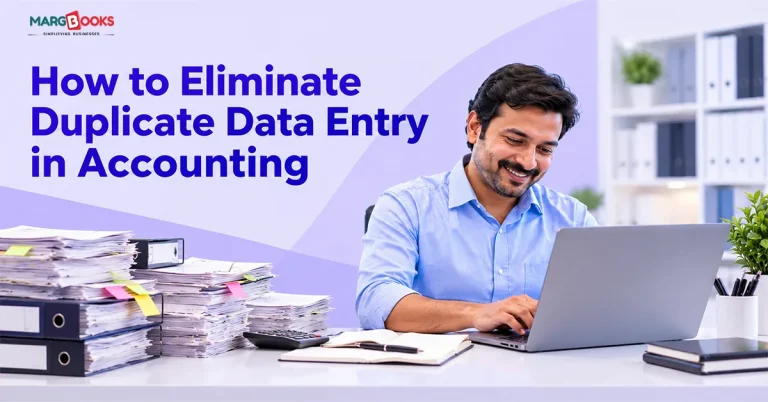
Picture a supplier bill landing in your inbox at four in the afternoon. Someone types it into the billing tool. Someone else adds it to the stock register. By evening, the accountant has keyed it into the books, and next week the same figures get typed, or at least checked, against the GST data. One bill. Four rounds of typing. Four chances to slip a zero or pick the wrong tax rate.
Nobody sets a business up this way on purpose. It builds up over the years, a tool here, a spreadsheet there, until the same number lives in four places and a human being is the only thing connecting them. The good part is that this is one of the easier accounting headaches to fix, and you don’t need a giant project to start.
What is duplicate data entry in accounting?
Double entry in accounting refers to when you have the same transaction entered into your accounts more than once. This can mean re-entering information taken from a paper bill in different accounting systems such as billing, stock, ledgers, and GST. Sometimes, it can be the same bill entered multiple times in one system. Most importantly, whatever the case may be, your organisation is going to waste time, and the figures will never add up. The first kind is far more common. The second is usually just a side effect of it.
Why Duplicate Data Entry Is Costly for Businesses
Start with time, because that’s what everyone notices. Retyping one bill takes three or four minutes. Multiply that by a few hundred bills a month and somebody has lost a whole working week.
The errors are worse. Every time a person copies a figure, there’s a small chance it comes out wrong: a swapped digit, a forgotten discount, the wrong GST slab. And once two copies of an invoice disagree, you’ve got a fresh job on your hands, working out which one is right.
Then comes month-end. Closing the books should take a day or two, but when stock, ledgers and bank each hold a slightly different version of events, it can stretch to a week. Decisions suffer as well. If stock is updated in the evening and outstanding payments only on Fridays, you’re always steering by yesterday’s numbers. And the filing deadline is, of course, exactly when you find out the books and the GST data don’t match.
There’s a human cost too. Good accountants don’t enjoy being typists, and they tend to leave jobs that turn them into one.
Common Causes of Duplicate Data Entry
It usually starts innocently. You pick a billing tool because invoices need to go out. A spreadsheet takes care of purchases. Stock goes into a register because the billing tool doesn’t track it well. Later, your CA comes on board and works in a different package altogether.
Each of those decisions made sense on the day. In summary, it is a process similar to a relay race where every runner must write down the baton before passing it to the next one.
The situation remains more or less the same: being engaged in accounting, billing, and stock are kept in separate software packages; bills are processed from paper bills and PDFs; we have a spreadsheet tracking every entry in the main accounts; statements are reconciled according to the paper version; e-invoice and GST portal data is entered. That tells you where to begin.
7 ways to eliminate duplicate data entry
There are 7 ways to eliminate duplicate data entry in the accounting system.
1. Keep billing, stock, and accounts in one system
This one does most of the heavy lifting. If a single sales bill cuts stock, updates the customer’s ledger, and records the tax in one go, there’s nothing left to retype, because there was only ever one record. That’s the whole idea behind connected cloud-based GST Billing software. Still not sure it’s worth it for a small shop?
2. Import purchase bills instead of typing them
Most typing occurs in the purchases section, as various suppliers have different formats for their bills. The presence of the software eliminates the need for lots of typing, as the purchase data can be imported from Excel and CSV files to minimize the time used for entering the details into the system. One warning: tidy your item and party names before the first import. Bringing in messy data only gets you messy records faster.
3. Let the software post the entries
If you’re still passing journal entries by hand for each sale and purchase, that’s duplicate work wearing a disguise. Set up properly, a sales or purchase bill with GST posts the right entries on its own.
4. Automate bank reconciliation
Ticking off a bank statement against your books is the monthly chore everybody dreads. Good accounting software can bring in bank transactions and match them to invoices and payments, so you only look at the leftovers. You go from checking everything to checking what doesn’t match, and that’s where the hours come back.
5. Use the invoice to send e-invoices
Creating an invoice in one platform and again entering it on the e-invoice portal results in extra work and makes mistakes more likely. E-invoicing makes it possible to launch the B2B e-invoices from the invoice and send credit and debit notes right from the invoice. Reconciling purchases against GSTR-2B inside the same system saves you another round of cross-checking.
6. Work in the cloud on one live set of data
Emailing Excel files around is a duplicate factory. Two people edit two copies, and a third person merges them, badly. On a cloud setup, the owner, the accountant, and the staff all use the same data, each with their own permissions.
7. Clean up your masters and templates
Sometimes the duplicates are baked in from the start. ‘Sharma Traders’, ‘Sharma Trader’ and ‘Sharma Trdrs’ are three accounts for a single customer. It is important to agree upon naming conventions, trim the item list, validate HSN codes, and create billing templates just once rather than dealing with every bill separately.
Manual vs integrated Accounting Software
In the table below, we have given a distinction between Manual and integrated accounting software-
| Task | Disconnected or manual | Integrated software |
| Purchase entry | Retyped from paper or PDF | Imported from Excel/CSV |
| Stock update | Separate register, updated later | Updates when the bill is made |
| Ledger posting | Journal entries by hand | Posted automatically |
| Bank matching | Line by line | Auto-matched, exceptions reviewed |
| E-invoice and GST | Re-entered on the portal | Sent from the same invoice |
How to choose the software to actually do it
Do not rely merely on features. Ask your demo provider some direct questions:
- Is there a single database to store data for billing, stock, and accounting?
- How much of the bank reconciliation process is done automatically, and how much is left for me?
- Does the program come with e-invoicing and GST reconciliation, or does this feature have to be purchased separately?
- Can multiple users be online simultaneously but have different modification rights?
- If something breaks on their filing day, am I talking to a real, live person?
Where to start this week
There is no need to come up with a complex plan for ripping off everything. Keep track of everything that needs to be done twice for one week. Then, select the most tedious one to fix; for many people, this is either inputting purchases or banking reconciliation.
Conclusion
Nobody on your team is lazy. The setup just asks people to do a machine’s job, so the same bill keeps getting typed four times. Start with your biggest time-waster, usually purchase entry or bank matching, and work outward from there. MargBooks is built around exactly this problem. This type of cloud computing application merges billing and accounting processes and keeps track of digital invoices created. All billings placed into the program will automatically get sent to the stock, journal, and Goods and Services Tax records. Buying data can be imported from Excel format and reconciled with GSTR-2B and the bank.
FAQs
Q1. What is duplicate data entry in accounting?
It’s when the same transaction is recorded more than once, across different tools or twice in the same one. The result is wasted time, records that don’t match, and tax errors.
Q2. What causes duplicate entries in accounting software?
Mostly disconnected tools, manual purchase entry, side spreadsheets, and several users entering data without checks. Messy master data, like one party saved under three names, makes it worse.
Q3. How is it possible for a small company to eliminate the duplication of data entry?
It is evident that it is beneficial to begin with a unified system that is universal for billing, inventory, and accounting. This should be followed by the feature of uploading purchases and making bank reconciliation possible. By addressing the most challenging part of the process, it becomes easier to adapt to the new system.
Q4. Can accounting software import purchase invoices from Excel?
Most of them can, and in particular MargBooks allows one to input purchase-related data via the simplicity of the spreadsheet.
Q5. Does automation of bank reconciliation processes help make this task easier?
Indeed, yes. During this process, there’s an opportunity to consider only particular entries that cause problems.
Q7. Is the usage of a cloud accounting app safe?
Although a reliable vendor of cloud accounting applications will assure customers of their safety and backup, studying the security features of any application before going for it is paramount.
Q8. What are the ways to spot duplicate invoices in the accounts?
In order to track the duplicates correctly, it is essential to apply filters based on the invoice number, account, date, and sums involved, and check for matches.

Aman Kannojia is the Digital Team Lead at MargBooks. He started out as an SEO Specialist and never lost his love for words. With 5 years of experience across banking, SaaS, and finance, both domestic and international, he brings strategy, leadership, and storytelling together. He doesn’t just manage a team, he builds one that creates.