Retail Software
 Distribution Software
 Retail Chain


What Is a Stock Management System? Features, Benefits & Examples

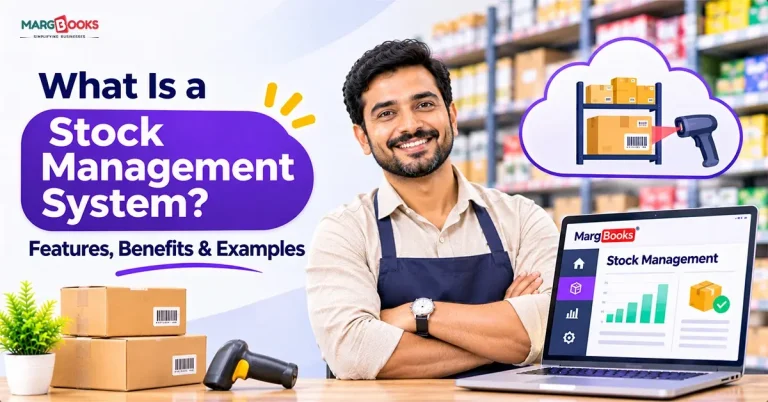
A stock management system is a system of tools that help you keep track of different components, such as orders, shipments, and sales. It also helps you keep track of the movements of your inventory. It could be something simple like keeping data in a notebook, or it could be the use of a highly advanced package tracking system that can track a package as soon as the barcode is scanned.
If you have ever promised a customer that you would deliver a product that you do not have yet, or if you have seen a shelf filled with products that do not get sold, you will understand the importance of good stock management.
What Is a Stock Management System?
I considered it as a technique to manage the three questions asked by the merchants including such questions as what do we have, what do we need, and what do we run out of.
Inventory control observes all movements and stock levels, as well as purchase orders from suppliers, reorder levels, and report creation.
In smaller companies, stock control can mean merely running the cash register and updating stock records weekly, while in the case of large warehouses and thousands of product lines, inventory control can be performed using software.
Stock management vs. inventory management
People use these terms interchangeably, and in everyday conversation that’s fine. If you want the distinction, here it is.
| Stock management | Inventory management | |
| Focus | Finished goods and items you sell | All inventory: raw materials, work in progress, and finished goods |
| Main goal | Right quantity, right time | Control over the full flow of materials and products |
| Common in | Retail, wholesale, e-commerce | Manufacturing, supply chain |
Most software vendors treat the two as one thing, and so do most search results. If you’re shopping for a tool, search for both terms.
Stock management system vs. stock management software
Your organization is a combination of various components that include your personnel, processes, and tools. The stock management software comprises a small aspect of the organization. State-of-the-art software is not enough to guarantee success if the necessary procedures are not followed. Growth cases happen more often than it may seem.
How Does a Stock Management System Work?
Details differ from company to company, but the sequence is often the same. Here are a few pointers that explain how a stock management system works.
- Ordering: After determining the market demand, you make a purchase from the supplier.
- Receiving and testing: After you receive the purchased product, you check if it is of the right quality and quantity as ordered.
- Entering into the database: The item must be scanned or typed into the system for it to be recorded in the system.
- Storing: The item is then placed in a storage space such as a warehouse.
- Selling/shipping: The system adjusts the number of items immediately when the product is sold or delivered.
- Reordering: An alert will be sent when the product inventory reaches a certain level, or when the order is created by the system.
- Reporting: You analyze the total sales data to see the evaluation of products sold successfully and those that need to be reordered.
Essentially, all movement of stock must be recorded in real-time. If something goes wrong with that process, the numbers become unreliable, and people will lose faith in the system.

Types of Stock Management Systems
Manual systems
The methods of tracking include various devices, business cards, and spreadsheets. These methods are inexpensive and are suitable for small companies with a limited number of products. However, they might not work with a big team or a variety of goods since people tend to forget to record the data.
Periodic vs. perpetual systems
A periodic method implies that stocks are counted at certain intervals, i.e., once a month. However, the precise quantities of the goods are unknown.
In contrast, the perpetual method updates stock information continuously and automatically through the utilization of scanners or point-of-sale systems.
Cloud-based software
You access the cloud accounting software with your mobile device or web browser, and the data is instantly accessible via the internet. Whenever there are any changes to data stored in the cloud accounting system, the changes propagate almost immediately. Installation takes little time, and you have to pay for it on a monthly basis. Therefore, most SMEs prefer using this solution.
ERP-integrated systems
Large companies mostly use inventory management within their ERP, therefore benefiting from everything being together as accounting, sales, and production modules.
| Type | Best for | Main drawback |
| Manual | Very small shops | Errors and no real-time view |
| Periodic | Low-volume businesses | Gaps between counts |
| Cloud software | Small to mid-sized businesses | Monthly subscription |
| ERP module | Large or complex operations | Cost and setup time |
Essential Aspects of Stock Management System
Companies don’t need all of the functions. The following features are the most critical in the stock management system.
High-level Stock Management: The stock figure changes as it’s used; no need for inventory counting to estimate how much stock remains.
Barcode & QR code Scanning: It is fast and highly reliable compared to manually entering the information.
Monitoring Reorder Point and Reorder Level: This will allow to get a warning before the stock is over.
Multi-location Functionality: Allows monitoring of stock in every shop and warehouse.
Order & Sales Management: Orders can be created, evaluated, and matched with fulfillment orders.
Batch Monitoring: This feature is of primary importance in the food, pharmaceutical, cosmetics, and electronics industries.
Reporting and Forecasting: Reveals the most and least popular products and possible demand growth.
Integration: The stock management application works with accounting software, e-commerce systems, and POS, allowing avoiding double data input.
Compliant With Tax Regulations: Facilitates tax return drafting in India.
Benefits of a Stock Management System
Here are the benefits of a Stock Management System-
You stop selling out: With reorder alerts, the number of lost sales is down, and fewer uncomfortable conversations with customers.
You stop buying too much: By knowing what sells, you avoid inventorying money in the slowest-moving items.
You make fewer mistakes: The use of scanning technology and automatic updates results in fewer counting errors.
You identify issues at the right time: If the count shows 40 and the shelf shows 32, you can investigate theft, damage, and information errors while they are still relatively small.
You place orders faster: When staff can find goods faster, the fulfilment process speeds up, and people notice it.
You have a better cash flow: Less capital is tied up in stock, and therefore more is available for other activities.
You have a better decision-making process: Reports instead of intuition enable you to know what to reorder, what to discount, and what to eliminate.
Examples of Stock Management Systems in Real Use
In this section, we have explained a few industry examples of stock management systems.
Retail store
A T-shirt shop has five sizes of shirts available in six colors, which comes to thirty versions of the same product. Using a computerized POS system, whenever a sale occurs, the system updates each appropriate version of the product, so that the owner can easily tell that the medium blue is almost depleted while the large green does not budge for two months.
Manufacturing
A small-scale furniture manufacturer has an approach used by its employees to keep track of the use of materials, such as wood, screws, and textiles. When the company is about to exhaust its supply of wood, a signal is sent to the owner, informing him that production can proceed without interruption. In the absence of this notification, production may be stopped due to the missing material.
E-commerce
A web-based business owner would want their item to be sold in their online shop as well as other online stores. It is possible that the item is sold without proper synchronization and the order is canceled afterwards. The stock control system takes care of all selling channels automatically.
Pharmacy or food business
Anything can be controlled by expiration dates. The system is able to keep track of the inventory. Once the product has expired, the system will let you know. In other words, the sold product is the first one to be expired.
Common Stock Management Methods
These are the techniques you’ll hear about. Most systems support several of them.
- FIFO (first in, first out) refers to the products that get sold first. This is a simple concept understood without any extra information.
- LIFO (last in, first out) means that the most recently purchased products are sold first. It is a concept that may have applications; however, in some industries it is not applicable.
- FEFO (first expired, first out) is when the soon-to-expire products are sold first. This tradition is common for producing any kind of products.
- ABC analysis is a method of product classification based on how much importance each category holds in terms of money. In this case, A products require the greatest attention, while C products receive the least.
- EOQ (economic order quantity) is a formula that is used to determine how much product should be ordered to get the minimum cost.
- Safety stock can be referred to as backup supply in case demand significantly exceeds supply.
- Just-in-time approach means acquiring stock only when it is necessary.
How to Choose the Right Stock Management System
Don’t start by comparing feature lists. Start by writing down what’s going wrong today. Then check each option against that list.
Size and growth: Pick a system that handles twice your current products, users, and locations, so you don’t have to switch in a year.
Ease of use: If staff find it confusing, they’ll skip it, and the data goes stale. Let daily users try it first.
Integrations: Connecting to accounting, your online store, and POS means you enter each sale once, not three times.
Mobile access: Checking stock from your phone saves trips to the storeroom and lets you answer customers on the spot.
Pricing: The starting price rarely tells the whole story. Check how costs change as you add users, locations, or products, and ask about setup fees.
Support: Problems tend to show up at bad moments. Make sure a real person can help quickly, ideally in your language.
Questions to be asked to a vendor:
- Can I import my existing product list?
- What happens to my data if I leave?
- Is there a free trial, and does it include all features?
- How long does a typical setup take?
How to Implement a Stock Management System
In this section, we will discuss how to implement a stock management system.
- Knowledge should come first: Without believing in the numbers, you will not be able to make any changes. Your first task is understanding what physical inventory is.
- Identify the minimum and the maximum: It is required to analyze the inventory at the item level so that you know when to order and in what quantities.
- Select the tool: The type of tool, whether a program, mobile application, or a spreadsheet, is dependent on your answer to the previous question.
- Clean your data: Proper naming, SKUs, and units of measurement will save you huge amounts of time.
- Train your team: Do not only teach them how to work with the software, but also show its significance to you.
- Perform continuous counting: Instead of doing one comprehensive inventory count, make small counts on a regular basis.
- Analyze your performance regularly: Upon analyzing any underperformance, inventory shortages, or shrinkage, it is essential to adjust the inventory management practices.
Common Mistakes to Avoid
It is important to keep the following in mind:
- Problems with data entry: If inaccurate stock data has been input into the system, such errors will take place again in the future whenever you manage your stock.
- Updating slowly: When the entering of the stock data is done only from time to time, stock control will always lag.
- The complexity of the system: Complex systems can hardly be serviced and/or improved.
- Forgetting about the human factor: No matter how good stock management systems are, people must operate them properly.
- Neglecting audits: A properly functioning stock management system is capable of doing its job, as long as its effectiveness is measured regularly.
- Buying in advance: Choose a stock management system that fits your needs now and which will grow together with your business instead of favoring costly systems made for large corporations like your competitors do.
Conclusion
The software program for stock control removes ambiguity and gives you precision. With an overview of goods in demand, all other decisions regarding stocks and finances are made easier. To begin with, install a stock management system and establish reorder levels for the most popular stocks. If spreadsheets are not enough, choose MargBooks stock management software it will give you a complete inventory solution, including billing.
FAQs
Q1. What is a stock management system in simple words?
It is a method that keeps track of the items bought and sold by your company. It indicates the available products for sale, what is bought, and what is yet to be ordered by using any method of managing stock, whether computer-based or paper-based.
Q2. What are the main components of a stock management system?
There are five main elements: inventory items, stock movements, reorder rules, supplier and order management, and reports. Software is able to add scanning, buzzes, and integrations.
Q3. Which is the best stock management system for small businesses?
There isn’t just one right answer. Look for something you can learn quickly, be able to pay for, can be used on the go, and can be connected to billing or an online shop.
Q4. Can I use Excel as a stock management system?
Indeed, it works for a few products and one location. It becomes less effective when more than one person works on it, stock changes frequently, or notifications and updates are required.
Q5. How much does a stock management system cost?
Prices are not uniform among different tools. There are free applications for small usage; many cloud tools charge monthly fees based on the amount of products or number of users; and the ERP system costs much more. Ask which services are included in the price before comparing prices.
Q6. How does a stock management system reduce costs?
It reduces excess stock and waste, minimizes the possibility of expiration of goods, reduces the human factor, and saves labour costs.

Aman Kannojia is the Digital Team Lead at MargBooks. He started out as an SEO Specialist and never lost his love for words. With 5 years of experience across banking, SaaS, and finance, both domestic and international, he brings strategy, leadership, and storytelling together. He doesn’t just manage a team, he builds one that creates.