Retail Software
 Distribution Software
 Retail Chain


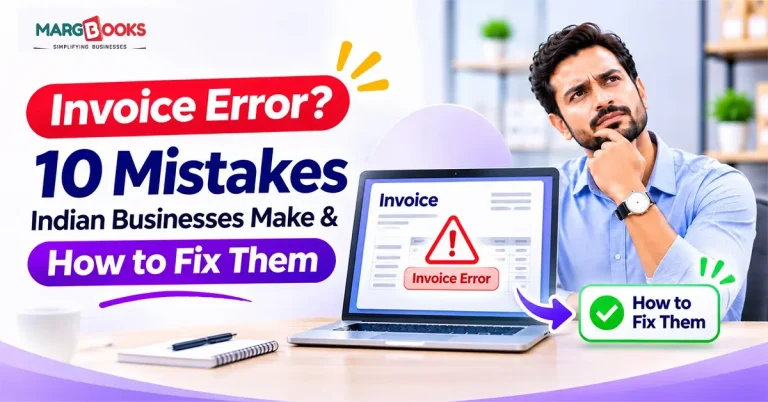
Invoice Error? 10 Mistakes Indian Businesses Make & How to Fix Them

Quick Summary
Quick answer: An invoice error is any mistake that makes a bill wrong, incomplete, or non-compliant. In India, the most common are a wrong GSTIN, wrong tax rate, wrong HSN code, duplicate invoice number, and a missing or late e-invoice (IRN). Most of them can be prevented with a pre-send checklist and invoice software that validates data before the bill goes out.
- Typical advance: 70% to 90% of the invoice value
- Typical cost: About 1% to 3% of the invoice over 30 to 90 days
- Speed: Often 24 to 72 hours once your facility is set up
- Best for: B2B businesses that wait 30 to 90 days to get paid
- Main catch: The annualized cost can be high, so always compare effective rates
An error in an invoice appears to be harmless until the payment process fails to continue. A wrong digit in the GSTIN makes it impossible for the client to reconcile your bill in GSTR-2B, claim input tax credit, and make a payment until the invoice is corrected. Meanwhile, you lose a precious week of cash flow and reputation due to a minor mistake.
The stakes have risen for Indian companies compared to a few years ago, as GST matching and e-invoicing mean that even a small mistake on an invoice may bring about IRN rejection, return mismatch, or notice.
The ten most common errors, along with instructions on how to fix them and what to do if a wrong invoice has been already issued are described below.
What counts as an invoice error?
In the table below, we have discussed invoice errors, and most mistakes fall into four groups:
| Type | Examples | Who gets hurt |
| Data errors | Wrong GSTIN, wrong address, typo in the buyer’s name | You and the buyer |
| Tax errors | Wrong rate, wrong HSN/SAC, CGST/SGST instead of IGST | Mostly the buyer (ITC) |
| Compliance errors | No IRN, late e-invoice, missing QR code | You (penalty, invalid invoice) |
| Process errors | Duplicate numbers, wrong date, no payment terms | Both |
Why an invoice error costs more than a reissue
You should be aware of several reasons as to why an invoice mistake is more costly than issuing a new one. Fixing the issue will only require five minutes.
You lose the buyer’s input tax credit: If the data included in your invoice has not been matched with GSTR-2B, the buyer will be unable to get that credit. This leads to the buyer searching for your details and remembering this problem.
You lose the ability to match your reports: What is included in GSTR-1 should correspond to your personal accounts and documents. Discrepancies cause notifications to be sent, as they are a common reason for that.
E-invoice without IRN is a disaster: If you have to issue an e-invoice and you don’t have a valid IRN, the document cannot be considered a proper tax invoice.
You delay the payments: Financial departments do not pay against disputed invoices, which makes a mistake in an invoice extend your credit period.
10 invoice errors Indian businesses make and how to fix each one
Here are the 10 invoice errors that indian businesses usually make, along with a way to fix the same.
Invoice Error 1: Wrong or missing GSTIN and customer details
What it looks like: The GSTIN might have a wrong digit, or might be from an inactive registration, or have differences in the name of the buyer that is replaced by a trade name.
Why it matters: There will be discrepancies in the invoices from the buyer side, and in the case of electronic invoices, the invalid GSTIN will simply be rejected by the IRP.
Solution: GSTINs have a total of 15 characters, out of which the first two indicate the state of registration of the taxpayer; the next ten are the PAN, while the last character is a checksum. The best practice here is to verify GSTIN one time and record it in client records to keep it correct and avoid typing errors.
Invoice Error 2: Duplicate or out-of-sequence invoice numbers
What it is: The existence of two bills with the same number (245) or the occurrence of a disruption in the numeral sequence due to cancellation of a bill, or existence of a new financial year with continuing invoices from the prior year’s ordinal numbers.
Why does it matter: It may violate GST guidelines since there must be no repeating invoice numbers in the fiscal year, and a number cannot exceed 16 digits. The problem with repeating invoices is that they cause trouble in reconciliation and will not be accepted by IRP.
How to correct: Get an automatic invoice numbering system. Do not use any invoice number more than once, even if a bill is canceled; just cancel it and keep track of canceled invoice numbers. In case you have different branches, you should set a separate series of invoice numbers for each branch with a necessary prefix (like DEL/2022-23/0001).
Invoice Error 3: Wrong HSN or SAC code
What is it: A situation wherein one product gets awarded the HSN code belonging to another product or a service gets assigned the wrong code or a code which is lesser in number than the minimum required number (a code with 4 digits for turnover of less than INR 5 crore and a code with 6 digits for high turnover).
What is the significance of compliance: The HSN code gives the applicable tax and gets reflected in your tax returns. When an incorrect code is quoted, the computation of tax turns out to be incorrect, and e-invoices might be rejected. It is the turnover of the person in question which governs the number of digits in the commodity code that needs to be mentioned; hence, be alert to the law applicable to your business.
What to do in the situation: Keep an item master which has all commodities stated with their correct HSN code along with the applicable rate, and have it reviewed by a CA on a periodic basis. Don’t try to memorize the codes while doing the billing.

Invoice Error 4: Wrong GST rate or tax calculation
What it is: Old tax rates in a template, tax calculated from the total to get the tax amount, or tax calculated again on a tax amount.
Why you should be concerned: If you charge less than you should, you could end up losing money. If you charge too much, your buyer may start complaining. In both cases, you will have to issue credit or debit notes later.
The solution: You should not do tax calculations manually or by using a lousy Excel spreadsheet. Just assign a tax rate to an item of goods and let the software do the rest. If tax rates change, change the master file immediately.
Invoice Error 5: Wrong place of supply (CGST/SGST instead of IGST)
What it looks like: A merchant from Indore deals with a purchaser from Pune, although the invoice displays CGST and SGST as if it involves the sale in Madhya Pradesh, as the billing screen configuration defaults to the place of the seller.
Why it matters: For an inter-state sale, IGST is applicable. Tax being charged incorrectly could lead to the buyer failing to claim credit correctly, which has further implications for the dealer’s returns.
How to Fix: Let the customer sign off on the tax type instead of the person making the entries. In case of a sale of goods, see what the destination would be if it differs from the billing location.
Invoice Error 6: Missing or late e-invoice (no IRN or QR code)
What it looks like: When a business-to-business (B2B) invoice is sent to the customer but does not include the Invoice Reference Number (IRN) upon creation, or the IRN is reported to the Invoice Registration Portal (IRP) much later than required.
Why it matters: A B2B invoice without an appropriate IRN is not considered a valid tax invoice in terms of the e-invoicing threshold limitation (₹5 crore aggregate turnover as of now). There is a timeline for reporting older invoices as well, which is more rigid for bigger companies, so don’t wait for e-invoices to pile up.
How to Fix: Generate the IRN, as a part of the invoicing process; don’t wait till the end of the month to batch-generate the IRN. Good e-invoicing systems connect directly with the IRP and add the IRN and QR code for you.
Invoice Error 7: E-invoice rejection by the IRP
What it looks like: You click generate, and the portal rejects the invoice with an error code.
Why it matters: An invoice can’t be valid until an IRN has been generated. Even though the invoice has been rejected for a week, it still has not been issued.
Common causes and fixes:
| Cause | What to do |
| Invalid or inactive buyer GSTIN | Verify it on the GST portal and update the master |
| Duplicate invoice number | Check your series and never reuse a number |
| Totals don’t add up (rounding, discount) | Recheck line items against the invoice total |
| Wrong or short HSN | Correct it in the item master |
| Missing mandatory field (place of supply, address) | Complete the customer record |
The error code indicates a specific field that failed, so check the error code before guessing. There is software available that can check the fields for you before submission.
Invoice Error 8: Wrong invoice date or late invoicing
What it looks like: If a service is provided in October, it may take until December for the billing to happen, or a back-date may be used so as to comply with a return timeframe.
Why it matters: It is the date of the invoice that determines the time of supply as well as the return period to which the sale relates. GST legislation requires that invoicing for services must occur within a month of delivery of the service. Back-dating also triggers audit scrutiny.
How to Fix: Invoice at the time of supply and not when you feel like doing it. In the case of a genuine delay, do not conceal the fact through back-dating.
Invoice Error 9: Correcting an invoice the wrong way
What it looks like: A file invoice gets amended in the application; it gets removed and then it is redone, or a new invoice is written for the same sale without cancelling the old one.
Why it matters: The same sale could be recorded twice, or your records may not coincide with your return. In this way, a little error has become a serious one.
How to Fix: Use the correct method appropriate to your situation, as explained in the next section.
Invoice Error 10: No payment terms, due date, or tracking
What does it look like: An invoice could be accurate, but it lacks its payment deadline, as well as its bank information. No one checks invoices to determine if any of them have been paid.
Why is it important: This is not about taxes; it’s about cash. If an invoice has no due date, the customer pays at their convenience.
How to rectify it: Info about the due date, mode of payment, and bank should be printed on all invoices, and unpaid creditors checked regularly.
Found an invoice error? How to correct it
The right fix depends on how far the invoice has travelled.
| Situation | What to do |
| Caught before you shared it | Edit it directly |
| Shared, but not yet reported or filed | Cancel and reissue (an e-invoice IRN can be cancelled on the IRP only within 24 hours) |
| Wrong GSTIN or key details on an e-invoice, within the window | Cancel the IRN and generate a new e-invoice |
| Found after the return is filed or after the cancellation window | Issue a credit note or debit note, or amend it in the return |
Credit notes come with a deadline that is linked to the financial year end or the date of filing the annual return, whichever comes sooner, and is set at 30 November. Consult your Chartered Accountant regarding the suitable deadline in your case. One important point to note is not to overwrite a reported invoice.
How invoice software helps prevent invoice errors
Billing can be done on paper or in Excel, as that is what lots of small businesses do. However, just take a look at the sources of the mistakes mentioned above: typing, assumptions, and memory. Software solves all these problems.
| Manual / Excel | Invoice software | |
| Invoice numbering | Typed, easy to duplicate | Automatic sequence |
| Tax calculation | Formulas that break | Set once per item |
| GSTIN | Typed every time | Validated and stored in the master |
| HSN and rates | Memory or a separate list | Saved against each item |
| Credit notes | Separate manual file | Linked to the original invoice |
| Overdue tracking | Whoever remembers | One dashboard with reminders |
Reliable invoicing software will not improve your accounting skills, as it will not allow you to make mistakes.
How e-invoicing software reduces rejections
When your income crosses the threshold of e-invoicing, your invoicing process comes under the purview of the government online portal. Doing it manually means exporting as a JSON file, uploading it, and fixing errors one by one.
The e-invoicing software does each step in an automated way. It performs all field validation before transmission, directly communicates with IRP, collects the IRN and QR code, and sends the information to your GST filing and e-way bills. One advantage of messaging is the ability of systems to check everything beforehand.
What to look for in invoice software and e-invoicing software
Before the acquisition of any electronic invoicing application, ensure that the software fulfills the following requirements:
- The software has been designed to check GSTIN at the point of entry
- It can preserve existing and up-to-date details about HSN/SAC codes and tax rates
- It is capable of creating invoices with a proper numbering structure
- It can give details about IRN and QR codes without requiring any effort from the user
- It is intended to process e-way bills
- It is suitable for processing debit and credit notes that refer to the original invoices
- It should provide alerts for payments and invoices
- It creates an audit trail for all modifications performed
Conclusion
Most of the invoice problems are the outcome of everyday mistakes in entering similar data, trust in default options, and getting confirmations later in the process. You should always make corrections to the master data, create invoice numbers in an automated way, perform thorough checks before making the invoices, and be informed about possible adjustments needed if something has been done improperly during the process. If you are in Excel and spend a week searching for discrepancies right before the end of the billing cycle, you should choose some invoice software such as MargBooks that does the work for you.
FAQs
Q1. What is an invoice error?
It is considered an error if something causes an invoice to be incorrect or improper. An example of this could be having an incorrect GST number or having tax that is wrong.
Q2. What are the most common GST invoice errors in India?
Examples of errors include having the GST number wrong or absent, the tax or rate being wrong, and a duplicate invoice being created.
Q3. How do I correct an invoice error after sending it?
The whole process requires a procedure to be followed. Before the filing of the invoice, it is typically possible to cancel it and issue a new invoice instead. After the filing, it is generally useful to generate a debit note or a credit note to make a change.
Q4. Can I edit an invoice after generating an e-invoice?
No. When the IRN is produced, you will not be able to modify the invoice anymore. Therefore, even though you can cancel the IRN within a period of 24 hours, you need to change it by issuing either a debit note or a credit note afterward.
Q5. What happens if I enter the wrong GSTIN on an invoice?
As a result of an incorrect GSTIN, a buyer may lose the opportunity to claim ITC, because any e-invoice issued with the wrong GSTIN will be considered invalid. To solve the problem, the only options are to cancel the existing invoice and create another one or to cancel the invoice by issuing a credit note.
Q6. How do I fix an e-invoice rejection?
Do not forget about the IRP error code, because it would explain which field has been incorrect in more detail. Common causes of IRP error codes include wrong GSTINs, duplicate invoice numbers, mismatch of the gross amount in the total on the e-invoice and other documents, etc.
Q7. Is e-invoicing software mandatory in India?
Email invoicing eliminates most errors related to data and tax. Since only accounted entries are included in the email invoice, numbers and taxes are calculated automatically. However, it cannot prevent human errors, such as backdating invoices.
Q8. Can invoice software stop invoice errors?
Most of the data and tax errors can be prevented by email invoicing since only the accounted entries are entered into it, numbers are auto-generated and taxes calculated. It cannot prevent cases of erroneous decisions like backdating invoices.
Q9. What is the difference between a credit note and a cancelled invoice?
When a business cancels invoices, those are considered not to be issued again; however, certain limits apply. A credit note is different from a cancelled invoice in that it represents the amount of an invoice that has been submitted and processed by the accounting system.
Q10. How often should I audit my invoices?
You need to do it on a monthly basis before filing your GST returns. Normally, this operation takes about 15 minutes.

Aman Kannojia is the Digital Team Lead at MargBooks. He started out as an SEO Specialist and never lost his love for words. With 5+ years of experience across banking, SaaS, and finance, both domestic and international, he brings strategy, leadership, and storytelling together. He doesn’t just manage a team, he builds one that creates.