Retail Software
 Distribution Software
 Retail Chain

How to Manage Purchase Invoicing for Your Business Using MargBooks

Ask any accounts team what eats up their week, and purchase invoicing is usually somewhere near the top of the list. Vendor bills come in from a dozen different sources, GST numbers don’t line up half the time, and somehow there’s always one invoice that goes missing right before the month-end closing. It’s tedious, it’s repetitive, and honestly, it’s the kind of work computers were built to handle better than people.
That’s where purchase invoicing software like MargBooks comes in. This blog walks through what purchase invoicing actually involves, why businesses can’t afford to treat it casually, and how you can clean up the whole process without hiring extra hands.
What is Purchase Invoicing?
A purchase invoice is just the bill your supplier hands you after you’ve bought something from them. Quantity, price, tax, payment terms, it’s all in there.
People mix this up with purchase orders and sales invoices all the time, so here’s the plain difference:
- A purchase order is what you send out; it’s your request to buy.
- A purchase invoice is what comes back to you from the vendor, confirming the sale.
- A sales invoice is the one you create for your own customers.
Once you’re recording, checking, and reconciling all these vendor bills properly, that’s what people mean by purchase invoice management.
Why is Purchase Invoicing Important?
Because the cost of getting it wrong shows up later, usually at the worst possible time.
Say your GST input credit doesn’t match because a purchase invoice was entered with the wrong tax code, now you’re either losing money or explaining a mismatch to your CA. Or a vendor bill gets logged twice by accident, and you’ve just paid someone for the same delivery. It happens more often than businesses like to admit, especially when everything’s tracked across scattered Excel sheets or, worse, paper files.
Beyond the obvious tax angle, clean purchase records also mean you actually know what you owe and when, which matters a lot more than people realize until cash gets tight. And if a GST audit ever comes knocking, you want your purchase invoicing to already be in order, not something you’re scrambling to fix overnight.

Who Should Use Purchase Invoicing?
Anyone whose vendor list is growing faster than their patience for manual entry. That includes retailers juggling bills from multiple suppliers, wholesalers moving bulk stock in and out, and businesses running more than one store or warehouse where purchases need to be tracked centrally instead of branch by branch. It also applies to pretty much any GST-registered business filing regular returns, because mismatched purchase data doesn’t just cause headaches internally, it can delay refunds or draw unwanted attention from the department.
If you’re still running this on spreadsheets and things feel manageable for now, that’s usually the sign you’re a few months away from it not being manageable at all.
How MargBooks Actually Fixes This
Instead of typing out every vendor bill by hand, MargBooks lets you import purchase bills directly from Excel. One upload instead of a hundred manual entries, that alone saves a chunk of a working day, depending on volume.
There’s also a neat trick where a sales bill import can automatically get logged as a purchase bill on the other side of the transaction. Sounds small, but across hundreds of entries a month, it removes a genuinely annoying amount of duplicate data entry.
Then there’s the GST side of things. MargBooks purchase invoice software calculates GST input credit automatically from your purchase imports, so you’re not relying on someone manually checking every single invoice for tax accuracy, which, let’s be honest, is where most human errors creep in anyway.
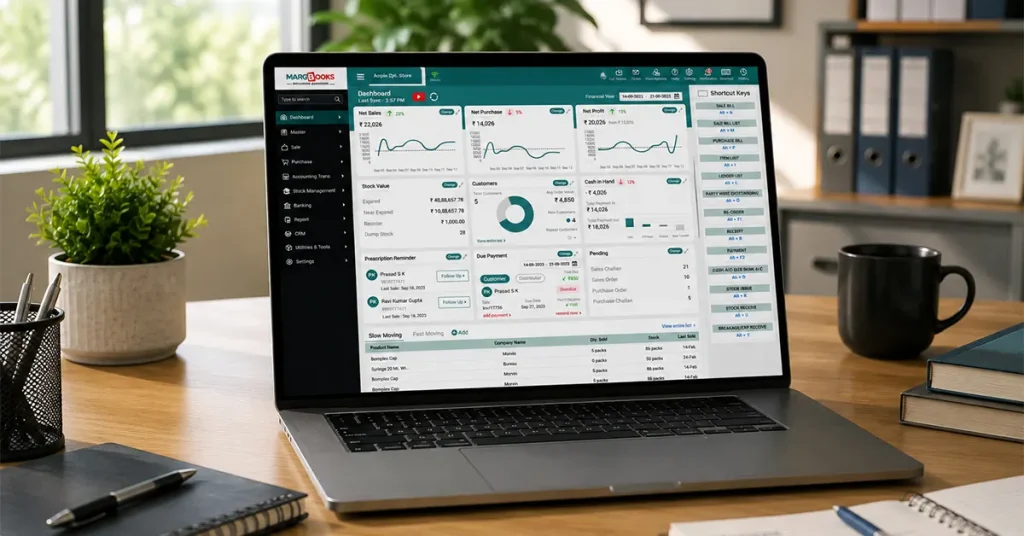
For anyone running multiple branches, there’s a centralized dashboard that pulls purchase and sales data from every location into one place. No more logging into five different systems just to figure out what’s owed where.
With regard to compliance, e-invoicing and GST reporting are part of the process rather than being an addition. Once an invoice is done, it can be sent through WhatsApp, email, or printed if necessary without needing any extra items.
A Quick Example
Here’s a scenario that comes up a lot: a distributor working with 200-plus vendors, where the accounts team was spending close to five full working days every month just entering purchase bills and chasing down GST mismatches manually.
After moving to bulk Excel imports and letting the software handle GST calculation and mismatch flagging automatically, that same reconciliation dropped to under a day. Not because the team suddenly got faster, but because the repetitive part of the job got taken off their plate entirely, and they could spend that time actually managing vendor relationships instead.
That’s usually the real payoff with automating purchase bill management; it’s less about speed for its own sake and more about getting people off tasks a system can just do more reliably.
Conclusion
While it may lack glamour, purchase invoicing is crucial in determining the accuracy of GST credits and timely payments to suppliers, as well as ensuring the validity of accounting records during the audit. The simple systems employed at the initial stages of business such as spreadsheets and manual entries become unmanageable as soon as the number of suppliers increases. MargBooks software simplifies this process by handling routine tasks such as processing bulk invoices, calculating GST, and maintaining records of multiple branches, allowing employees to devote their time to more important business operations.
FAQs
Q1. What ways can be employed to check whether purchase invoices comply with GST?
It is of utmost importance that each invoice has the correct GSTIN, HSN codes, and tax rates right from the beginning. With GST-compliant software, you’ll eliminate the risk of making many mistakes in the manual process.
Q2. Can I import purchase bills in bulk instead of one at a time?
Yes, MargBooks supports Excel-based bulk imports, so you’re not stuck creating each bill individually.
Q3. Does this work for businesses with multiple branches?
Yes, the centralized dashboard is built exactly for that, tracking purchases and sales across every location from a single screen.
Q4. Can purchase invoices be shared without printing them?
Yes, invoices can go out via WhatsApp or email directly from the platform.
Q5. Does MargBooks send reminders for pending purchase payments?
Surely, you can track the unpaid vendor payments and automate reminders to ensure that there is no delay in payments.

Aman Kannojia is the Digital Team Lead at MargBooks. He started out as an SEO Specialist and never lost his love for words. With 5 years of experience across banking, SaaS, and finance, both domestic and international, he brings strategy, leadership, and storytelling together. He doesn’t just manage a team, he builds one that creates.