Retail Software
 Distribution Software
 Retail Chain


Want to Reduce Invoice Processing Time? 9 Simple Ways to Do It

Quick Summary
To reduce invoice processing time, use invoicing software to calculate totals and taxes automatically, save customer and item details once, send invoices right after each sale, and set automatic payment reminders. Cloud-based GST billing software adds GST-ready invoices and access from any device, so billing takes minutes instead of hours.
- Typical advance: 70% to 90% of the invoice value
- Typical cost: About 1% to 3% of the invoice over 30 to 90 days
- Speed: Often 24 to 72 hours once your facility is set up
- Best for: B2B businesses that wait 30 to 90 days to get paid
- Main catch: The annualized cost can be high, so always compare effective rates
The invoicing process has shifted from two minutes to around ten minutes. Afterward comes the important step of GST verification, tracking the payments, as well as retrieving the previous month’s invoice when the customer calls. Invoicing can take considerable time, over a month.
The long waiting time in the process is due to the same set of habits that can easily be altered. The following nine steps can help you speed up your invoice processing. Overall, these methods make it possible to take advantage of accounting software and switch to online invoicing.
Why Does Invoice Processing Take So Long?
Invoice processing time starts from the moment a company raises the invoice up to the point the payment is recorded against the invoice. This includes creating the invoice, confirming it, sending it, following up on it, and filing it.
There are five challenges that lead to slow invoicing for most small businesses.
- Entering the same information: Customer names, addresses, GSTIN numbers, and items are usually entered many times for one transaction.
- Tax calculations: Calculating CGST, SGST, or IGST manually is laborious, especially because if you calculate the taxes incorrectly, corrections will have to be made later.
- Dispersed documents: Invoices are managed via a book, Excel file, and WhatsApp, which complicates finding anything in the huge pile of information.
- Manual payment reminders: Calling or texting each customer about the unpaid invoice takes a lot of time.
- Entering purchase invoices: It also takes a lot of time to enter supplier invoices into the system, and it is easy to forget about this when the focus is on sales.
9 Simple Ways to Reduce Invoice Processing Time
Here are 9 simple ways to reduce invoice processing time-
1. Utilize Invoicing Software
The most remarkable transformation comes from utilizing invoicing software instead of books and spreadsheets. The invoicing software can be used to make computations on all items and their prices, thereby ensuring that the taxes are accounted for, an invoice number is assigned, and the business information is included on the invoice. All you need to do is input the products purchased and the quantity.
2. Use Cloud-Based GST Invoicing Software
You can choose cloud-based GST invoicing software if you need to pay GST for your purchases. The data remains on the internet, which means that you can generate invoices using your phone, laptop, or any other gadget that can access the cloud. A good product will create GST-compliant invoices, maintain tax slabs, and back up the data automatically. There is no need for installation or file transfer.
3. Save Customer and Item Information Once
Enter customers and products only once; from then on, it takes seconds to select them from a drop-down menu. Capture the price, unit of measure, HSN or SAC code, and tax rate for every product, so you do not need to enter anything again. Implementing this change is very advantageous, as it saves you time in a process that takes a lot of your time otherwise.
4. Let the Software Calculate GST and Totals
Errors in hand calculation are easily committed: an incorrect slab, a rounding blunder, or a tax line omitted. The software calculates the correct rate according to the item and the state of the customer. It separately calculates CGST, SGST, or IGST as applicable. With fewer mistakes, we have fewer credit notes and less uncomfortable communication with customers.
5. Use Templates and Recurring Invoices
If you send bills to clients on a regular basis, create a template instead of making invoices from the ground up. By doing so, you will only need to create an invoice template once before copying it or setting it to repeat. This is useful for paying rent, paying for subscription services, signing contracts for services every month, and requesting bulk orders regularly.
6. Send the Invoice Right After the Sale
There are many bills left to pile up at the end of each day or at the end of the week. Write invoices while the client is still there or, at the latest, one hour after the sale. Send them an invoice via the app, instantly through WhatsApp, SMS, or email. Sending the invoice right after the sale means that the client still remembers the price and date.
7. Set Automatic Payment Reminders
Making phone calls to request payments can be a cumbersome task. Therefore, it is important to set reminders days ahead, on the due date, and after it. The tone has to be business-like and polite, while it should also contain the invoice number and amount for each invoice. This will thus minimize the time spent talking to clients, while the customers will be informed by the reminders in advance.
8. Cut Down Purchase Bill Entry
As invoices are processed, bills from suppliers are part of invoice processing. Each supplier’s bill must be entered line by line. During a busy week, this can take several hours of paperwork. However, some invoicing systems come equipped with software that can read the bill based on a picture or file and fill in the required fields automatically. In this way, you will only need to verify the data. Moreover, even if you do not have a scanner at hand, you can still save time if you keep your suppliers and common goods in the same way as you do with your customers.
9. Update Records Daily and Review Monthly
At the end of every day, allocate five minutes for logging any outstanding activity: cash payments, goods returned, and purchases made. Then, take half an hour at the end of each month to review the unpaid invoices and ensure they match the bank statement. Daily logging of transactions prevents exorbitant month-end rushes, and invoices are always easy to locate when clients or auditors query anything about them.
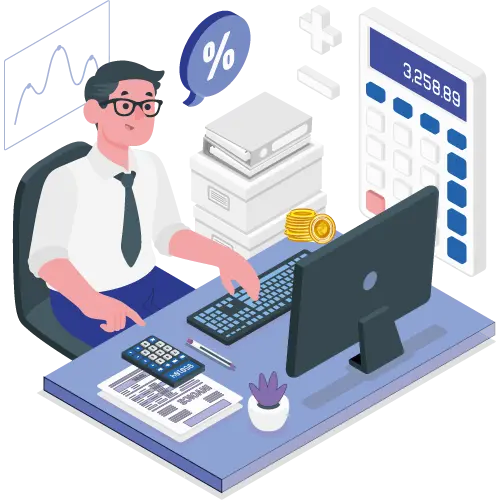
Manual Invoicing vs. Invoicing Software
In this section, we have discussed the difference between manual invoicing and Invoicing software.
| Task | Manual or spreadsheet | With invoicing software |
| Creating an invoice | Type every detail each time | Pick saved customer and items |
| GST calculation | Worked out by hand | Applied automatically |
| Finding an old invoice | Search files or registers | Search by name, date or number |
| Payment follow-up | Call or message one by one | Scheduled reminders |
| Purchase bill entry | Copy details manually | Saved suppliers, optional scanning |
| Risk of errors | Higher | Lower |
What Is Cloud-Based GST Billing Software?
Cloud based GST invoicing software is a new-age billing solution that issues GST-compliant invoices and maintains records on protected servers, thus making it accessible from any location with the internet.
In comparison with an application installed on a single computer, cloud based GST Billing software offers several benefits:
- You can easily issue invoices through your computer or phone from any place.
- Records are automatically backed up, preventing loss of invoices due to any malfunction of a laptop.
- Not only can one person work on the system, but many can.
- Updates and amendments happen without the users having to install anything themselves.
How to Measure Your Invoice Processing Time
When it comes to rectifying a procedure, completing it is just part of the assignment. It is also necessary to have a clear confirmation of whether the changes made were good enough. Use the reference point established before and track three crucial numbers:
- Time per invoice: Time taken from the moment an invoice is initiated until it is sent.
- Time taken to get a cheque: The period between sending an invoice and receiving the money.
- Corrections: The number of invoices that needed correcting after being sent.
Re-evaluate these figures after two to four weeks of having implemented the new procedure. If the time per invoice has decreased and the number of corrections has done the same, you can be sure that the modifications you made are working as expected.
An Example: Faster Invoicing at a Small Shop
The samples provided are purely indicative, and they do not represent figures from a real shop. Just imagine that there is a hardware store that issues about 40 invoices per day (mix of credit and cash sales). Each invoice takes about three minutes to issue, as the owner has to fill in details about the customers and look for tax rates in the system. That is 120 minutes spent on repetitive processes every working day.
After saving the regular customers and the top 100 items in the billing application, the owner receives great savings in time – each item already has tax rates assigned. Currently, if a customer comes to the store, the owner just has to select a customer, select the items, and click on the Send button.
Your own savings will depend on how many invoices you issue and how much of the work is repeated, but the pattern holds for most small businesses.
Common Invoice Processing Mistakes to Avoid
Here are a few common Invoice Processing Mistakes to Avoid-
- Leaving entries for later: A small backlog on Monday becomes a large one by month end.
- Using old prices or tax rates: Review item details whenever prices or rules change, so you are not correcting invoices afterward.
- Having no reminder routine: If you only chase payments when you remember, some will slip through.
- Keeping records in too many places: Pick one system and use it for everything.
Conclusion
It is not necessary to change everything at once. Get started by timing ten invoices and then try out invoicing software. You should learn how to save your important customers and products and turn on payment reminders. Take those actions, and you will probably save a lot of time on every bill you have to issue. In case you invoice using GST, consider using a cloud-based GST invoicing software like MargBooks. It contains your tax information and records in one place, and you can access it from any device.
FAQs
Q1. What can I do to reduce invoice processing time?
Invoices that can be automated allow for fast calculations, saving customer and product details, issuing invoices before a sale, and sending reminders for payment. This removes most repetitive tasks from the small business equation.
Q2. Which is the best invoicing tool for small business?
The ideal invoicing application would require good GST compliance, would include a mobile app, have the features to save customers and products, and send reminders for payments. Try out the free plan or ask for a trial before actually charging customers.
Q3. Is cloud-based GST billing software secure?
Reliable suppliers store data on secure servers, use encryption, and provide automatic backups of the data. Hence, you need to ensure that you choose strong passwords and also limit access to your account to those who should have it.
Q4. Does the invoicing software compute GST automatically?
Once you mention the tax rates for the products you wish to sell, the system will apply CGST, SGST, or IGST according to the customer’s location for each invoice automatically.
Q5. What is the average time required to generate an invoice?
In most cases, once the customer and product data have been stored, generating an invoice would typically take a minute. Without storing data, the process could span anywhere between three and five minutes.
Q6. Will fast invoicing result in better cash flow?
Yes, indeed. Quick invoicing and defining a due date for the invoice normally result in speeding up payments, while regularly sending out reminders also reduces the number of late payments made.
Q7. Am I able to utilize invoicing software on my mobile device?
Most of the latest invoicing applications can be supported by smartphones or computer devices. However, cloud-computing facilities allow you to keep an invoice initiated on one device and completed on different devices.

Aman Kannojia is the Digital Team Lead at MargBooks. He started out as an SEO Specialist and never lost his love for words. With 5+ years of experience across banking, SaaS, and finance, both domestic and international, he brings strategy, leadership, and storytelling together. He doesn’t just manage a team, he builds one that creates.