Retail Software
 Distribution Software
 Retail Chain

Step-by-Step Guide to Migrating from Excel to GST Billing Software

It’s 11 PM. Filing deadline tomorrow. You’re staring at an Excel sheet that has somehow produced a negative GST figure, and you have no idea which formula broke or when. You fix one cell, something else shifts. Two Hours into this task? Is this familiar? If yes, read this guide.
Many small to medium-sized businesses in India still rely on spreadsheets for managing GST because they do not know that there are better alternatives and have no idea that there are better options than using spreadsheet tools for their GST operations. This is a better way. A step-by-step guide to moving from Excel to GST billing software like MargBooks, without losing data or missing a filing.
Why Excel Just Doesn’t Work for GST Anymore
Nobody is saying Excel is a bad product. But managing GST compliance isn’t what it was built for.
When filing time comes around, you’re doing everything by hand, be it pulling numbers from one sheet, reformatting for the portal, and hoping the formula didn’t break somewhere in the last 30 days. There’s no GSTR-1 auto-population. No GSTR-3B summary that just appears. You build it yourself, row by row.
And formulas do break. Cells get overwritten. A decimal slips. None of this shows up as an error; it quietly sits there until an auditor spots it.
Then there’s e-invoicing. Above ₹5 crore turnover, you legally need an IRN and QR code on every invoice before it goes out. Excel has no connection to the Invoice Registration Portal. So either you’re running a separate e-invoicing process on top of your spreadsheet, or you’re non-compliant and don’t fully realise it.
There’s also no audit trail. No log of who changed what. In a business where even two people touch the billing file, that’s a problem waiting to happen.
At some point, the spreadsheet has gone from an operational tool to your daily operational workload. Switching from Excel to GST Billing Software is a need for many businesses.
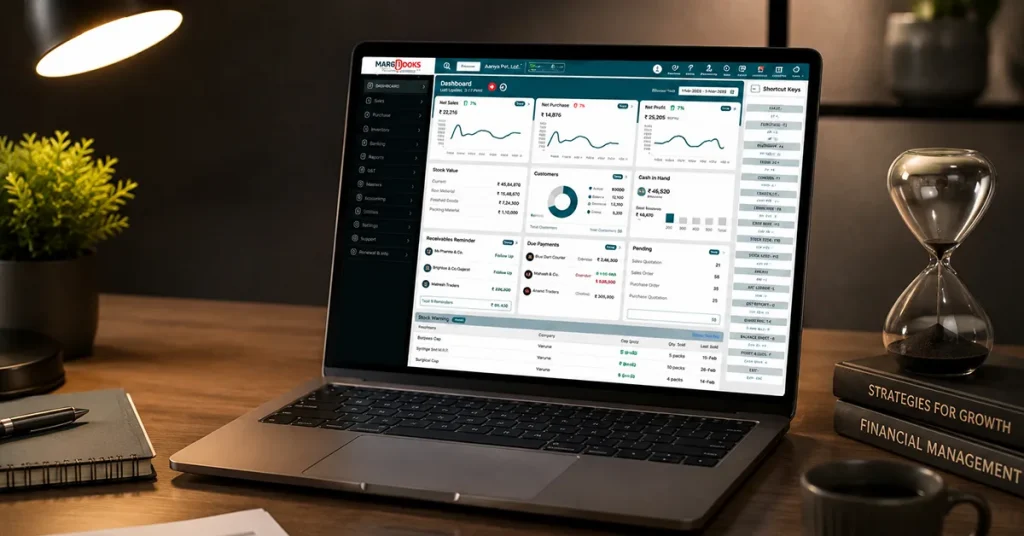
What Actually Changes When You Switch to MargBooks
When people ask what’s different about using proper Cloud- based GST Billing software, I usually say: You stop thinking about tax calculations entirely.
CGST, SGST, IGST — MargBooks works it out based on the HSN code, place of supply, and applicable slab. You don’t touch it. It’s just right.
There is no additional preparation of the GSTR-1 or the GSTR-3B other than generating them based on data already recorded in the books. Invoice data feeds directly into the return format. You review, you file, done, in the time it used to take just to open the right Excel tab.
E-invoicing happens at the point of billing. MargBooks connects to the IRP, generates the IRN, and embeds the QR code. It’s not a separate step. It’s just part of raising an invoice.
Your accountant gets real-time access to GST liability, outstanding payments, and a clean audit trail. You stop getting calls at 9 PM.
And because MargBooks also covers full accounting, your billing connects to your P&L, balance sheet, and bank reconciliation. The financial picture comes together without you having to stitch it manually.
Before You Start: Get Your House in Order
Migrating is not the hard part. The hard part is what you carry into the new system. Bad data migrated is just bad data in a new place.
Give yourself a week before you touch any accounting software: Go through every billing sheet you use. Outline all of your existing information regarding customers (customer list), vendors (vendor list), products (product catalogue), HSN codes, and past invoices (historical invoice file). List out all errors in your existing files.
Then clean it. Remove duplicate customer entries. Fix several GSTIN with wrong formatting. Fill in missing HSN codes. Standardise date formats. Boring work, but it’s the difference between a smooth migration and three weeks of troubleshooting inside a new system.
Always back up all of your information to an external hard drive and a cloud storage drive before making any changes.
Establish and create an initial opening balance for your accounts (receivables, payables, and inventory) before you create a date for a new business start (for example: April 1, the first day of Q01), as this will allow for a much simpler reconciliation process.
The Migration, Step by Step
Step 1 — Pull your data out of Excel.
Make separate files for each type: Customer Master, Vendor Master, Product Catalogue, Opening Balances, and Historical Invoices if you’re bringing those across. Each has its own CSV or XLSX, named clearly with the date.
Step 2 — Match your columns to MargBooks’ import format
Download the import templates from MargBooks under Settings or Data Migration. Map across carefully — your “GST No.” becomes their “GSTIN,” your “Company Name” becomes “Customer Name.” A mismatched column is the most common reason imports fail.
Step 3 — Bring in master data
Import in this order: products, then customers, then vendors, then opening balances. Look at the preview before confirming. If something’s off, fix it in your Excel file and re-import it, not inside MargBooks.
Step 4 — Check what came in.
Review your own books and verify the GSTINs, HSN codes, tax slabs, and state codes within each of the 10 to 15 documents. Takes an hour. Saves weeks.
Step 5 — Decide on historical invoices
Either pick a clean start date (April 1 or quarter start), enter opening balances, and move forward fresh, or import old invoices in bulk if outstanding payments are tied to them. Most SMEs go with a clean start.
Step 6 — Run both systems for a few weeks
Raise all real invoices in MargBooks. Cross-check totals against Excel weekly. Generate a test GSTR-1 and compare. If numbers match, you’re ready.
Step 7 — Switch over completely
All invoices go from MargBooks from the go-live day. Archive the Excel files. Remove access to the old spreadsheets. In your first month, check GST liability reports weekly and confirm your first return goes through clean.
Mistakes That Catch People Out
Moving data before cleaning it.
Whatever mess is in your Excel file will be in MargBooks too. Clean first.
Skipping the parallel run.
This is where you catch tax rate mismatches and balance errors before they show up in your filing.
Not entering opening balances.
Skip this, and your receivables are wrong from day one.
Going live without training the team.
One proper walkthrough before go-live makes everything smoother.
Picking software without e-invoicing.
If you’re near the ₹5 crore threshold, check this before committing.
Conclusion
I won’t oversell this. Migration from Excel to GST Billing Software takes some effort upfront, a week of cleaning data, a few weeks of running both systems, and one clear go-live day. But after that? The 9 PM calls stop. The pre-filing panic goes away. You stop being an unpaid data entry operator for the tax department and start actually running your business. MargBooks software handles the compliance. You handle everything else.
FAQs
Can I import all my old Excel invoices into MargBooks?
Yes — and it’s simpler than it sounds. MargBooks, like most modern GST accounting software, pulls in invoices from a CSV file in bulk, so you’re not entering anything manually. The one thing I’d say is this: whatever mess is in your Excel file will come with you. Wrong GSTINs, blank HSN codes, inconsistent formatting — all of it lands in the new system if you don’t sort it beforehand. Spend a day cleaning the data first. It’s worth it.
Will I lose any data during migration?
Honestly? Only if you rush it. Back up your Excel files before you touch anything — twice, to two different places — and take ten minutes to check your records after import. The horror stories you hear about data loss when switching to accounting software almost always come down to someone skipping those two steps. Do them, and you’ll be fine.
How long is this actually going to take?
Depends on the state of your data. If your Excel sheets are relatively clean and you have a few hundred customers, most businesses move to accounting software in one to three weeks. If you’ve got years of invoices, multiple GSTINs, or a team of five people who all need training — give yourself four to eight weeks. The part that takes longer than expected is almost always the data cleaning, not the migration itself.
Do I legally have to use GST accounting software?
The software itself isn’t mandated. But e-invoicing is — once you cross ₹5 crore in turnover, every invoice needs an IRN and a QR code before it leaves your business. Excel can’t do that. And the threshold has been coming down steadily, so even if you’re not there yet, it’s probably just a matter of time. Moving to proper accounting software now means you’re set up before the deadline hits, not scrambling after.
What about my pending GST returns? Do I file those before or after switching?
Before. Always before. File everything outstanding from your old Excel data, then set your MargBooks start date from that point forward. If you try to straddle Excel and your new accounting software across a filing period, reconciling it becomes a genuine headache. Your accountant will thank you for keeping the handover clean.
Does it require any prior technology information? Is this going to be a problem?
Choosing a good GST accounting software like MargBooks does not require people who specialise in finance or have computer skills; that’s why it was developed — to serve the needs of the average person. What actually makes the difference is running a proper training session before go-live. Not a quick five-minute walkthrough. Sit down with your team, have them raise a test invoice, pull a report, and check a payment. One real session like that and most of the hesitation goes away. People are usually more comfortable than they expect once they’ve actually used it.

Aman Kannojia is the Digital Team Lead at MargBooks. He started out as an SEO Specialist and never lost his love for words. With 5 years of experience across banking, SaaS, and finance, both domestic and international, he brings strategy, leadership, and storytelling together. He doesn’t just manage a team, he builds one that creates.