Retail Software
 Distribution Software
 Retail Chain

Digital Ledger vs Manual Ledger: Which One Best Fits Your Business?

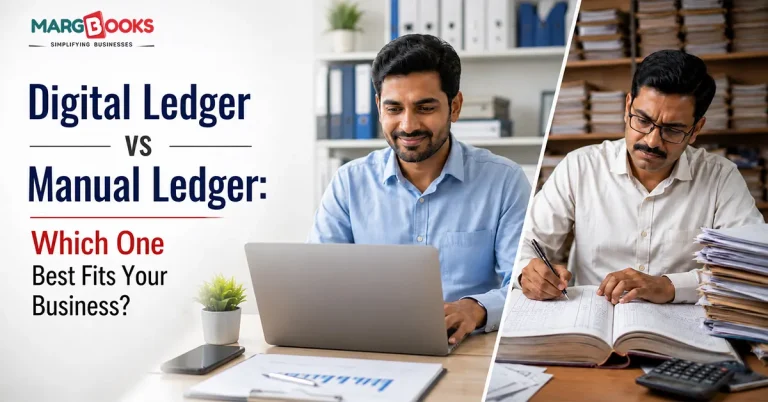
I can still picture that ledger book used by my uncle when he ran his hardware business. The book was a hefty piece measuring about two centimeters. The pages were smeared with ink after being written and read many times over the years. My uncle would spend nearly thirty minutes or even more, calculating his daily sales transactions every day, expecting to find a match at the cash counter. If he didn’t find the expected total cash equivalent, he could have to spend as many as sixty minutes figuring it all out.
That was maybe eight years ago. Today, his son runs the same shop, and that manual ledger book is gone. Everything’s on a laptop now, running on proper bookkeeping software for small business, and the “closing the books” ritual takes about five minutes.
That’s the whole story of digital vs manual ledgers, really, told through one shop. But not every business is ready to make that jump, and honestly, not every business needs to. So let’s actually get into it, what each option looks like, who it works for, and how to move from one to the other if you decide it’s time.
What even is a Manual ledger?
Nothing fancy here. A manual ledger book is a physical notebook or register where you write down transactions by hand, sales, purchases, what a customer owes you, what you owe a supplier, and cash going in and out. Most shopkeepers split it into sections: a page or set of pages for each big customer, another for suppliers, one for cash, sometimes a separate one just for bank entries. In other words, it’s a basic customer and supplier ledger, just kept entirely on paper.
It works because it’s dead simple. No login, no internet, no app crashing on you mid-transaction. You just… write it down. The tradeoff is that it only works as long as you remember to write it down, and as long as your handwriting from three weeks ago is still legible enough to make sense of.
What is digital ledger?
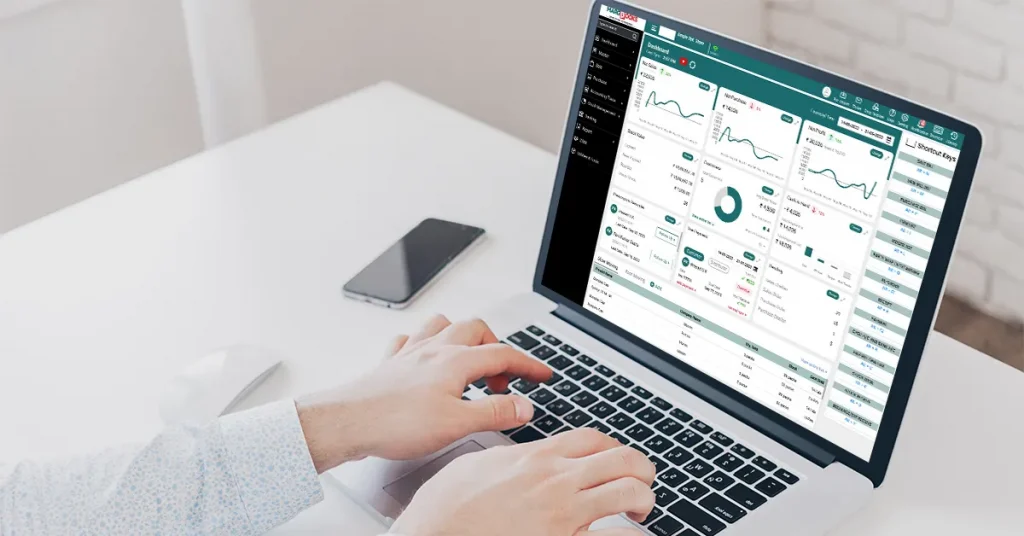
Same basic job, tracking who owes what and what’s been paid, except a piece of online ledger software does the recording instead of your hand. Raise an invoice, log a payment, and enter a purchase, and the ledger updates on its own. No rewriting the same number in three different places.
Most digital ledger tools these days also double up as GST billing software with ledger built in, keeping customer and supplier balances visible at a glance, and, since almost everything’s cloud-based now, let you pull up your books from a phone while you’re standing in traffic, if you really want to. That’s really what cloud-based ledger management comes down to, your accounts following you around instead of sitting locked in a drawer.
Okay, but does it actually matter which one you use?
More than people expect, honestly.
Start with accuracy. Anyone who’s tried to total up a page of handwritten numbers late in the evening knows how one slipped digit throws the whole thing off. It’s not laziness, it’s just what happens after the fifteenth column of the day. Software doesn’t get tired.
Then there’s the time cost. Writing every transaction down, then adding it up, then cross-checking against a different register for the same sale, it eats hours nobody really accounts for until they stop doing it that way and realize how much time they’ve gotten back.
There’s also a quieter problem: forgotten dues. A lot of small businesses don’t lose money because sales are weak. They lost it because nobody followed up on an invoice from four months ago. Any decent ledger management software in India worth using will flag overdue accounts on its own, closing that gap without anyone having to remember, and making it far easier to track outstanding payments before they pile up.
And GST plays into this too; messy records make filing returns genuinely painful, and a disorganized manual ledger tends to be exactly that.
So, who should just stick with a Manual ledger?
Some businesses genuinely don’t need to switch, and I’d rather say that plainly than push everyone toward software.
Handling lots of transactions each day while working at locations where the internet has issues may not require a business owner to shift to electronic cash registers. Even if one is more confident with a pen and a traditional register, sometimes it just isn’t worth it.
Who should probably move to digital?
The calculus shifts once things start growing, though. If GST invoices are a regular part of your day, if you’re dealing with more customers or suppliers than you can hold in your head, if you offer credit and need to track who’s paid, that’s usually when a digital ledger stops being a nice-to-have and starts actually saving you money, not just time. This is exactly where solid business accounting software earns its keep.
Manual Ledger vs Digital Ledger
| Category | Manual Ledger | Digital Ledger |
| Entering data | By hand, one line at a time | Automatic updates themselves |
| Accuracy | Depends on your being careful | Handled by the software |
| Backup | One physical copy, risky | Backed up on the cloud |
| Where can you access it | Wherever the book is | Phone, laptop, anywhere |
| Reports | You build them yourself | Ready in a couple of clicks |
| Chasing payments | You have to remember | Reminders go out on their own |
| Handling growth | Gets messier as you scale | Barely notices the growth |
If you’re actually switching, here’s roughly how it goes
First, go through what you’ve already got. You don’t need it perfectly organized, but you should know your current numbers, what’s owed to you, and what you owe, before moving anything online.
Then pick software that fits how your business actually runs. Something like MargBooks bundles ledger tracking with billing and GST compliance, so you’re not stitching three separate tools together and hoping they talk to each other.
Enter your opening balances first. People skip this more often than you’d think, and it causes real confusion a few weeks in when nothing quite adds up.
Set up ledgers for your regular customers and suppliers next. After that, it’s mostly maintenance, record invoices and payments as they happen, same discipline as before, just faster.
And actually use the reports and reminders once they’re set up. Many businesses are moving to digital systems, yet continue to work as they always have, resulting in them only gaining half of the return on their investment.
An Example of Digital ledger vs Manual ledger
Take a small wholesale trader, call him Ramesh, with around 40 regular buyers. For years, he ran everything through a register, and it worked, more or less. Then his business grew, and one day he realized he genuinely had no idea which accounts were overdue, or by how much. Turned out that two customers owed him money going back four months. Nobody had noticed, because nobody was really tracking it; the register just wasn’t built for that kind of visibility.
After switching to a digital ledger, the same picture that used to take him an afternoon to piece together was just… there. Overdue accounts are flagged automatically. Reminders sent without him lifting a finger. And for the first time in a while, he actually knew where his cash flow stood instead of guessing at it.
That’s the real difference, I think. It’s not that manual ledgers are bad. It’s that they tend to hide problems until those problems are already expensive.
Where MargBooks fits in
MargBooks builds ledger tracking straight into its billing and accounting tools, so customer and supplier ledgers update the moment you record an invoice or a payment, no separate entry, no double work.
It flags outstanding balances in real time and sends payment reminders on its own, so that follow-up doesn’t fall entirely on you to remember. Everything stays GST-compliant as it’s entered, which makes filing season a lot less stressful. And because it’s cloud-based, checking your ledgers from a phone is just as easy as pulling them up on a desktop at the counter.
Conclusion
If your business is small enough that a handful of transactions a day covers it, and GST isn’t creating complications, a manual ledger can keep doing what it’s always done. But for most businesses that are actually growing, juggling GST invoices, several suppliers, and credit sales, a digital ledger removes a lot of the guesswork and risk that comes with doing it all on paper. If you’re not sure which camp you’re in, it’s probably worth trying the MargBooks software free demo and seeing how it handles your actual books before deciding either way.
FAQs
What’s actually different between a digital ledger and a manual one?
A manual ledger is a physical book, filled in by hand. A digital ledger does the same job through software, updating automatically and cutting out most of the room for error.
Is it really worth switching for a small business?
If you’re growing, more customers, more GST invoices, credit sales to track, yes, usually. It saves time and makes it far easier to know exactly who owes you what.
Does a digital ledger replace bookkeeping entirely?
It replaces most of the manual grunt work, but it’s still worth glancing over your accounts now and then rather than assuming the software will catch every single thing.
Is cloud-stored ledger data actually safe?
Decent platforms encrypt the data and back it up automatically, arguably safer than a single paper register that could get damaged, lost, or just misplaced in a drawer somewhere.
Does MargBooks update ledgers on its own?
Yes. Every invoice, purchase, or payment you record updates the relevant customer or supplier ledger without any extra step.
What does something like this cost?
Depends on your plan, how many users you need, and how many GSTINs are involved. MargBooks’ pricing scales with the size of the business.

Aman Kannojia is the Digital Team Lead at MargBooks. He started out as an SEO Specialist and never lost his love for words. With 5 years of experience across banking, SaaS, and finance, both domestic and international, he brings strategy, leadership, and storytelling together. He doesn’t just manage a team, he builds one that creates.