Retail Software
 Distribution Software
 Retail Chain

Benefits of Using Pharmacy Management Software for Retail Shop Owners

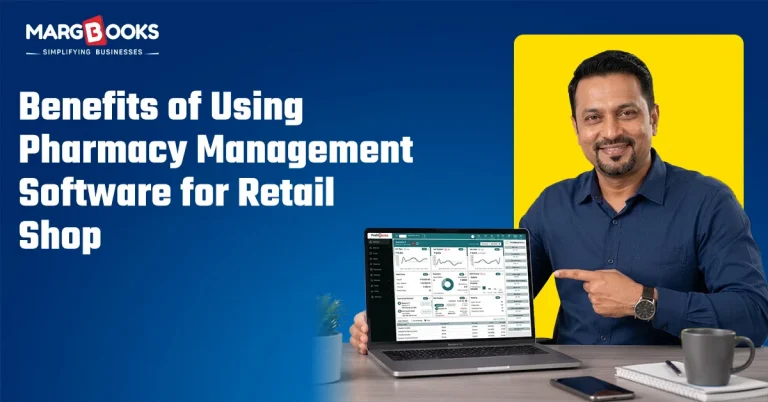
The majority of the smaller community pharmacies you will walk into during peak evening time, will display the same scenario. Someone will be at an open register searching for a batch number. A customer is waiting to pay. And tucked in a corner shelf, a box of medicine has quietly gone past its expiry date without anyone catching it until stock-taking, when it’s already a loss. I’ve talked to enough shop owners to know this isn’t rare. It’s just how things have always been done, until they aren’t.
Pharmacy management software exists to fix exactly this. Not by replacing the way you run your shop, but by taking the manual, error-prone parts off your plate. A lot of owners assume this kind of tool is only for big chains with fifty outlets. This is not uncommon. Many small community pharmacies have more to gain by maintaining current inventory levels, as the effect of a mistake is typically magnified due to the low profit margins associated with small pharmacy operations.
So what does this software actually do?
Strip away the marketing language, and retail billing software is really just one system that handles billing, stock, customer records, and paperwork instead of you handling each of those separately in your head, a notebook, and three different Excel sheets.
What makes it different from a regular retail billing tool is that it’s built around how medicine shops actually work. It knows what a batch number is. It cares about expiry dates. It can flag drug schedules that need extra documentation. A generic POS system doesn’t think about any of that; it just rings up a sale and moves on.
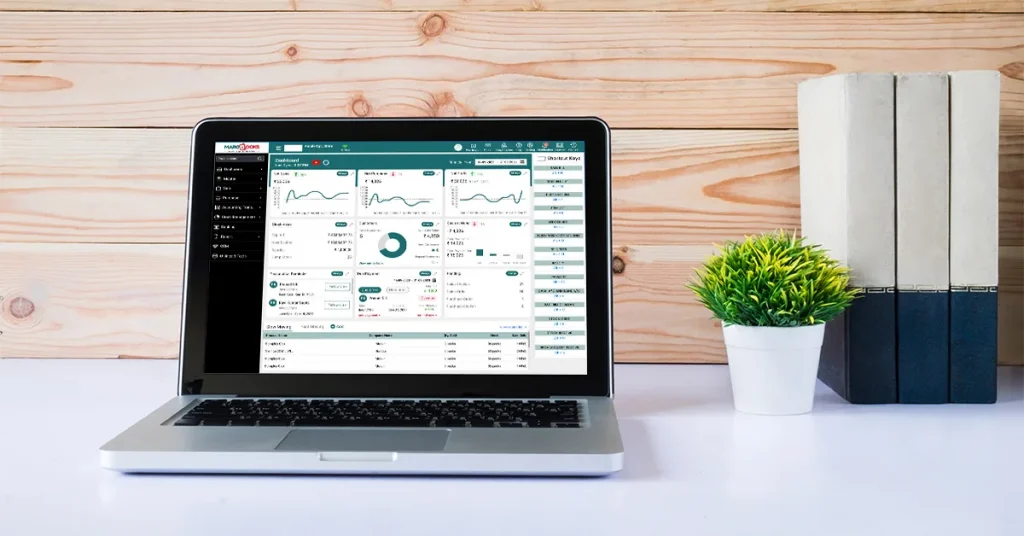
Where it actually makes a difference
Billing that doesn’t eat into your time
Anyone who’s calculated a bill by hand during a rush knows how easy it is to get a number wrong, a missed discount, a tax miscalculation, or a quantity typo. Pharma-billing software just does this correctly, every time, in a few seconds. Your customer isn’t standing there watching you redo the math, and you’re not mentally tallying up the day’s errors at closing.
Knowing what’s actually on your shelves
This one’s probably the biggest pain point for most pharmacy owners. Not knowing what’s low on stock until a customer asks for it. Not realizing a batch is about to expire until it’s unsellable. In fact, real-time inventory control can help solve both of these issues by providing low-stock alerts when product is low enough to warrant restocking and also by providing expiration warnings to allow the pharmacy sufficient time to sell, return, or discount product prior to it being classified as “dead weight” on their shelves.
If you have had to write off a box of pharmaceuticals due to someone not checking the expiration date, there is no doubt that you understand the value here.
Customers who feel remembered
When you can access a regular customer’s recent order or prescription record without asking them for any more details than what they provided earlier, this is a recognition for the customer that creates real goodwill toward your business that cannot be replicated. While loyalty cards and discounts for regular customers may not have any extraordinary and noticeable features, these rewards will encourage your customers to return to your store instead of going down the street to another store.
Fewer headaches during compliance checks
Medicine retail comes with rules; certain drug categories need proper documentation, and if you’ve ever had an inspection or audit land on your desk with two days’ notice, you know how much scrambling that involves when your records are scattered across paper files. With software handling this automatically in the background, you’re not digging through old registers. You’re just generating a report.
One place for your money, not two
The majority of stores still use different software to manage their accounting and sales systems, and require store owners to reconcile these accounts manually at the end of the month. This can be both time-consuming and prone to errors.
Running your shop without being physically there
This is where cloud-based pharmacy software earns its name. You’re not tied to one machine sitting in the back of your shop; you can check stock levels or sales numbers from your phone while you’re out. If your computer crashes, your data doesn’t disappear with it, because it’s already backed up elsewhere. And if you’re managing more than one outlet, this alone can save you from driving between shops just to check numbers.
Why manual systems are losing ground
It’s not complicated, honestly. One expired batch, one billing mistake, one missed compliance record, any of these can cost more than months of software fees combined. And beyond money, there’s time. When you’re reconciling registers manually, you are not spending all of your time on the shop floor or interacting with customers. Customers want fast and digital experiences from their small corner pharmacy, so using a manual reconciliation process will be seen as a liability (rather than a cost saving) in the eyes of your customers and will not help you retain or acquire customers.
How to Pick the Right Software?
Before committing to purchase, consider the following:
1) Will your staff be able to use the product without needing a month of training?
2) Is the product cloud-based or tied to a physical machine?
3) Will the product integrate with your accounting software, or will you have two separate systems running simultaneously?
4) If something fails during a sale, how quickly will the support team assist?
A couple of things people get wrong
People often assume this software is out of budget for a small shop. In practice, most providers price in tiers, and a basic plan for a single-counter shop is usually cheaper than what gets lost to a single batch of expired stock. It tends to pay for itself faster than expected.
The other common worry is that it’s too complicated to learn. Most systems today are built to be simple on purpose because the companies selling them know small shop owners don’t have time for a steep learning curve. Basic onboarding usually gets staff comfortable within a few days.
Conclusion
Running a shop that sells medicine already comes with enough to think about. Manual systems ask you to also be your own accountant, inventory manager, and compliance officer, all at once, with a notebook and a calculator. Pharmacy management software such as MargBooks Software doesn’t take away the personal side of running your shop, the part your customers actually trust.
Removing time-consuming, repetitive, and error-prone tasks, it will allow the owner/operator/sales associate to spend less time focusing on the administrative aspects of running a shop and more time focusing on the customer experience at the cash counter. If you are still managing your business manually, it may be beneficial to take the time to see one or two demonstrations before making a final decision against using a point of sale software.
FAQs
What is pharmacy management software used for in a retail shop?
There is a range of solutions available for managing billing, stock tracking, expiration alerts, customer information, and compliance documentation, combining the various formats that shops currently use (ie, a combination of registers, spreadsheets, and memory).
Is cloud-based pharmacy software better than on-premise systems?
Most systems allow users to access information from any location with an internet connection, automatically back up all data, and easily scale up when opening a new store location in the future.
Does pharma software help with GST or tax billing?
Most pharma-billing software calculates tax automatically and generates compliant bills, so you’re not doing that math by hand at the counter.
Can it track medicine expiry dates automatically?
Yes, this is one of the main reasons pharmacy shops use it. It flags stock nearing expiry early enough that you can act on it.
Is this software hard to learn for non-technical staff?
Not usually. Most systems have been designed to be simple; therefore, after receiving basic training, staff members are generally able to operate the new system within a few days (as opposed to weeks).
Does it include accounting, or do I still need separate accounting software?
Many systems now include basic accounting features. Many shop owners continue to use a separate accounting software for more detailed financial reporting; however, this is not necessarily required.
How much does this software cost for a small shop?
It varies by provider, but most offer tiered pricing built for smaller setups, often monthly, so it’s rarely a huge upfront cost.
Is my data safe with cloud-based pharmacy software?
Reputable vendors encrypt data and perform frequent backups, which provide a higher degree of security than keeping all data locally on one computer.

Aman Kannojia is the Digital Team Lead at MargBooks. He started out as an SEO Specialist and never lost his love for words. With 5 years of experience across banking, SaaS, and finance, both domestic and international, he brings strategy, leadership, and storytelling together. He doesn’t just manage a team, he builds one that creates.