Retail Software
 Distribution Software
 Retail Chain

What is Digital Billing? Benefits, Features & How It Works

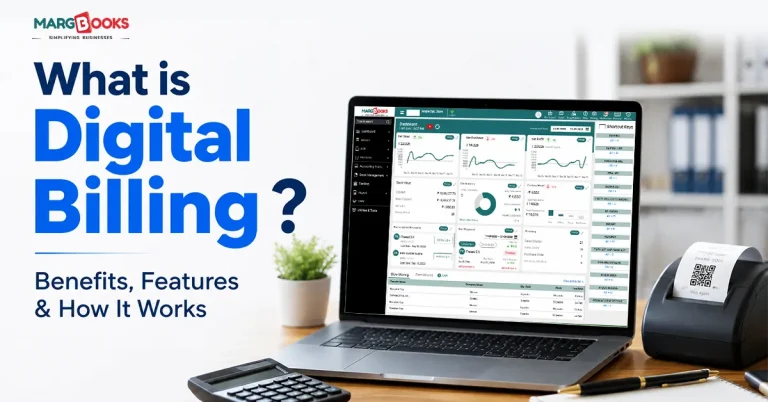
I have no idea how many times I’ve heard small business owners voicing their grievances regarding the same issue: an invoice was lost, a client insists payment went through, and nobody has any documentation to prove otherwise. This is typically when people start looking for digital billing software.
So what is it, actually? Digital billing means generating, sending, and collecting invoices electronically instead of on paper, the whole cycle, from creating the bill to getting paid to keeping a record of it, running through one connected system rather than three separate, disconnected ones.
It’s stopped being optional for a lot of businesses. If you have a considerable number of invoices to deal with, or you need to keep track of GST filings, this is no longer a “someday” upgrade; it’s closer to being essential. Here is what is meant by this concept, how it actually works, and what makes one system better than the other.
What is Digital Billing?
Digital billing is nothing more than a method of creating, sending, and processing invoices online. In most cases, it also involves automated invoice preparation, payment distribution via e-mail and apps or customer portals, as well as payment collection, all done through the same platform, thus saving from going from one application to another. They don’t, quite:
| Term | What It Covers | The Difference |
| Digital Billing | Generating, sending, and collecting payment, start to finish | The umbrella term for the whole process |
| E-Invoicing | Creating and submitting invoices electronically, often in a government-mandated format for GST | Just the invoice-and-tax-reporting piece |
| Online Payments | The payment step itself, cards, UPI, net banking, and wallets | One part of digital billing, not the whole thing |
How It Works, Step by Step
There are five stages of how digital billing works.
First, the bill gets generated, and item details, pricing, and tax rates are pulled automatically into a template, so nobody’s typing it out by hand. Retail setups often add barcode scanning here, which speeds up checkout noticeably.
Then it’s delivered digitally. Email, WhatsApp, an app, a portal, whatever the business already uses. No printing, no handing anything over physically.
Next, payment happens. UPI, cards, net banking, wallets, the customer pays through whatever gateway’s hooked up, and the status updates immediately instead of someone having to check a bank statement two days later.
After that comes reconciliation, payments getting matched against invoices and bank records automatically. Honestly, this used to be one of the most tedious parts of manual billing, so automating it tends to save more time than people expect.
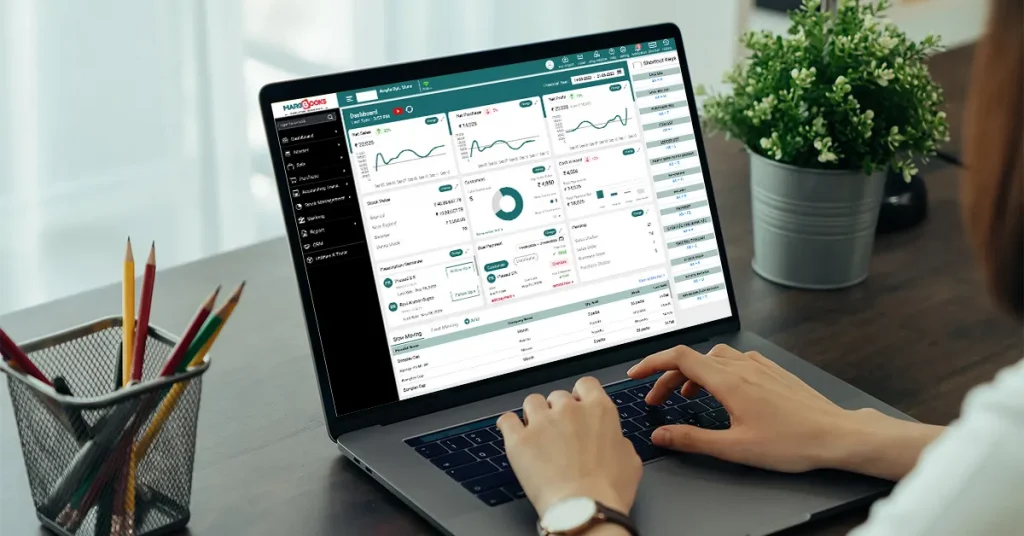
And then it all lands in reporting: sales trends, outstanding payments, and cash flow, all sitting on a dashboard instead of being scattered across spreadsheets that someone has to update manually every week.
What Actually Makes a Digital Billing System Good
Not every GST billing software handles all of this well. A few things worth checking for:
- Templates that don’t need rebuilding every time you bill someone
- Barcode or mobile billing, especially for anything retail
- GST tools that go beyond basic tax math, e-invoicing, e-way bills, the works
- More than one payment gateway (ideally, most of them: UPI, cards, net banking, wallets)
- A dashboard you’d actually open, not one that just sits there
- Inventory tracking down to the batch or branch level, if that’s relevant
- Reconciliation is built in, not a separate spreadsheet job
- Real cloud access, checking things from your phone shouldn’t feel like a workaround
- Encryption and backups, because losing financial records is not a small problem
MargBooks Software is one example that bundles most of this into a single dashboard: billing, inventory, GST compliance, and reporting, instead of making you stitch four tools together.
Why Bother Switching
For the business side, it mostly comes down to time and fewer mistakes. Payments arrive faster when reminders are automatic, and paying takes two taps instead of a manual bank transfer someone has to remember. Errors drop because tax calculations and item entry aren’t being redone by hand every single time. Paper and printing costs go away. And when GST season rolls around, having invoices already compliant saves a lot of last-minute scrambling. Anyone who’s filed returns off a shoebox of receipts knows exactly what I mean.
For customers, it’s really just about not having to think about it. Pay whenever, from whatever device happens to be in hand. No lost receipts, no “did I already pay this one” moments, the record’s just there, and there’s usually already a payment method they’re comfortable with.
Digital vs. Traditional Billing
Here is a tabular format to show the difference between Digital and traditional Billing
| Traditional Billing | Digital Billing | |
| Speed | Manual, slow | Automated, near-instant |
| Errors | Common human-entry mistakes | Rare, mostly automated |
| Cost | Paper, printing, storage | Lower overhead overall |
| Tracking | Registers, physical ledgers | Real-time dashboards |
| Compliance | Manual tax calculation | Built-in GST handling |
| Payment options | Cash, cheque, limited | UPI, cards, wallets, and net banking |
| Access | Tied to the office | Available anywhere |
Where It Shows Up
It looks different depending on the business. Retail and wholesale lean on barcode billing and POS integration to keep lines moving. Distributors and manufacturers pair it with inventory and Bill of Material tracking, since production planning and billing are usually linked anyway. Pharma and healthcare businesses need billing tied to batch numbers and expiry dates; an invoice total alone doesn’t cut it there. Freelancers and small businesses generally want invoicing to be efficient and simple without having to hire someone. Also, retail companies operating in multiple locations use it for central billing instead of running every outlet separately.
How to choose a Digital Billing System?
There are a few more critical questions that need to be answered before agreeing on any contract:
- Does GST compliance have more impact beyond just issuing e-invoices, e-way bills, and calculating taxes?
- Is it compatible with the software that you currently use (inventory software, accounting software, or point of sale software)?
- Can you access the information remotely, or does it take a long time to get the information on your smartphone?
- What actually is the security level, encryption, backup, and access control?
- Will it hold up as the business grows across branches or users?
- Could someone who isn’t an accountant use this comfortably?
- Is pricing upfront, or are there add-ons you’ll discover later?
MargBooks covers most of this for SMEs specifically, cloud access, GST-compliant billing, inventory tracking, and real-time reporting, all in one place. Together with other factors, these characteristics are the basis of the popularity of invoicing software among companies striving to go digital.
Conclusion
This technology automates the process of sending invoices and getting payments. The payoff is faster cash flow, fewer mistakes, and noticeably less GST-season panic. When you’re comparing systems, the thing to actually check for is whether billing, inventory, and reporting live in one place, rather than one tool doing one piece well and leaving you to duct-tape the rest together. If you’re weighing options, MargBooks is worth a look. It’s built around GST-compliant, cloud-based billing for SMEs, and you can book a free demo directly through their site.
FAQs
Q1. Is it actually secure?
Generally, yes, decent platforms encrypt data and back it up automatically, so you’re not one lost laptop away from losing your records.
Q2. How’s it different from e-invoicing specifically?
Digital billing is the whole process; e-invoicing is just the “create and submit the invoice electronically” part of it, usually in a specific format for tax purposes.
Q3. Do small businesses really need this, or is it overkill?
It scales down fine. Fewer errors, faster payments, easier GST compliance- none of that requires a big operation to matter.
Q4. Does it hold up legally for tax purposes?
In India, it is true that digitally-enabled GST e-invoicing and billing are accepted for submission purposes, given the software has what is needed (GSTIN, HSN/SAC Codes, tax details).
Q5. Which industries gain the most?
These industries include retail, wholesale, distribution, healthcare, and service industries that gain the most, especially in areas where the volume of invoices or compliance requirements is high.
Q6. Does MargBooks handle GST e-invoicing?
Yes, GST billing, e-invoicing, and e-way bill generation are all included, alongside inventory and accounting.

Aman Kannojia is the Digital Team Lead at MargBooks. He started out as an SEO Specialist and never lost his love for words. With 5 years of experience across banking, SaaS, and finance, both domestic and international, he brings strategy, leadership, and storytelling together. He doesn’t just manage a team, he builds one that creates.