Retail Software
 Distribution Software
 Retail Chain

How to Choose Pharmacy Software for Multi-Store Chains: 10 Features to Compare


Running one pharmacy is hard. Running five or fifty is a different job altogether. Incorrect storage of inventory, separation of patient files, and delays in the arrival of reports are pointed out as the main reasons for these problems. Most of the time, the problem is caused by software that functions for the benefit of a single pharmacy unit.
If you are a pharmacy chain’s owner or manager, the software you select influences the connectivity of all units in the chain. The present article describes what multi-store pharmacy software is and enumerates the ten primary features you should compare when purchasing it.
What Is Multi-Store Pharmacy Software?
Multi-store pharmacy software is a system that manages all your pharmacy branches from one place. Each store can dispense prescriptions, sell products, and serve patients as usual. The head office can see stock, sales, and activity across every branch without calling each one.
A single-store system handles one location. A multi-store system connects many. It shares patient records, moves stock between branches, applies the same rules everywhere, and gives owners one clear picture of the business.
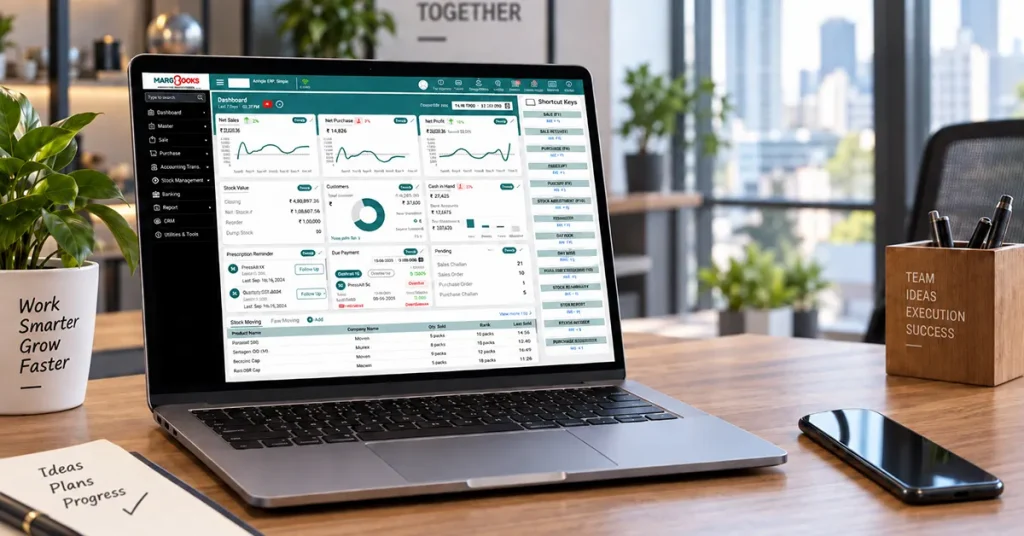
10 Features to Compare while choosing the Multi-store Pharmacy Software
In this section, we are focusing on 10 features that are essential to have in a Multi-store Pharmacy Software-
1. Central Dashboard
You should be able to log in once and see every store. Look for live sales, stock levels, and pending prescriptions, with the option to open a single branch when something looks wrong.
2. Inventory Management
Good Inventory Management software controls stock in every branch, sets the limits of restocking for each pharmacy store, and notifies the owner about the end of the medicine’s usage date. This is usually where the chain can save the greatest amount of money.
3. Stock Transfers Between Stores
If one store runs out of a medicine and another has extra, moving it should take a few clicks. Check that both stores update automatically, so nobody has to fix the numbers by hand later.
4. Shared Patient Records
A patient should have one record across all your stores. Allergies, medicine history, and contact details should follow them from branch to branch. This saves time and lowers the risk of mistakes.
5. Compliance and Audit Records
There are strict regulations for monitoring pharmacy operations, which are especially important for controlled and scheduled medications. Therefore, pharmacy software must take care of accurate records by itself and make reports easy to compile for inspections. It should also update when regulations change.

6. Integrations
Your pharmacy Billing software has to operate with other systems, including counterparty services, insurance or claim systems, and accounting and billing software. Find out what integrations are off-the-shelf and which ones demand a custom solution.
7. Reports and Analytics
You can’t manage many stores by guessing. Look for reports on sales, profit, fast and slow products, and store-by-store performance. Better still, choose a system that lets your team build new reports without asking the vendor.
8. User Roles and Data Security
Not everyone should see everything. Counter staff and regional managers need different access. The software should control permissions by role and by store, protect patient data, keep activity logs, and back up data regularly.
9. Cloud Access and Offline Mode
Cloud-based multi-store Pharmacy software lets you check your business from anywhere and updates every store at once. But internet connections fail, so ask what a store can still do offline. It should be able to keep dispensing and sync its data when the connection returns.
10. Patient Engagement Tools
The customers will return to your pharmacy because of features such as refill reminders, the ability to order medications online, track their orders, and make appointments. Make sure that the software solutions above use the same patient database as your pharmacy system, since without this synchronization the records will become out-of-date.
Conclusion
To manage multiple stores efficiently with your pharmacy software, begin by creating a list of your requirements and evaluate the vendors based on the features mentioned above. This way, your selection is based on what your business relies on rather than on how easy to use the demo was. Ensure every vendor performs a demo that is similar to your store operations such as the transfer of a prescription between branches and stock transfer at the close of business. By doing so, you will be able to see how the software functions in real time. Don’t forget to get your store managers and pharmacists involved in the process since they are the ones who will be using the software on a daily basis and will know the quirks you may not be aware of. Lastly don’t just focus on the monthly cost. You also need to account for the expenses related to installation, data transfer, employee training, and ongoing support. When you have a list of vendors to choose from, don’t forget to include Margbooks software in it and evaluate its capabilities in the same manner as all the other vendors based on your requirements and the demo.
FAQs
Q1. What is multi-store pharmacy software?
The term refers to a software system that enables a pharmacy to run all the branches of the business on one platform and provide them with stock management, sales, reports, and patient records.
Q2.What are the first features to consider?
Start with central inventory, shared patient records, compliance tools, and reporting. These have the biggest impact on a chain’s daily work.
Q3.Can you trust cloud-based pharmacy software to work securely?
Depending on the software vendor’s accessibility and encryption methods, it may be safe to use.
Q4. How much time is required for setting up pharmacy software?
A small chain may be ready in a few weeks. For bigger chains, some months are generally needed because of aspects like data migration and staff training involved.
Q5. Can I change my software without disturbing the regular operations of the business?
Yes, with planning. Clean your data first, test the new system in one store, and roll it out gradually.
Q6. What is the difference between pharmacy management software and a pharmacy POS?
POS systems work on payment transactions and sales. Pharmacy software manages the entire operations of the pharmacy – managing prescriptions, patient records, stock, compliance with regulations, and reporting. Many of the multi-pharmacy systems have both solutions combined in one software package.
Q7. Can pharmacy software manage stock across all my stores?
Yes, it is necessary to have effective software that shows stock levels in the stores, what medications are expiring, and allows stock movement from one location to the other without making any manual corrections.
Q8. Should I choose cloud-based or on-premise pharmacy software?
Cloud software is successful with the majority of chains since all the updates reach every store, and the head office has got full access and can track data live. However, on-site applications can also be effective if the stores have low-speed internet connections or if the company has strict data regulations.

Aman Kannojia is the Digital Team Lead at MargBooks. He started out as an SEO Specialist and never lost his love for words. With 5 years of experience across banking, SaaS, and finance, both domestic and international, he brings strategy, leadership, and storytelling together. He doesn’t just manage a team, he builds one that creates.