Retail Software
 Distribution Software
 Retail Chain

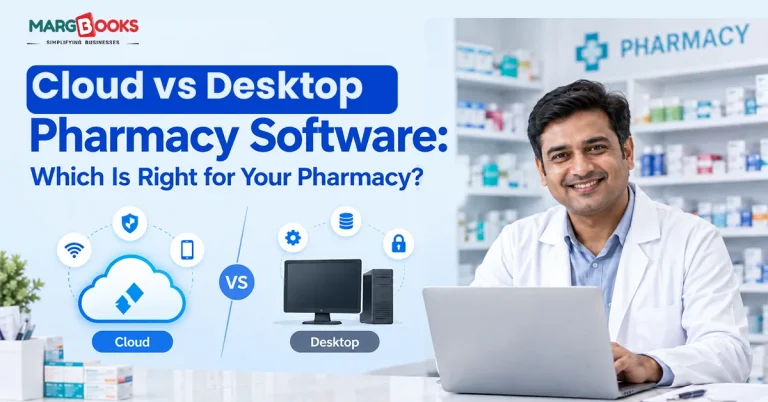
Cloud vs Desktop Pharmacy Software: Which Is Right for Your Pharmacy?

Walk into any pharmacy these days, except for the one behind the counter, that is. Today, stock has to be counted and sorted, expiration dates checked daily, tax has to be filed on time, and prescription data logged without error. The software running behind all of this determines how smoothly things happen on a daily basis.
Apart from the features their software has, pharmacies must first decide whether the software should be run from the cloud or from the computer at their billing counter. It is possible that some individuals overlook the fact that this is actually a great factor that determines the price you’re going to pay, the method of data access, and the number of concurrent users, and determines how well such a system is going to deal with the growth of your pharmacy.
Not sure which to pick? This Cloud vs Desktop Pharmacy Software comparison breaks down cost, security & access to guide your decision.
What Is Cloud-Based Pharmacy Software?
Cloud-based software for pharmacies means that the software works on the cloud, rather than on-premises. Unlike traditional software that saves data on the hard drive of a local system, this type of software stores data on secure servers. As a result, users can log in to the software using devices at different locations, but the information will remain the same and be updated constantly.
Cloud-based pharmacy Billing software works similarly to cloud-based accounting software, but in this case, it is adjusted for the specific needs of pharmacy users, such as batch number tracking and prescription verification.
What Is Desktop-Based Pharmacy Software?
Desktop software, sometimes called on-premises or offline software, is installed directly on a computer in your store. Everything- your bills, inventory, reports- is stored locally on that machine or a local server. No internet connection is needed to bill a customer or check stock.
For a long time, this was the default setup for Indian pharmacies, and plenty of stores still run this way, especially in areas where internet connectivity isn’t something you can always count on. If you’ve looked into offline accounting software before, the logic is identical; your data stays local, under your direct control.
Cloud vs Desktop Pharmacy Software
Here we have discussed, in tabular format, cloud vs desktop pharmacy software-
| Factor | Cloud-Based Software | Desktop-Based Software |
| Access | From any device, any location | Limited to the installed computer |
| Upfront cost | Low, usually subscription-based | Higher, one-time licence fee |
| Internet requirement | Needed to run | Not needed |
| Data backup | Automatic, off-site | Manual, your responsibility |
| Multi-branch use | Simple to set up | Difficult, needs extra infrastructure |
| Software updates | Automatic | Manual, sometimes paid |
| Scalability | Add users/branches easily | Restricted by local hardware |
Let’s go a level deeper on the factors that actually matter when you’re the one making this call.
Cost
Desktop software usually asks for a bigger amount upfront; you’re buying a licence outright, and sometimes paying again for major updates. Cloud software spreads that cost out as a monthly or yearly subscription, which is easier on cash flow, especially for a store that’s just getting its systems in order.

Accessibility
This is where cloud pulls ahead for most modern pharmacies. If you’re not physically standing at the billing counter, desktop software has nothing to offer you; you can’t check stock from home, and you definitely can’t glance at today’s sales from your phone. Cloud software doesn’t have that limitation. Owners managing more than one outlet feel this difference immediately.
Data Security and Backup
Everyone thinks that local data is safer as it “never gets out of the shop.” Yet, it turns out that what catches pharmacies by surprise is the risk associated with local desktops: a hard drive failure, a missing computer, or simply forgetting to back up. In contrast, cloud services carry out backing up and encryption on behalf of the client, so that one computer malfunction does not result in the loss of all the information in the database.
Scalability
A pharmacy that’s planning to open a second branch, or add more billing counters, will find desktop software gets restrictive fast; every new machine needs its own setup, and syncing data between locations is a project in itself. Cloud systems are built for exactly this kind of growth. Our breakdown on cloud-based vs on-premises billing systems covers this scaling problem in more detail, and the same logic holds for pharmacies.
Internet Dependency
This is the one area where desktop software has a genuine, practical edge. If your pharmacy is in a location where the internet connection drops often, relying entirely on a cloud system can slow down billing at the worst possible moments, a queue of customers waiting while your screen spins. That’s a real trade-off, not a minor inconvenience.
Pros and Cons of Cloud-based pharmacy software and Desktop-based pharmacy software
Cloud-based pharmacy software
If you want access from any location, a lower starting cost, easy backups, and the ability to upgrade your system without starting from scratch, you’re in for a treat. The only requirement is a stable internet connection, and if that’s not the case in your area, it can cause some inconvenience.
Desktop-based pharmacy software
Desktop-based pharmacy software works well if your pharmacy runs from a single location, your internet isn’t dependable, and you’d rather pay once than keep paying a subscription. The trade-off is that you’re on your own for backups and updates, and adding a second location later means starting from scratch. Neither one is universally “better”; it depends on how your pharmacy is actually built and where it’s headed.
So Which type of software Should You Pick?
A few questions tend to settle this quickly:
- Do you operate from one location or several?
Multiple branches almost always favour cloud, since managing separate desktop installs across locations becomes a headache nobody enjoys.
- How reliable is your internet?
If outages are common where you’re based, factor that in seriously; it directly affects billing speed.
- Are you handling complex or high-volume prescriptions?
Pharmacies dealing with specialty medications or high patient volumes tend to outgrow desktop systems quickly. Our piece on specialty pharmacy management software goes into what these more complex setups actually need.
- Do you want to check on your business without being physically present?
If yes, that alone often decides it.
If you’re still weighing your options in general, our guide on how to choose the right pharmacy management software walks through the broader decision beyond just cloud vs. desktop.
Why Most Pharmacies Are Moving Toward Cloud
This change is not merely a trend; it’s a reaction to the way pharmacies work today, as owners want to see sales figures without going to the store. Staff need to send bills over WhatsApp instead of printing everything. Expiry alerts and re-order reminders need to reach someone’s phone, not just sit in a report nobody opens until month-end.
This is the direction MargBooks Clinical Pharmacy Software is built around: GST-compliant billing, prescription validation, expiry and re-order management, and full access from any device, so running the pharmacy doesn’t mean being chained to one computer.
Conclusion
There’s no single right answer here, only the right answer for how your pharmacy runs today and where you want it to be in a couple of years. A single-location store with patchy internet might genuinely be better off with desktop software. A growing pharmacy chain, or one where the owner wants visibility from anywhere, will likely find cloud software pays for itself quickly.
If you’re leaning toward cloud,consider MargBooks software and see how billing, inventory, and compliance come together in one place, without needing to be at the counter to check on any of it.
FAQs
Q1. Is cloud pharmacy software able to securely keep patient information?
Definitely! Honest cloud pharmacy systems present a strong protection against patient data leakages by using such technologies as encryption, secure login, and constant backup options.
Q2. Am I able to work with pharmacy software when there is no access to the Internet?
Software that is downloaded on desktop devices can work without an Internet connection. Still, cloud-based systems usually require an Internet connection to function but allow billing without it for a limited period of time.
Q3. Is cloud pharmacy software more economically viable than pharmacy software?
Purchasing the whole package of desktop pharmacy software requires lots of money. Yet, it ensures the absence of further payments. Whereas cloud pharmacy software costs less but implies paying subscriptions for many years.
Q4: Is it possible to transfer to cloud software after using desktop software?
Yes, many agencies can facilitate the transfer of data from desktop to cloud. However, this transition process can be tricky.
Q5: Is MargBooks a cloud-based application?
Yes. It is completely cloud-enabled. It allows you to perform billing, inventory, and accounting tasks through different devices.
Q6: Will I lose my data ownership by switching to cloud software?
No, you still own your data either way. The difference is where it’s stored and backed up. Most cloud providers also let you export your records anytime, so you’re never locked in.
Q7: Is cloud pharmacy software harder to learn than desktop software?
Not really. Most cloud platforms are actually built with simpler, more visual interfaces since they’re designed to be used across devices, including phones. Staff already comfortable with basic desktop billing usually adjust within a few days.
Q8: What happens to my billing if the internet goes down while using cloud software?
It depends on the platform. Some cloud pharmacy systems, including MargBooks, offer a limited offline billing mode that saves transactions locally and syncs them automatically once the connection is back, so a short outage doesn’t bring billing to a halt.

Aman Kannojia is the Digital Team Lead at MargBooks. He started out as an SEO Specialist and never lost his love for words. With 5 years of experience across banking, SaaS, and finance, both domestic and international, he brings strategy, leadership, and storytelling together. He doesn’t just manage a team, he builds one that creates.