
 Retail Software
 Distribution Software
 Retail Chain

Best Invoice Management Software for Businesses in India

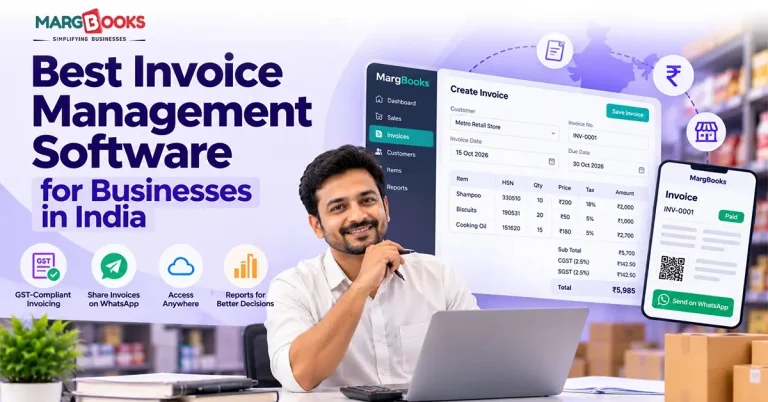
Ask a shop owner how much money is sitting with customers right now and watch what happens. Most pause, pick up a phone or flip through a notebook, and come back with a guess. That pause is the reason invoice management software exists.
Writing an invoice isn’t the hard part. It is difficult to keep track of invoices since some might have already been paid, some of them might be paid three weeks late, while some of them might have been issued at the wrong GST rate. If you’re trying to review invoice management systems available in India, this article will help you understand the work and features of invoice management software, as well as revealing major differences among solutions.
What Is Invoice Management Software?
Invoice management software is a tool that lets a business create, send, store, and track invoices from the sale to the payment. It covers sales invoices, usually purchase bills too, and shows what’s paid, pending, or overdue without anyone adding it up by hand.
People often mix this up with invoice creation. An Excel or Word invoice template generates an invoice, while an invoice management system numbers it, calculates taxes automatically, stores the information about a customer, provides information about due payments, and sends reminder messages when payments are late.
The biggest benefit is a dull one. You stop retyping. Once a customer’s name, address, GSTIN, and item rates are saved, a lot of small mistakes simply don’t happen.
Why Do Businesses in India Need Invoice Management Software?
Most people don’t go looking for new software until something goes wrong. It’s usually one of a few things.
Payments get missed because nobody remembered the due date. A wrong tax rate or a typo in a GSTIN turns up later, during return filing, or when a buyer can’t claim input tax credit and calls you about it. The same sale ends up in the billing book and again in the accounts. Or the business looks profitable on paper, but cash is tight, because customers are paying late and nobody can say by how much.
Software can cut down on these, especially the manual ones. The platform does not guarantee savings, nor is it enough to ensure compliance by itself. It does require someone to input the proper information and apply the appropriate rules. For the most part, it simply allows you to follow the best practices easily.
Key Features to Look for in Invoice Management Software
Feature pages all look alike. These are the ones you’ll notice day to day.
GST-compliant invoice generation
The software should split tax correctly into CGST, SGST, or IGST depending on place of supply, accept HSN or SAC codes, and keep invoice numbers in a clean series. Check that the invoice carries what a GST invoice needs: both parties’ details, date, number, and the tax breakup.
Automated and bulk invoicing
Recurring invoicing allows you to get more done than pretty much anything else if you send the same invoices regularly. Bulk billing is great for anyone needing to send out multiple invoices at once, such as a school, coaching center, or distributor sending out the month-end invoices.
Tracking and payment reminders
You should be able to see all your invoices without having to generate any reports. Automatic reminders via email, SMS, and WhatsApp (if enabled) help you avoid having to chase customers for payment yourself.
E-invoicing and e-way bills
E-invoicing differs from sending an email with a PDF attachment. It involves transmitting invoice information to the Invoice Registration Portal, where it is verified and assigned an Invoice Reference Number (IRN) and a QR code. It is determined by your turnover and the prevailing GST regulations; currently, the threshold is ₹5 crore, but one must always check the GST ecosystem portal for updated data.
E-way bills are mandatory when there is movement of goods beyond a certain value. Various tools facilitate the creation of e-way bills in one window, whereas others do not.
Customer and vendor records
Having all sales invoices, supplier invoices, and payment history in one place gets rid of the hassle involved in looking through email and WhatsApp messages.
Accounting, inventory and payment links
If you sell products online, having billing software that automatically updates your inventory is critical. In the case of involving an accountant, make sure your data is exported correctly for accounting purposes. Putting a UPI or payment gateway link on your invoice allows your clients to pay you more quickly.
Reports, security and permissions
While reports on accounts receivable, sales summary, audit trail, role-based access and backup do not look appealing, they certainly stop being boring when an employee makes a mistake in editing an invoice or a computer crashes.
Best Invoice Management Software in India: Top Options Compared
Please allow me to explain how this analysis should be interpreted. Invoice management tools can be categorized into two classifications: dedicated invoice management software and extended accounting systems that cover invoice management. Simply assessing these tools against their invoicing abilities is deceptive since both categories serve different purposes. My comparison looks at factors like the size of the business; support for e-invoicing and GST; level of inventory and accounting sophistication; and relative ease of use of the software.
The prices of a particular software product change frequently, as do the contents of every plan. Use this guide as a reference and check the website of the supplier to obtain the latest information about the product.
| Software | Best suited for | Strengths | Things to consider |
| MargBooks | Small and growing businesses that want billing and accounting together | Cloud-based billing and accounting for Indian businesses, GST invoicing, access from different devices | Check which modules and plan fit your trade and branch setup |
| Zoho Invoice | Freelancers and small service businesses | Easy to learn, GST invoicing, recurring invoices, payment reminders, client portal | Mainly an invoicing tool, so inventory and full accounting are limited. Free plan has usage limits |
| ClearOne by ClearTax | Businesses that put GST compliance first | Comes from a company known for GST and tax compliance | Confirm current features and plans on the official page |
| TallyPrime | Businesses that want accounting, inventory and GST in one place | Widely used by accountants, strong accounting and inventory, GST and e-invoicing support | Licence-based desktop model with a learning curve. Remote access needs extra setup |
| Vyapar | Small retailers and shop owners | Mobile-friendly billing, GST invoices, basic inventory | Advanced features and e-invoicing depend on the plan |
A few thoughts on the table. If you invoice for services and don’t hold stock, something light like Zoho Invoice may be all you need. If you buy and sell goods, you’ll likely outgrow a pure invoicing app quickly and want inventory built in. TallyPrime has been the default for many accountants for years, mostly because they already know it. Vyapar suits people who want to start billing from a phone the same day.
I’d be wary of any list that names a winner without saying how it chose. The best option depends on what you sell, how many invoices you raise, and who keeps your books.
How to Choose the Right Invoice Management Software for Your Business
Start by writing down three numbers: invoices per month, people who’ll use the software, and locations you bill from. A freelancer sending ten invoices, a retailer serving fifty customers a day, and a distributor with three branches are shopping for different products.
Next, settle the GST question. Find out whether e-invoicing applies to you, whether you need e-way bills, and whether you want returns handled in the same tool. If you aren’t sure, ask your accountant before you look at demos.
Then look at cost properly. The subscription is only part of it. Add onboarding, training, extra users, paid modules, and support. A cheap plan that needs an upgrade for e-invoicing isn’t cheap.
Also ask how you’ll get your existing data in. Importing customers and items from Excel or an old system can take longer than anyone expects, and you want to know that before you sign up.
Finally, test it with real invoices, not the vendor’s sample. Try an interstate sale, a bill with two tax rates, a part payment, and a credit note. If the software struggles with your normal week, you’ve learned that for free.
Invoice Management Software for Different Types of Businesses
Retailers and storekeepers focus on quick transactions. Speedy search for the item or scanning the QR code, quick VAT invoicing, easy return policy, and changing stock status according to sales reporting are vital. Mixed payment methods are a must as well since the client may pay in cash today and use a payment application tomorrow.
Distributors have to work with individual rates for each client, credit limits for each executor, batches, discount schemes, and huge outstanding debts accumulated by clients. Supporting invoices with all the details is way more important than having templates for quotation design.
Consulting companies, this sector of the economy related to the provision of business services, work on time, projects, etc. Monthly invoices are very important, but the features related to stock are useless for such companies.
Producers need an invoicing module connected with the purchasing of materials for production. Check whether the system enables working with purchase orders, controlling stock levels, etc.
Cloud-Based vs Desktop Invoice Management Software
There is no clear winner between the two, as anyone who suggests otherwise may be benefiting from either option.
Cloud software’s biggest advantages include ease of use, a seamless experience with multiple users, and cost-free updates and backups. The downsides are the constant need for internet access and ongoing payment for the subscription.
Desktop software can be used without internet connection, making it useful for those whose network is unreliable, plus many people feel safer when their information is stored on a local machine, but they have to take care of backups and it is harder to provide access remotely.
Four questions settle most of it. How reliable is your internet? Do several people or branches need the same data? Who takes care of backups? And do you expect to grow into more users soon? Those answers will narrow it down faster than any comparison chart.
Common Invoice Management Mistakes Businesses Should Avoid
The usual mistake is choosing on price alone. If your business transactions cannot manage the GST e-invoicing needs, the cheapest tool might end up an expensive buy. Others install good invoice management software and never look at the overdue list. It only helps if somebody opens that report every week.
Giving everyone full access is another. So is having backups that nobody has ever tested. Then there’s the integration surprise, where you find out after buying that your accountant can’t import the data. And finally, skipping training. Plenty of teams keep the old notebook running “just in case”, and then you have two sets of records that don’t match.
Conclusion
The right invoice management software, such as MargBooks, is the one that fits how your business actually works. Begin with how you bill today. Then look at GST and e-invoicing, payment tracking, integrations, price, and whether it will still cope when your business is twice the size. Try two or three options with real invoices, and ask the people who’ll use it daily what they think.
FAQs
Q1. What is invoice management software used for?
It’s used to create, send, store, and track invoices in one system. For calculating taxes, recording payments, sending reminders for payments, and checking which of the customers owe money, this tool is used. It reduces data entry and gives clearer visibility on accounts receivable and cash flow.
Q2. What is the best invoice management software for small businesses in India?
There isn’t one answer to this – freelancers often take up simple, inexpensive tools, while retailers and distributors would be looking for inventory management and stronger GST features. Compare their support for GST, pricing, ease of use, and the room for growth, but do a trial run with your own invoices before you decide.
Q3. Is invoice management software different from billing software?
The terms overlap a lot. Billing software usually focuses on producing bills at the point of sale. Invoice management software also tracks payments, sends reminders, and reports on receivables, and often handles purchase invoices. Many products do both, so read the feature list rather than trusting the label.
Q4. Can invoice management software generate GST invoices?
The majority of the tools designed for business in India should correctly set CGST, SGST, or IGST, and they should include HSN or SAC codes. The tools in question should be able to keep invoice numbers in sequence. The only thing you have to do is input the correct information. Therefore, make sure that you have checked your tax settings and GSTIN before sending the first invoice.
Q5. Does invoice management software support e-invoicing and IRN generation?
There are tools that do it, but the choices are not numerous. E-invoicing means that the invoice data is reported to the government portal, and the IRN and QR are received back. If you need this functionality, you have to consider the amount of revenue you received in the previous year.
Q6. Is there free invoice management software for Indian businesses?
Yes. Several tools have free plans, usually with caps on invoices, users, or features. They suit freelancers and very small businesses. Look closely at what’s included, because GST returns, e-invoicing, and inventory are often kept for paid plans.
Q7. Can invoice management software track pending and overdue payments?
Indeed. The majority of these applications can track invoices and categorize them as either paid, unpaid, partially paid, or overdue. They can also present the total outstanding amounts owed by each customer. That is also where the automation of payment reminders plays a critical role for companies dealing with delinquent payers.
Q8. What is the difference between invoice management software and accounting software?
Software for invoice management is concerned with the actual generation of invoices and tracking their payment. Software for accounting deals with a wider scope of operations and includes such functions as bookkeeping, including accounting of ledgers, expenses, bank reconciliations, financial statements, and often GST returns. While some software for accounting can create invoices, some software created specifically for invoicing does not include the functionality for accounting.
Q9. How much does invoice management software cost in India?
This varies. Some applications are offered for free with limitations, while others operate on a subscription basis, either monthly or annually, or on a license basis, as some desktop products do. The pricing depends on the volume of invoices generated and the number of users and features.
Q.10 How can businesses choose invoice management software for multiple branches?
Consider support for multiple user access based on permissions, branch-wise invoices, centralised information, and inventory visibility. Cloud-based solutions often make this feasible. It is advisable to try out the software for transferring inventories between branches and managing multi-branch receivables.

Aman Kannojia is the Digital Team Lead at MargBooks. He started out as an SEO Specialist and never lost his love for words. With 5 years of experience across banking, SaaS, and finance, both domestic and international, he brings strategy, leadership, and storytelling together. He doesn’t just manage a team, he builds one that creates.


