Retail Software
 Distribution Software
 Retail Chain


What Is a POS System in Retail? Everything You Need to Know

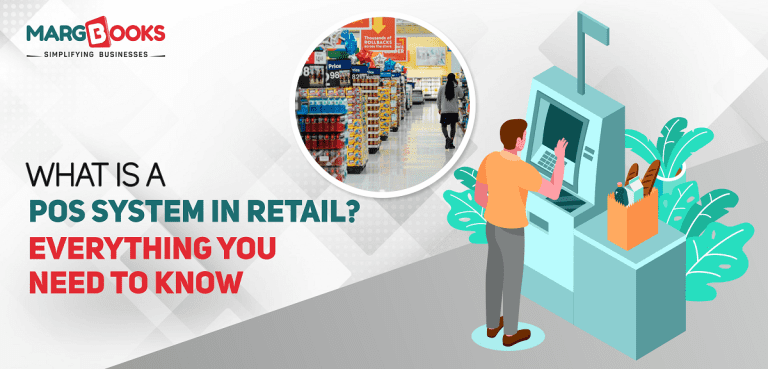
In today’s fast-paced retail environment, businesses need efficient tools to manage sales, track inventory, and streamline operations. A POS system, or Point of Sale system, is an essential technology that helps retailers conduct transactions and manage their business effectively. But what exactly is a POS system, and why is it crucial for retailers? Let’s dive deep into everything you need to know.
What Is a POS System?
A POS system is a combination of hardware and software that enables businesses to process sales transactions. It acts as a digital cash register that not only records sales but also integrates with billing software and accounting software to automate business operations.
In simple terms, a POS system is where customers make payments for their purchases, whether at a physical retail store or an online platform. Modern POS systems come with features like inventory management, reporting, and customer relationship management, making them indispensable for businesses of all sizes.
How Does a POS System Work?
A POS system typically follows these steps:
- Product Scanning: The cashier scans the product’s barcode or manually enters product details.
- Billing & Payment Processing: The POS software calculates the total amount, including discounts and taxes. Customers pay via cash, credit/debit card, UPI, or digital wallets.
- Invoice Generation: Once the payment is successful, a receipt is generated digitally or in print.
- Stock Update: The inventory is automatically updated to reflect the sale.
- Sales Reporting: The POS system records the transaction details, which can be accessed later for accounting and analytics.
Why Is a POS System Important in Retail?
A robust POS system offers several benefits that help retailers manage their business more efficiently:
1. Faster and Efficient Billing
Traditional billing methods are time-consuming. With a POS system, retailers can process transactions quickly, reducing customer wait time and improving service.
2. Accurate Inventory Management
Modern POS systems track inventory in real-time, helping retailers maintain optimal stock levels and avoid overstocking or stockouts.
3. Seamless Integration with Billing & Accounting Software
A POS system integrates with billing software to automate invoicing and GST calculations. It also connects with accounting software to generate financial reports, reducing manual errors.
4. Enhanced Customer Experience
With features like customer loyalty programs, discounts, and digital receipts, a POS system helps retailers offer a personalized shopping experience.
5. Data-Driven Business Decisions
Retailers can generate detailed sales reports and analyse customer buying patterns to make informed business decisions.
Key Features to Look for in a Retail POS System
When choosing a POS system, ensure it has the following features:
- User-Friendly Interface: Easy to use for both employees and customers.
- Cloud-Based Access: Access data from anywhere, anytime.
- Multi-Payment Support: Accepts cash, cards, UPI, and mobile wallets.
- GST Billing & Compliance: Automates tax calculations and generates GST invoices.
- Inventory Management: Tracks stock levels and alerts for restocking.
- Customer Relationship Management (CRM): Stores customer data and purchase history.
- Sales & Financial Reporting: Provides insights to track business performance.
- Security & Data Backup: Ensures data protection against loss or theft.
Margbooks – A Trusted POS Solution for Retailers
If you are looking for a reliable POS system that integrates seamlessly with billing software and accounting software, Margbooks is a great option.
Why Choose Margbooks?
- Cloud-Based POS System: Access your data securely from anywhere.
- GST-Enabled Billing Software: Ensures compliance with tax regulations.
- Advanced Accounting Software: Automates bookkeeping and financial reporting.
- Inventory & Stock Management: Keeps track of stock levels in real-time.
- Multi-Payment Support: Accepts multiple payment modes for seamless transactions.
- User-Friendly Interface: Easy to use for retailers and staff.
With Margbooks, retailers can streamline their operations and enhance efficiency, leading to increased profitability.
How to Choose the Best POS System for Your Retail Business?
When selecting a POS system, consider the following factors:
- Business Needs: Identify the features that are most relevant to your business.
- Scalability: Choose a system that can grow with your business.
- Integration Capabilities: Ensure it integrates with billing software and accounting software.
- Customer Support: Look for a provider that offers reliable customer support.
- Cost & Pricing Plans: Compare pricing and choose a system that fits your budget.
Conclusion
A POS system is an essential tool for retailers, helping them manage sales, inventory, and finances efficiently. With the right billing software and accounting software integration, a POS system can significantly enhance business operations. Margbooks is a trusted solution that offers seamless integration, making it an excellent choice for retailers looking for a feature-rich and reliable POS system.
Investing in the right POS system can simplify your business operations and help you stay ahead in the competitive retail market. So, choose wisely and take your retail business to the next level
FAQs
Q1. What is a POS system?
A POS system is a system of hardware and software that enables sales processing. It acts like a digital cash register, tracks sales, and connects to billing and accounting software for business automation.
Q2. How does a POS system work?
The cashier scans or manually enters the details of a product into the POS system. The system computes the cost of the sale, incorporates discounts and taxes, and accepts payments from customers via a debit card, credit card, digital wallet, or cash. In addition, print or digital invoices are issued, stock levels are automatically calculated, and accounting and analytics records are updated.
Q3. Why is a POS system important for retailers?
The process can be expedited in terms of billing and customer waiting time, and it tracks stock levels in real-time. It automates invoicing and GST operations, has a loyalty program facility, digital receipts, and sales reports for effective decision-making.
Q4. Which payment modes can a POS system accept?
A good retail POS can support multiple modes of payment, such as cash, credit and debit cards, UPI, and wallets.
Q5. Can a POS system handle GST billing and accounting?
A POS system connects to the billing software to perform automated GST calculation as well as invoicing. Besides, it also integrates with accounting software to provide financial reporting while minimizing the risk of human error.
Q6. How does a POS system help with inventory management?
Every sale makes changes to your inventory without any manual intervention, providing insight into your current inventory status and minimizing the risk of overstocking or stock-outs.
Q7. What key features should I look for in a retail POS system?
Ensure that the POS system you are selecting has a simple and easy-to-use interface, cloud-based access, support for several payment modes, GST invoicing and compliance, inventory management, CRM, sales and financial reporting, and sufficient data protection and backup.
Q8. How do I choose the best POS system for my retail business?
Take into account your business requirements, expandability, and connection with billing and accounting programmes. For example, MargBooks supplies an online POS with GST billing, accounting, inventory management, and multi-payment capabilities.

Aman Kannojia is the Digital Team Lead at MargBooks. He started out as an SEO Specialist and never lost his love for words. With 5+ years of experience across banking, SaaS, and finance, both domestic and international, he brings strategy, leadership, and storytelling together. He doesn’t just manage a team, he builds one that creates.