Retail Software
 Distribution Software
 Retail Chain

Electronics Store Software for Billing: Its Features, Benefits & Buying Guide

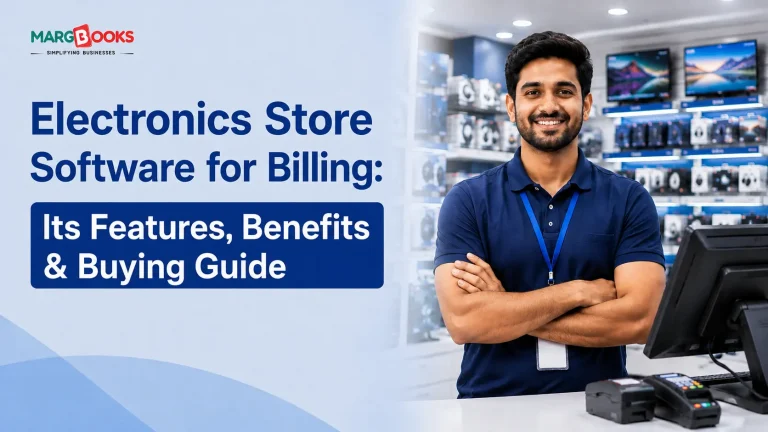
I have spent a considerable amount of time at electronics stores that sell cellular phones, laptops, televisions, and some electronic devices. However, one thing that almost every owner makes a mistake during the billing process is the fact that this industry is characterized by a large number of features that an ordinary cash register or a plain Excel sheet can hardly manage. IMEI numbers. Warranty periods. EMIs. Customers who bought something eight months ago and swear they have proof somewhere.
So this post is about electronics store billing software, what it actually does, why plain old POS software usually isn’t enough, and how to pick one without getting talked into features you’ll never use.
What is Electronic Store Billing Software?
Billing software for electronics stores is simply a POS (point of sale) system that targets the problems related to selling electronics and their gadgets. A typical POS software can print a receipt for you with no hassle, but when it comes to entering the serial number, maintaining a year-long warranty, or splitting payment between several EMIs, many general systems either cannot perform the task or ask users to do it themselves, which completely nullifies the point of having the software.
The best ones are designed in a way that selling anything with serial numbers and warranties is taken into consideration from the very beginning.
Features of Electronic Billing Software
There’s no shortage of feature lists floating around online, most of them copy-pasted from each other. Here’s what I’d actually pay attention to if I were shopping for this.
Barcode and serial number scanning: Scanning should pull up the item, price, and stock in one go, and it should capture the serial number without your staff typing it in by hand (that’s where mistakes happen, especially during a rush).
IMEI and warranty tracking: Honestly, this is the feature that separates real electronics billing software from generic POS pretending to be one. When a customer comes back with a phone that won’t charge, you want to type in a number or scan a barcode and immediately know when it was sold and whether it’s still under warranty, not flip through a drawer of paper invoices from six months ago.
Inventory that updates itself: Every sale should knock the stock count down automatically. Sounds basic, but you’d be surprised how many shops are still reconciling inventory by hand at the end of the day, which is how you end up promising a customer a phone you don’t actually have.
Tax handling: GST rates aren’t the same across every category you’re selling; a phone, a screen guard, and a power bank might all sit at different slabs. Software that applies the right rate automatically saves you from either overcharging customers or underpaying tax, both of which are bad in their own way.
EMI and mixed payments: Big-ticket electronics live and die on EMI options. If your billing software can’t split a payment or handle card, UPI, and cash in the same transaction without you switching between three apps, that’s friction you don’t need.
Multi-branch visibility: If you’ve got more than one store, being able to see stock and sales across locations without calling each manager individually.
Customer history: Not flashy, but useful, knowing that someone bought a laptop from you last year makes it a lot easier to sell them a bag or an extended warranty this year.
Reports: At some point you’ll want to know what’s actually selling and what’s just sitting there. A decent dashboard should answer that without you exporting spreadsheets and doing pivot tables yourself.
Works offline: Internet dies. It happens mid-sale sometimes. Software that can bill offline and sync later is one of those things you don’t appreciate until the day your Wi-Fi router decides to reboot itself during a Saturday rush.
Plays nice with your accountant’s tools: If your CA uses Tally or QuickBooks, ask before you buy whether the software can sync with it. Re-typing the same sales data twice a month gets old fast.

Benefits of Using Billing Software for Electronics Stores
The honest answer is: because the manual version of all this eventually costs you more time than the software does. A few things tend to improve pretty quickly once cloud-based accounting software is actually in place: checkout gets faster, obviously, since staff isn’t hunting for prices or doing tax math in their heads. Errors drop because the system’s calculating things instead of a person under pressure. Warranty claims stop being a scavenger hunt through old invoices. GST filing stops being a once-a-month panic. And you actually get to see, in numbers, what’s selling and what’s dead weight on your shelves, which is more useful than it sounds, because gut feeling about “what’s popular” is wrong more often than shop owners like to admit.
Common Challenges Electronics Retailers Face Without Proper Billing Software
I’ve heard versions of the same complaints from enough store owners that they’re worth mentioning. Serial numbers get typed in wrong, or not recorded at all, and then a warranty claim turns into an argument. Stock counts between branches stop matching reality. Someone spends forty-five minutes looking for an old invoice because a customer’s phone died three days after the warranty apparently expired, except nobody’s sure exactly when it expired because the paperwork’s a mess. Without any prior notice, filing GST at the time it is due is the situation that people would find themselves in. They don’t seem to be problematic individually but collectively will take away a big chunk of people’s time, effort, and sanity.
How to pick the right Billing Software for your Electronic Business?
A few questions worth asking before you commit your business to any software-
- Scalability – Will the system still work efficiently for the company if it opens a second location or will it need replacing?
- Ease of use – Will the employees be able to work with the software if they don’t spend a week learning it?
- Cloud vs. on-premises – Do you want cloud-based (check sales from your phone while you’re away from the shop) or on-premises (better if your internet’s unreliable, but you lose remote access)?
- Support – What happens when something breaks on a Saturday evening? Is there actually someone to call, or just a support ticket that gets answered on Monday?
- Real pricing – Is the quoted price the real number, or will updates and multi-user access show up as extras later?
- Integrations – Does it talk to your accounting software and payment gateway without a workaround?
- Data backup – Where exactly is your data backed up? “We’ll figure it out” is not an answer you want to hear after the fact.
Generic POS vs. Cloud-Based Electronic Store Billing Software
Here is a difference between Generic POS and cloud-based electronic store billing software
| Aspect | Generic POS software | Electronics-specific billing software |
| Serial number tracking | Manual, usually on a separate sheet | Built-in, captured at billing |
| EMI calculation | Done by hand | Native, calculated automatically |
| Warranty dates | Guessed or looked up manually | Tracked automatically per sale |
| IMEI handling | Not supported | Core feature |
| Overall approach | Works, but forces extra manual work | Built around electronics retail from the start |
Conclusion
Billing is one of those parts of running an electronics store that nobody gets excited about, but it touches almost everything: every sale, every warranty claim, every tax filing. Getting software that’s actually built for how electronics retail works, rather than generic POS software stretched to fit, tends to save more time than people expect once it’s in place.
If you’re thinking about it seriously, don’t gloss over the features list; book a demo and conduct some actual transactions: one-off purchases, warranty checks, returns, and so on. The 15 minutes spent will reveal more than the data from all the spreadsheets combined. MargBooks software should be on the list since it was designed specifically for this purpose and isn’t just an add-on to any generic billing software.
FAQs
Q1. Is this kind of software GST compliant?
Most software built for the Indian market handles GST automatically, applying the correct slab to each item and generating compliant invoices without you having to do the math.
Q2. Can it actually track IMEI numbers?
Yes, and honestly, if it can’t, it’s not really electronics-specific software, just POS software with a different name.
Q3. Does it work without internet?
A lot of it does, with offline billing that syncs once you’re back online, though this really does vary between vendors, so ask specifically rather than assuming.
Q4. How much would a small business have to spend on that?
The expenditures differ in a large way depending on whether the solution is implemented on the cloud or installed in the office, how many users will use it, and other parameters. The way to make a reasonable choice is to get several offers.
Q5. Will it work with Tally or QuickBooks?
Most decent options do, but again, ask before you buy; don’t assume.

Aman Kannojia is the Digital Team Lead at MargBooks. He started out as an SEO Specialist and never lost his love for words. With 5 years of experience across banking, SaaS, and finance, both domestic and international, he brings strategy, leadership, and storytelling together. He doesn’t just manage a team, he builds one that creates.