Retail Software
 Distribution Software
 Retail Chain

Cloud POS vs Offline POS: Which One Is Right for Your Business?

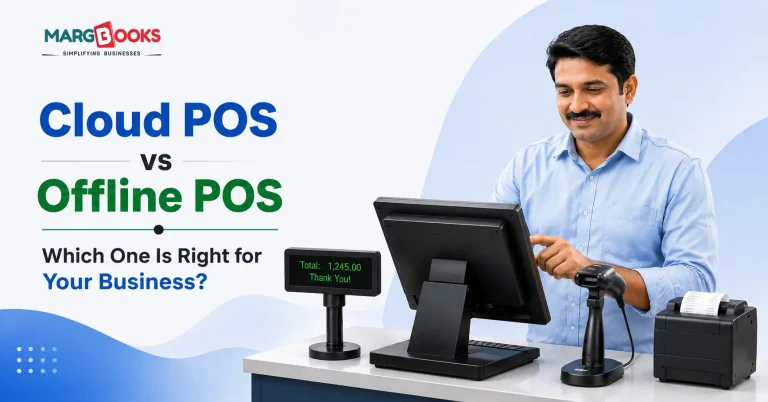
Check out just about any grocery store, pharmacy, or retail store today, and you’ll see it at the counter: a display, perhaps a barcode reader, or some card reader sitting in the cash drawer. It’s the POS system in operation with every bill created and every sale completed.
But where many business owners get confused is whether to go with the cloud POS solutions or stick to conventional offline POS systems. Both do billing, and both allow you to keep track of your sales, but there is a vast difference in the way the two systems work, and selecting the wrong one can cause you to lose money and face complications down the road because of a bad choice.
What is Offline POS?
Offline POS software is installed directly onto a local system or server at your store. No internet needed. Every transaction, every stock update, every bill, it all sits on that one machine.
This used to be the go-to option, especially for shopkeepers running a single counter in areas where the internet wasn’t dependable. If the connection was patchy, offline software still worked because it never needed one in the first place.
The problem shows up later. Your data lives in exactly one place. If that computer crashes or the hard disk fails, you could lose your entire billing and stock history, unless someone’s been backing it up manually, which, let’s be honest, rarely happens consistently. And if you ever want to check today’s sales from home, or run two branches under one system, offline POS just wasn’t built for that kind of flexibility.
What is Cloud POS?
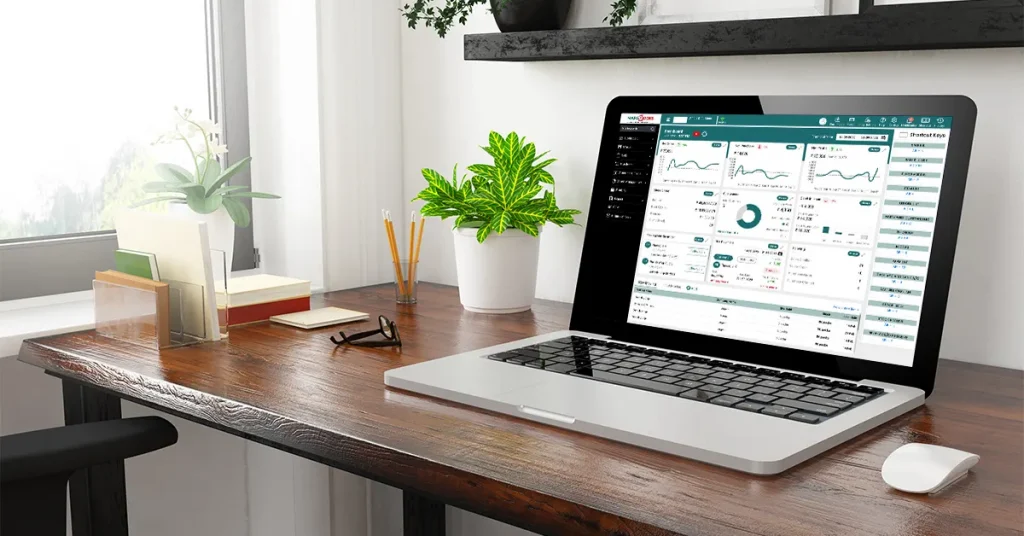
Cloud POS flips the whole model. Rather than storing data on one machine, your billing, accounting, and stock records sit on secure servers you access over the internet. Check your numbers from your phone in an auto-rickshaw, or from a laptop at home after closing, it doesn’t matter where you are.
This is essentially the idea behind cloud-based billing and accounting software like MargBooks, a genuinely cloud-first platform where the owner can run the entire business from any device, at any time. Billing, GST filing, inventory, customer records, all of it under one roof instead of scattered across separate tools.
Cloud POS vs Offline POS
In this section, we are discussing the difference between Cloud POS and Offline POS based on certain factors in a tabular format-
| Factor | Cloud POS | Offline POS |
| Accessibility | Any device, any location | Fixed to one system |
| Data Backup | Automatic, through secure cloud hosting | Manual — real risk of losing everything |
| Setup Cost | Usually lower, minimal hardware | Higher needs dedicated hardware |
| Updates | Happen automatically | Manual, sometimes paid |
| Internet Dependency | Needed (though many now support offline mode) | Not needed |
| Scalability | Add branches easily under one account | Hard to scale past one location |
| Tax Compliance | Auto GST billing and GSTR reports | Mostly manual filing |
| Staff Access | Role-based permissions | Usually limited |
What Cloud POS Actually Gets You
A few things stand out once you actually start using one.
Billing gets quicker, decent POS billing software comes with smart barcode scanning that noticeably cuts down checkout time, which matters when there’s a queue forming during peak hours.
It also plays well with the rest of your setup. A proper system connects with your cash drawer, weighing scale, thermal printer, and even card swipe or EDC machine integration, so the whole billing flow happens in one motion instead of switching between three different devices.
You also get a real sense of what’s happening in your store. Sales figures, stock levels, and daily reports are updated live, instead of someone tallying numbers by hand at the end of the week.
Customer history gets saved automatically, too. Every purchase logs against that customer, so next time they walk in, you already know roughly what they buy, handy for loyalty programs or just remembering regulars.
Some systems now send bills directly to a customer’s WhatsApp instead of printing a paper receipt, quicker for you, less waste for them.
And for smaller retailers, Android POS software has become the default simply because it doesn’t demand expensive hardware. The job can be accomplished effectively just with a normal Android phone or tablet, which means that kirana stores, food stalls, and small business owners do not have to spend too much money on dedicated terminals. From the compliance point of view, automated GSTR reports and ready-made profit and loss reports can save hours of manual paperwork each month.
Where Offline POS Still Has a Place
It’s not completely obsolete, to be fair. If you’re running one small shop somewhere with genuinely unreliable internet, offline software removes that dependency entirely; you won’t get stuck mid-bill because the connection dropped.
Some owners also just prefer keeping data strictly on their own machine rather than sending it anywhere over the internet, even though, in practice, a properly secured cloud server tends to protect that data far better than a local hard drive that’s one bad day away from failing.
But the cracks show up fast, the moment your business grows even a little, a second branch, a need to check sales while you’re not at the shop, or simply wanting a backup that doesn’t vanish if a system crashes.
Which Should You Actually Pick?
Cloud POS makes sense if you:
- Run a grocery store, pharmacy, or retail business with more than one counter or branch
- Want automated GST compliance and tax reports without manual work
- Need inventory management software and billing under one platform
- Plan to expand in the next year or two
- Want to check your business remotely, from a phone or laptop
Offline POS can still work if you:
- Run one small counter with no expansion plans
- Deal with a genuinely patchy internet in your area
- Have very basic billing needs and nothing more complex
Realistically, most retail and grocery businesses today are better served by cloud POS and a lot of providers now build in offline fallback anyway, so you’re not stranded if the connection drops for a few minutes. Several cloud platforms, MargBooks included, also offer POS billing software entry plans, which lowers the risk considerably for a small business owner just testing things out.
A Fast Checklist Before Reaching a Conclusion
Irrespective of your preference for a certain choice, ask yourself these questions:
- Will the software adapt to the expansion in business operations, as new locations are established?
- Does it integrate with the hardware you already own – printer, scanner, card machine?
- Is it genuinely simple for your staff to pick up, not something that needs a week of training?
- What is the average user’s experience with the software? Have you had a chance to try out a free version of it before signing up?
- Is it beneficial for your company right now, and not only in five years?
Conclusion
Offline POS had its time, and it’s still fine in narrow, specific situations. But for businesses that want live visibility, GST-ready reporting, access from multiple devices, and room to actually grow, cloud POS is the clear step up. Platforms such as MargBooks Software combine functionality of accounting, billing, and inventory management in one place, giving the business manager access to everything from anywhere and allowing an automatic backup procedure.
If you still can’t make a final decision, the simplest option is to simply test one. Most companies providing cloud POS software offer free demos, so it’s worth trying it out in action first.
FAQs
Q1. Is cloud POS software safe for a small business?
Yes. Your data is encrypted and backed up automatically on secure servers, safer than one shop computer that could crash at any time.
Q2. Can cloud POS work if the internet goes down?
Some systems can’t. Others, like MargBooks, offer offline mode as a backup and sync everything once you’re back online.
Q3. Which is cheaper, cloud or offline POS?
Cloud POS usually wins in the long term. Less hardware, free updates, no repair costs from a crashed local server.
Q4. Does MargBooks handle GST billing?
Yes. It automatically generates GST-compliant invoices. Furthermore, it creates GSTR reports and profit & loss statements; they are all completed automatically.
Q5. Can we migrate from a conventional POS to a cloud-based version?
Not really. The provider handles moving your existing data over, and your staff usually gets the hang of it within a few days.

Aman Kannojia is the Digital Team Lead at MargBooks. He started out as an SEO Specialist and never lost his love for words. With 5 years of experience across banking, SaaS, and finance, both domestic and international, he brings strategy, leadership, and storytelling together. He doesn’t just manage a team, he builds one that creates.