Retail Software
 Distribution Software
 Retail Chain

How to Choose Supermarket Software: 10 Features to Compare

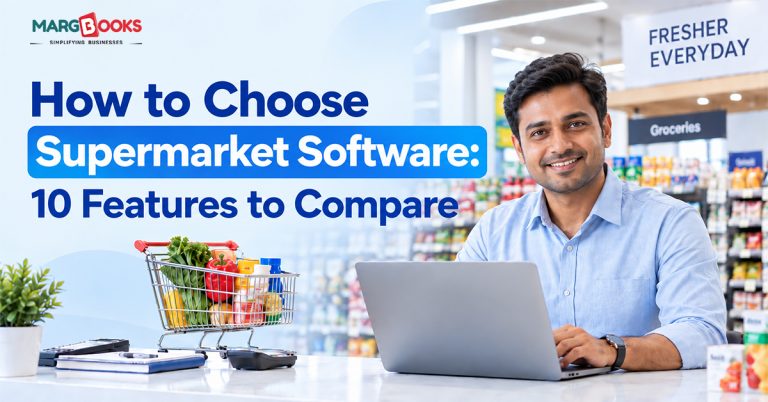
If you’ve ever stood behind a supermarket counter during peak hours, two billing counters open, five customers deep, someone waiting on a price check for loose vegetables- you already know why the right software matters. The wrong system doesn’t just slow you down. It costs you sales, annoys your regulars, and quietly eats into your margins through stock you didn’t know you’d run out of.
The problem is that almost every supermarket software vendor claims to do everything. Billing, inventory, GST, loyalty, reports- it all sounds the same on a sales call. So how do you actually tell them apart? You compare features that matter for a supermarket specifically, not just generic retail buzzwords.
10 Features to Compare Best Supermarket Softwares
Not all supermarket software is built the same, and the differences show up fast once you’re actually using it. Here are the ten features worth comparing carefully before you make a decision.
1. Fast, Accurate Billing
This is the one customers notice first. A supermarket’s checkout system manages barcodes, maximum retail price, and loose items sold by weight, among other features, in a single bill. You should look for software that has built-in barcode scanning facilities, allows you to print labels, and requires no tedious menu navigation to apply discounts. Retail POS Software is built around exactly this: quick scans, multiple payment modes (cash, card, UPI, wallets), and billing that doesn’t choke during rush hour.
2. Real-Time Inventory Management
Stockouts and overstocking are two sides of the same problem: not knowing what’s actually on your shelves right now. Every sale should update your stock instantly, and the system should flag items nearing their reorder point or their expiry date, if you’re dealing with perishables.
Rack-wise stock tracking is a smaller feature that makes a bigger difference than people expect. When staff know exactly where an item sits, restocking and finding products takes a fraction of the time. Check out Inventory Management Software to see how this works in practice.
3. GST Compliance and E-Invoicing
This one’s non-negotiable in India. Your chosen software should be capable of producing GST-compliant invoices using the correct HSN code and should automatically compute CGST, SGST, and IGST, allowing you to prepare GSTR-1, GSTR-2, and GSTR-3B without extracting data to a spreadsheet for further manual processing.
It is also essential to use e-invoicing and e-way bills when collaborating with distributors and transferring goods between branches. See GST Billing Software and E-Invoicing Software for what a compliant setup looks like.
4. Built-In Accounting
Unfortunately, many supermarket proprietors use separate accounting and invoicing software and reconcile both once a month. This is where errors originate. Good supermarket software integrates records, bank reconciliations, and income statements into daily sales transactions, thus ensuring your books are accurate without extra effort.
5. POS and Hardware Compatibility
The software is not enough – it has to communicate with the hardware as well. Be it barcode scanners, thermal printers, weighing scales, or cash drawers, none of these machines should give you trouble; you will be forced to implement manual workarounds that hinder everyone’s work. You should find out in advance which hardware brands the system is compatible with.
6. Multi-Store and Retail Chain Support
If you’re running more than one outlet, or planning to, this feature alone can make or break your decision. You want one dashboard where you can see sales across branches, transfer stock between stores, and manage pricing centrally instead of logging into five separate systems. Supermarket Retail Chain Software is designed for exactly this kind of setup.
7. Customer Loyalty and Coupons
Supermarkets live on repeat customers. A loyalty points system, even a simple one, will give customers a chance to come back instead of going to another store down the road. You should find software that enables you to customize point-to-currency ratios, run time-limited coupon offers, and determine the effectiveness of different promotions.
8. Bulk Purchase Import
If you’re manually typing in every purchase invoice from every distributor, you’re wasting hours you don’t need to. Software that can import purchase data directly from Excel or CSV files, matching it against your existing item master automatically, saves real time and cuts down on entry errors, especially during bulk restocking.
9. Cloud Access and Data Security
Your ability to monitor the state of affairs with respect to sales figures, stock, and cash position may not even require your presence in the store. The cloud also takes care of backups, meaning that in the case of a computer failure, there will be no lost data. However, request the supplier to confirm if their method of working involves encryption and role-based access; not all “cloud” methods are secure by nature. MargBooks app worth looking at if something that is described here is important to you.
10. Reporting and Business Analytics
At the end of the day, you need to know what actually happened, what sold, what didn’t, where your margin went. Daily sales and profit reports, expiry alerts, and dashboards that don’t require a finance degree to read are what separate software that just bills from software that actually helps you run the business. If you want to dig deeper into what to track and why, this piece on sales volume vs. profit margin is a good follow-up read.
Conclusion
When choosing supermarket software, don’t just count how many features it has; check how well it actually delivers on the ten things covered above, based on how your store runs day to day. Ask for a demo, run it during your busiest hours, and see if it holds up under real pressure before you commit. Software such as MargBooks is built around this exact checklist: fast barcode and MRP-wise billing, real-time inventory tracking, GST-compliant invoicing, built-in accounting, loyalty management, multi-store support, and secure cloud access with automatic backups.
FAQs
Q1. What is supermarket software?
This is a digital tool that facilitates activities such as billing, inventory management, GST compliance, and customer management for supermarkets, thus eliminating the use of manual registers and disparate spreadsheets.
Q2. Is cloud-based supermarket software superior to desktop?
In general, yes, as it allows remote access, automatic backups, and higher scalability when a new branch or staff members are added.
Q3. What is the cost of supermarket software in India?
It depends on the package chosen, number of users, as well as number of invoices; most offer tiered pricing starting from several thousand rupees a year.
Q4. Can supermarket software handle multiple store branches?
Good ones can; look specifically for retail chain management features rather than assuming a single-store system will scale.
Q5. Does supermarket software support barcode and weighing scale integration?
Yes, most modern supermarket software integrates with barcode scanners and weighing scales, which is essential for billing loose items like fruits, vegetables, and grains accurately without manual price entry.
Q6. Can I switch from my current billing system to new supermarket software without losing data?
Most reliable vendors offer data migration support, letting you import your existing item master, customer records, and stock data so you don’t have to start from scratch. It’s worth confirming this with the vendor before you commit.
Q7. Is training required to use supermarket software?
Basic use is usually simple enough for staff to pick up within a day or two, but a short training session helps your team make full use of features like inventory alerts, loyalty programs, and reporting from day one.
Q8. What happens if the software goes down during business hours?
Cloud-based systems typically offer offline billing modes that sync once the connection is restored, so a temporary internet outage doesn’t stop you from billing customers. Always check this fallback option before choosing a vendor.

Aman Kannojia is the Digital Team Lead at MargBooks. He started out as an SEO Specialist and never lost his love for words. With 5 years of experience across banking, SaaS, and finance, both domestic and international, he brings strategy, leadership, and storytelling together. He doesn’t just manage a team, he builds one that creates.