Retail Software
 Distribution Software
 Retail Chain


ERP Software: Cloud-Based ERP System Solutions (2026 Guide)

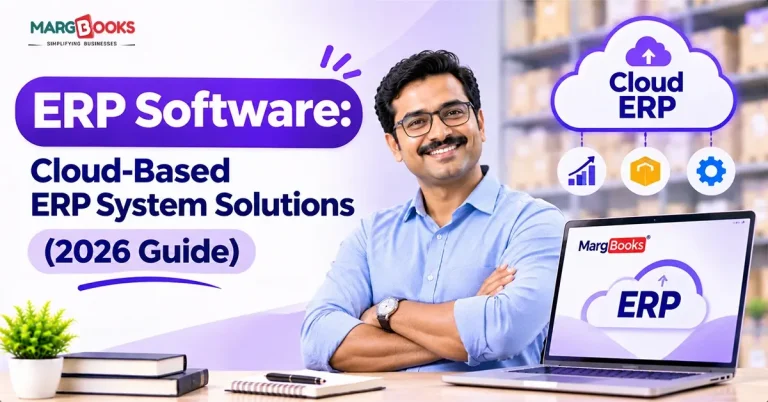
Cloud ERP software is business software that runs on the application supplier’s servers, not your company’s. The system can be accessed through a web browser with all functionalities such as finance management, inventory management, procurement, HR, and reporting being integrated into the database. You pay for the software, and the vendor is responsible for making sure that everything functions well, saving the data, and providing technical assistance.
If your business uses spreadsheets, different software that has no integration, or outdated software that is unreliable, this document is for you. The article will describe cloud ERP solutions and their expenses, which providers should be tested, and the possible difficulties in implementation.
What Is Cloud-Based ERP Software?
The term cloud based ERP system refers to enterprise resource planning software that is accessible to customers through a web browser or app but is managed and hosted by a third-party vendor. This encompasses various areas like accounting, inventory, purchasing, and human resources. This means that the cloud ERP serves as a database that integrates all sectors of enterprise activities so that no entry is repeated thrice and management gets a clear idea of the current situation.
How Cloud ERP Software Works
You log in over the internet. The vendor runs the servers, installs patches, handles backups, and watches for threats. You set the system up to fit how your business works and pay a recurring fee, usually per user, per module, or based on usage.
There are two important terms in the realm of sales:
Multi-tenant – Where multiple customers share a single instance of the software, with their data separated from one another. Upgrades happen simultaneously for everyone. This is cheaper and easier to handle.
Single-tenant – In this case, we are talking about a dedicated installation. You have greater flexibility in choosing when to upgrade or customize it, but it usually costs more.
The term SaaS ERP is commonly used the same way, but that is not exactly true. The problem is that some products marketed as cloud ERP solutions are just the old on-premises software running on someone’s servers and therefore do not work as real SaaS.
Core Modules
Most systems are developed as modules that can be turned on as required:
Financial management: General ledger, accounts payable, accounts receivable, budgeting, month-end closing, consolidation
Supply chain and inventory: Inventory levels, warehouses, demand forecasting, order monitoring
Purchasing: Purchase orders, suppliers’ records, approvals
Manufacturing: Bills of material, production planning, real-time shop floor monitoring
HR: Payroll, time tracking, onboarding
CRM and sales: Sales pipeline, quotes, orders, customer profile
Analytics and reporting: Real-time dashboards and projections
Only a few companies begin with the full series of modules; most start by using the finance and inventory modules until they’re set up before introducing the other modules.
Cloud vs On-Premise vs Hybrid ERP
| Cloud ERP | On-premise ERP | Hybrid ERP | |
| Hosting | Vendor’s data centers | Your own servers | A mix of both |
| Upfront cost | Low | High | Medium |
| Ongoing cost | Subscription | Maintenance. The big wins with cloud ERP are lower upfront cost, easier scaling, live data, automatic updates, remote access, faster setup, and built-in automation. Here’s what each one means day-to-day.Lower upfront cost: No servers to buy, no data center to babysit. You spread the spend over a subscription.Scalability: New hires, new subsidiaries, or new modules don’t turn into a hardware project.Live visibility: Sales, stock, and cash numbers update as transactions happen. You don’t wait for the month-end close to know where you stand.Automatic updates: Security patches and new features arrive on their own, without a big upgrade project every few years.Remote and mobile access: Someone on the warehouse floor and someone in another country can open the same record.Faster setup: Many mid-size rollouts take months, whereas older systems could eat a year or more.Automation and AI: Newer platforms flag odd transactions, suggest coding for invoices, and forecast demand. | Both |
| Updates | Automatic | Manual projects | Depends |
| Customization | Moderate | Very high | High |
| Time to launch | Weeks to months | Months to years | Months |
Key Benefits of Cloud ERP Systems
The advantages of cloud based ERP systems consist of lower initial costs, decrease in required resources, access to real-time data, automatic software updates, and the capabilities of remote access and quicker installation. Let us examine what it means in practice.
- Lower initial costs: Forget about purchasing servers or maintaining a data centre. Now it is possible to divide expenses over a subscription’s life span.
- Decreased resource requirements: Hiring new employees, opening new divisions, or acquiring new tools won’t involve any hardware projects.
- Real-time data: The information on sales, availability of goods, and cash flow instantly changes as new transactions occur. You don’t have to wait for the end of a financial month to find out your firm’s current status.
- Automatic updates: Security bug fixes and new features are provided without any burdensome installations required.
- Remote access: It is possible for a person in the warehouse and someone across the ocean to access the same record.
- Quicker installation: Numerous intermediate rollouts require months, while traditional systems might need a year or even more.
- Automation and Artificial Intelligence: Current platforms monitor abnormal transactions, offer coding options for receipts, and try to predict demand.
Cloud ERP vs On-Premise ERP: Which Is Right for You?
In most cases, for growing companies, the cloud is the more advantageous option. Its implementation requires fewer resources than on-premise systems, and it is easier to scale. Nevertheless, on-premise solutions are sometimes more suitable, particularly when extensive customization or strict data handling regulations are required or when Internet connection is unreliable.
| Factor | Cloud ERP | On-premise ERP |
| Cost model | Subscription (operating expense) | License plus hardware (capital expense) |
| Deployment time | Faster | Slower |
| Customization | Configuration and extensions | Deep code-level changes |
| Security | Vendor-managed and certified | Your responsibility |
| Maintenance | Handled by the vendor | Handled by your IT team |
| Scalability | Add users and modules easily | Needs hardware planning |
| Compliance | Depends on certifications and data location | Full control over where data lives |
When On-Premise Still Makes Sense
- A regulation or contract stipulates that your data has to remain on your own infrastructure.
- Your processes are so complex that conventional software would require extensive coding.
- You operate remote sites with unreliable or slow internet connectivity.
- You have a working setup with IT staff, plus no justification for changing.
When a Hybrid or Two-Tier ERP Works
Certain organizations have a legacy system based at head office and are using a simpler cloud ERP in their subsidiaries or new divisions. This gives local teams a modern system that still outputs numbers to the parent. It’s a sensible approach if a complete replacement is not feasible.
Must-Have Features in Cloud ERP Software in 2026
The year 2026 will be the time when types of automation enhanced by AI, superior analytics, availability of open APIs, industry-specific capabilities, multi-currency and multi-entity support, mobile access, and strict security measures will be the decisive factors. When attending demonstrations, make sure to use this list as a checklist.
- Artificial Intelligence and Machine Learning: Check for real use cases like forecasting, anomaly detection, invoice capture, and assistance that provides answers to data-oriented questions. Ask the vendor for case studies involving real data instead of providing slides.
- Embedded Analytics: Reports and dashboards must be integrated within the system, without having to involve more external tools.
- Open APIs and Integrations: The ERP must connect to the CRM, e-commerce shop, bank, payroll provider, and warehouse systems. Check for pre-existing connectors as well as well-structured APIs.
- Industry-Specific Functionality: Business firms, manufacturers, and accountants need different things. Generic software usually leads to additional expenses in the future.
- Multi-entity, Multi-currency: Essential if the company does business abroad or has more than one legal entity.
- Mobile Apps: Approval processes, inventory counting, and time sheets must operate well on a phone.
- Role-based security and audit: It is necessary to determine who gets access and keep a record of every change.
Best Cloud ERP Software Solutions in 2026
The most suitable cloud ERPs vary according to the type of people running a business. When it comes to Indian firms, four names appear: MargBooks, BUSY, Vyapar, and TallyPrime. But before we move ahead, we should note that what we are comparing here are accounting, inventory, and billing tools, rather than full-fledged enterprise software suites. At least two of them started first as desktop-based programs and only later came up with the cloud. Besides, the companies mentioned above frequently change prices and offers; therefore, it is a good idea to visit their websites for updates before making any choice.
| Vendor | Best for | Cloud access | Pricing model |
| MargBooks | Retail, distribution and pharmacy businesses | Cloud-based, any device | Trial, then plans by quote |
| TallyPrime | Established firms and accountants | Cloud Access, Tally.NET remote access, browser reports | Silver and Gold licenses, cloud billed separately |
| BUSY | Traders, distributors and multi-branch MSMEs | Desktop first, BUSY Online add-on, mobile app | Perpetual licenses plus annual renewal, free Express edition |
| Vyapar | Micro businesses and small shops | Mobile and desktop apps with sync | Free Android tier, paid annual plans |
Marg Books
Best for: retailers, distributors, and pharmacy businesses that want GST-ready billing and accounting in a cloud-first product.
MargBooks is the product of Marg ERP Ltd., based on cloud technology. It combines several things such as billing, accounting, inventory management, and e-invoicing. It has a cloud-based system that is accessible on any device, and this software is different from the previous Marg ERP software; it is not like its predecessors.
Pros: Cloud accessibility through any device, GST & e-invoicing, bank reconciliation, and inventory management in one place.
Cons: At least one veteran Marg ERP user claims that the software is slow and the after-sales service is not up to the mark, so you should try a demo before using it.
TallyPrime
Best for: Established businesses and accounting firms that already know Tally.
TallyPrime started as accounting software for personal computers. There are 3 types of clouds available in TallyPrime. TallyPrime Cloud Access is a hosted virtual machine that runs on Oracle Cloud Infrastructure. Through Tally.NET, remote access lets users connect to a Tally installation from another computer. Reports in Browser allow read-only access. Tally states that all GST functionalities work the same on the cloud as they do on computers.
Pros: A large user and accountant base, extensive coverage of GST and other regulations, several options for different budgets.
Cons: Tally has a hosted desktop cloud, which is not its own web app, and any customization would normally need a TDL developer’s input.
BUSY
Best for: traders, distributors, and multi-branch MSMEs that want GST billing, inventory, and accounting without paying enterprise prices.
BUSY is primarily designed for desktops, also providing a mobile app and a separate paid cloud option called BUSY Online. Different editions of the software include Express (which is free), Basic, Standard, and Enterprise, with the latter offering additional functionalities such as approvals, payroll, and various GSTINs.
Pros: Numerous features worth the money, options ranging from one to several franchise outlets, a free version available for trying out.
Cons: Online access is optional, while users are complaining about inferior performance of its online access compared to other solutions on the market.
Vyapar
Best for: Micro businesses and small shops that need simple GST billing and stock tracking.
Vyapar operates both as a mobile application and a Windows desktop application, allowing synchronisation of data between the two platforms while being usable offline, allowing people to take advantage of its Android version for free in case they use an Android-based device. This tool serves as a billing application with accounting functions added to it, which can be suitable for small businesses but limited for larger businesses.
Pros: It is user-friendly, inexpensive, has a great GST invoicing feature, and works offline.
Cons: It does not possess the accounting depth necessary for performing all functions as Tally or BUSY does; many of the advanced features require the user to subscribe to the paid plan, and it is not meant for manufacturing and complicated multi-branch configuration.
How to Choose the Right Cloud ERP System
In order to select the right cloud ERP solution, begin by articulating your specific objectives and expectations, documenting your issues, analyzing your needs, budgeting well, and finally, creating a short list of vendors. Many organizations suffer losses when they skip initial steps.
First, define your objectives and problems: What is wrong right now? What takes too long; what are the causes of stock discrepancies; what is the reason for not getting an integrated view of the revenue? Write down the issues you identified and rank them.
Second, outline your requirements and processes: List the most important business activities you perform – from invoice processing to order receipt.
Third, estimate the budget and terms of implementation: You should never limit your financial assessment to license fees.
Next, narrow the list down to three to five suppliers: Use information about your company, industry, and requirements as the basis of the selection.
Finally, ask vendors for demos and proofs of concept: Use your own case studies and scenarios. In general, companies have difficulty estimating the ERP potential because generic demos contain too much irrelevant information.
Cloud ERP Implementation: Process, Timeline, and Best Practices
Typically, the process of rolling out a cloud ERP consists of various stages: discovery, design, data migration, configuration, testing of the system, teaching of the personnel that uses the system, implementation or starting of working with the system, and its subsequent maintenance. The duration of the process for a small company is three or four months. However, for a medium-sized company, this period ranges from six to twelve months. For larger enterprises, the time required for the rollout may considerably increase.
How the Cloud ERP Rollout Stages Work:
Discovery: Defining the scope and objectives of the project.
Design: Adjusting enterprise processes to the system.
The data migration phase: When the data about clients, suppliers, products, and their liquidity is created.
Configuration and integration: Making arrangements for the system to operate.
Testing: Verifying that the system works correctly.
Training: Teaching the personnel how to use the ERP system.
Go-live: Going live with the system; sometimes a few pre-activation issues arise.
Support: Providing post-launch support.
Why Implementations Fail
- The scope is not clear and is increasing
- Filthy data gets imported without cleaning
- No executive sponsor
- Too much customization, which kills the purpose of shifting to the cloud; training gets curtailed.
- The corporation views it as an IT initiative instead of a shift in the way the business works.
Change Management Tips
Have a business executive running the project, not only IT personnel. Get in touch with the users of this system from the beginning. Explain to them why you are changing things and what will make their job easier. Be aware that productivity could go down immediately after go-live, and be ready to assist with it.
Cloud ERP Security and Compliance
Most reputable cloud ERP companies provide the level of security that small firms without sufficient resources can’t achieve by themselves. In this case, security is still ‘shared’ – the provider is responsible for the safety of the system, and users get to decide who has access the way they want.
What to check:
The use of encryption techniques to secure data
- Certifications of compliance such as SOC 2 and ISO 27001
- Privacy-related aspects such as GDPR and local regulations
- Data residency means the location of data
- Control mechanisms such as multi-factor authentication and role-based permissions
- Backup/recovery options in terms of guaranteed recovery times
- Logs allowing you to trace actions of users with data
Request the latest audit reports from the vendor and see what they say about breach notifications and who owns your data.
Cloud ERP Trends to Watch in 2026
- AI and automation in an agent style: Vendors are introducing assistants who compile reports, respond to queries in simple language, and perform simple tasks such as matching invoices. The outcomes vary, so you should test the system first.
- Composable or modular ERP: Companies are using core systems combined with specialized tools rather than a comprehensive suite of programs.
- Cloud services by industry: Solutions developed for specific sectors such as manufacturing, trade, and healthcare diminish the need for adjustments.
- Low-code extensions: Business teams are able to create simple applications and workflows without full-scale development.
- ESG and sustainability reporting: Solutions are able to monitor emissions, energy consumption, and the supply chain to support regulatory reporting.
Conclusion
The majority of expanding organizations have turned to Cloud ERP as their primary option, and with good reason. Its initial investment is lower, it updates itself automatically, and it provides every team with identical data. What proves to be challenging is making the right selection. Identify your business objectives, evaluate the vendors using examples from your experience, assess total costs for the next five years, and don’t forget to devote enough time to implementation and training. If you intend to try out an innovative system for the management of GST invoicing, inventory, and accounting processes, you may examine Marg Books and carry out a test using your own documents with this software.
FAQs
Q1. What is cloud-based ERP software?
Cloud ERP software is a business management solution that runs remotely on servers maintained by the provider. It unifies financials, inventory, procurement, human resources, and reports into a single database. This software provides businesses with an alternative to purchasing hardware and software outright and instead charges subscribers for regular software access.
Q2. What is the difference between cloud ERP and SaaS ERP?
Definitions of ERP software commonly overlap. SaaS ERP is one of the types of cloud ERP, a multi-tenant model, with all system management responsibilities sourced to the vendor. Cloud ERP is a wider definition that can include conventional software hosted on a cloud server. Companies need to seek true SaaS if they want automatic upgrades and hassle-free maintenance.
Q3. Is cloud ERP better than on-premise ERP?
For the vast majority of growing businesses, the answer is yes. Cloud ERP can be much cheaper to implement and support than on-premises. However, on-premise might be the more sensible solution if heavy customization is required or strict management of system administration is required.
Q4. How much does cloud ERP cost?
The prices start from a mere thousand dollars for small businesses and go to six figures for the big entities. On top of the cost of subscription, you also would have to pay for the setup process, migration, training, and integration. You should consider that the cost of implementation is typically about the same as the first year’s subscription, so make sure to ask for the quotes in full.
Q5. What is the best cloud ERP for small business?
Vyapar, BUSY, and MargBooks are the most used names by small Indian enterprises, and TallyPrime is a nice option if your accountant is already working with it. Choosing the best one depends on your needs and limitations such as the industry or your budget, so you should narrow the options to two or three names and try them out yourself.
Q6. How long does cloud ERP implementation take?
In most cases, small companies complete the implementation of the chosen solution in two to four months, while for mid-market businesses it might take from six to twelve months, and the largest enterprises need a year or sometimes more. The period of implementation depends on the specifics of your case, such as the goals set, quality of the data, level of customization, etc.
Q7. Is cloud ERP secure?
Yes, generally speaking. The major vendors heavily invest in encryption, monitoring, and various audit standards such as SOC 2 and ISO 27001. However, it’s crucial to understand that security is a shared responsibility. You’ll have to take care of user access, passwords, and privileges on your own, so do it correctly.
Q8. Can cloud ERP be customized?
Yes, to some extent. Most platforms allow customization of workflows, reports, or custom fields. However, large-scale coding changes are not allowed to prevent breaking updates. Customization should be kept minimal to maintain upgrade freedom.
Q9. What are the disadvantages of cloud ERP?
You rely on your vendor and on your internet provider. Subscription costs accumulate over time; there is less control over the timing of updates, while high-level customization obstructs further transitions. In case you decide to switch vendors later on, it may be expensive, so make sure to check the terms of the contract and the right to data export prior to signing it.
Q10. Which industries benefit most from cloud ERP?
The manufacturing, supply chain, retail, service industries, construction, medical industries, and nonprofit organizations all benefit from this type of software. Any company that operates in several locations, has a complicated inventory, or requires real-time information about its financial position would most likely provide a good business model for this kind of software.

Aman Kannojia is the Digital Team Lead at MargBooks. He started out as an SEO Specialist and never lost his love for words. With 5 years of experience across banking, SaaS, and finance, both domestic and international, he brings strategy, leadership, and storytelling together. He doesn’t just manage a team, he builds one that creates.