MargBooks Paytm Integration Guide

This guide explains the step-by-step process to integrate your Paytm Payment Device with MargBooks for seamless digital payments through UPI or Card.
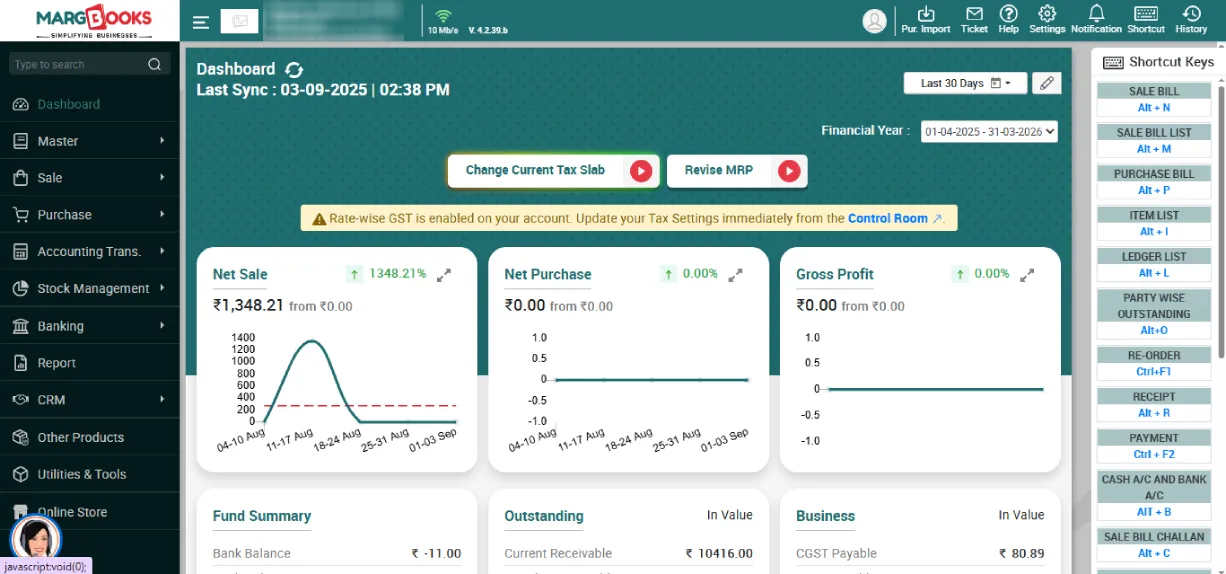

Step 1: Log in to MargBooks

  • Sign in to your MargBooks account and register your company.
  • Upon logging in, the user will land on the main dashboard screen.
Deshboard

Step 2: Allowing the Setting in Payment Device

  • From the dashboard, click on Settings which is at the right side of the dashboard.
  • Then click on the button "Configure".
  • In the search bar, type Payment Device.
  • Turn the option ON (Yes) and click on Save Changes to update your settings.
Allowing the Setting in Payment Device

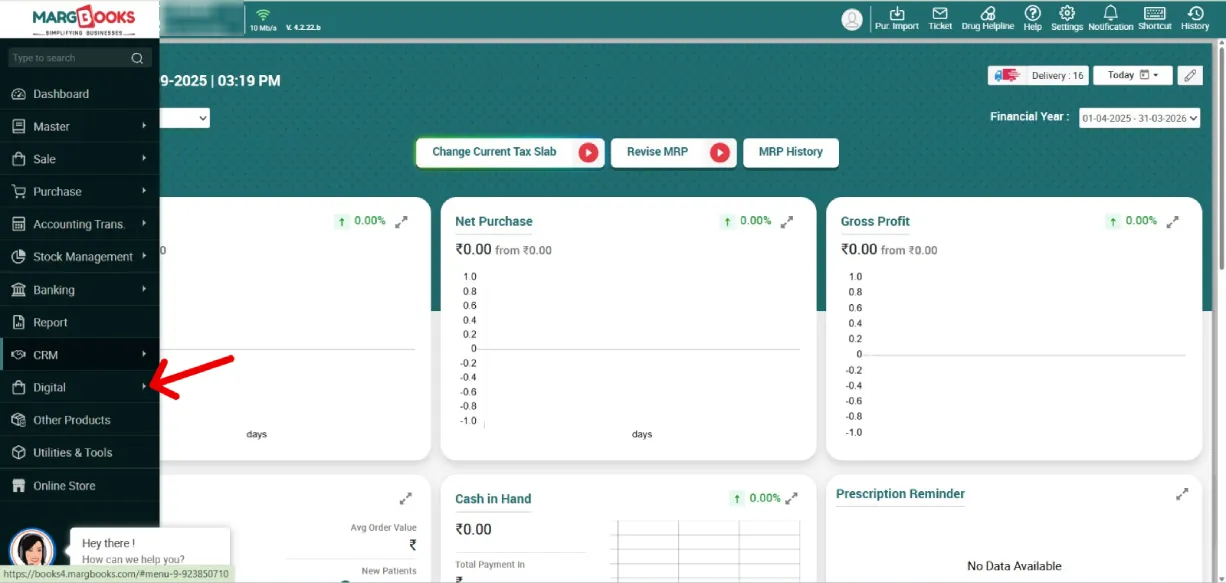
Step 3: Access the Digital Menu

  • From the Main Dashboard, go to the top navigation bar.
  • Click on Digital Menu.
Access the Digital Menu

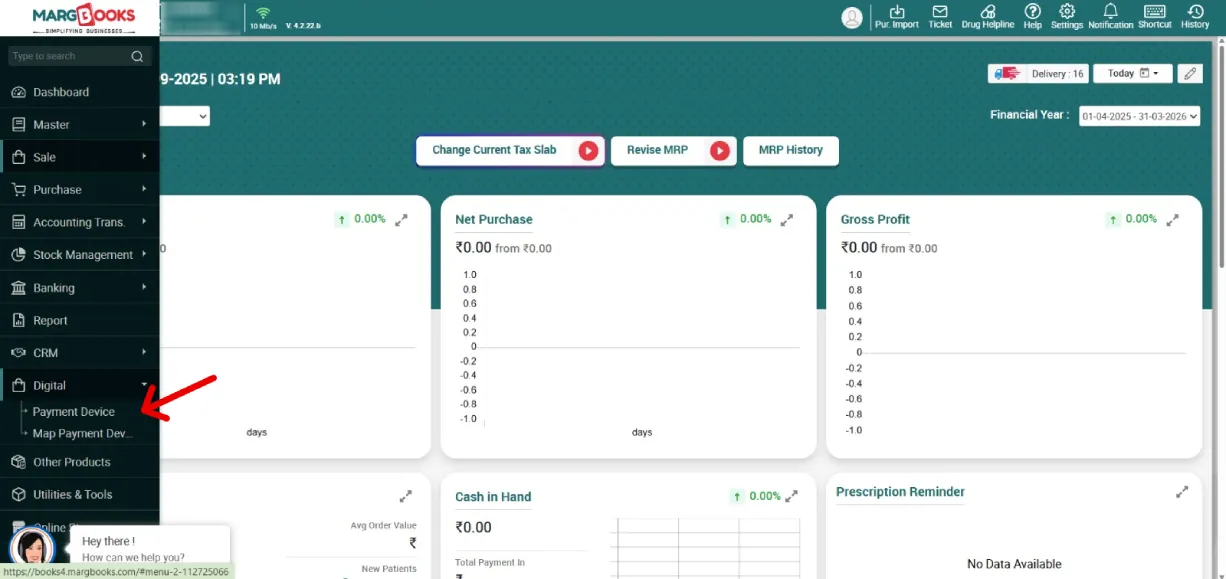
Step 4: Explore Digital Menu Options

  • Once inside the Digital Menu, you’ll see two options:
    • Payment Device
    • Map Device
Explore Digital Menu Options

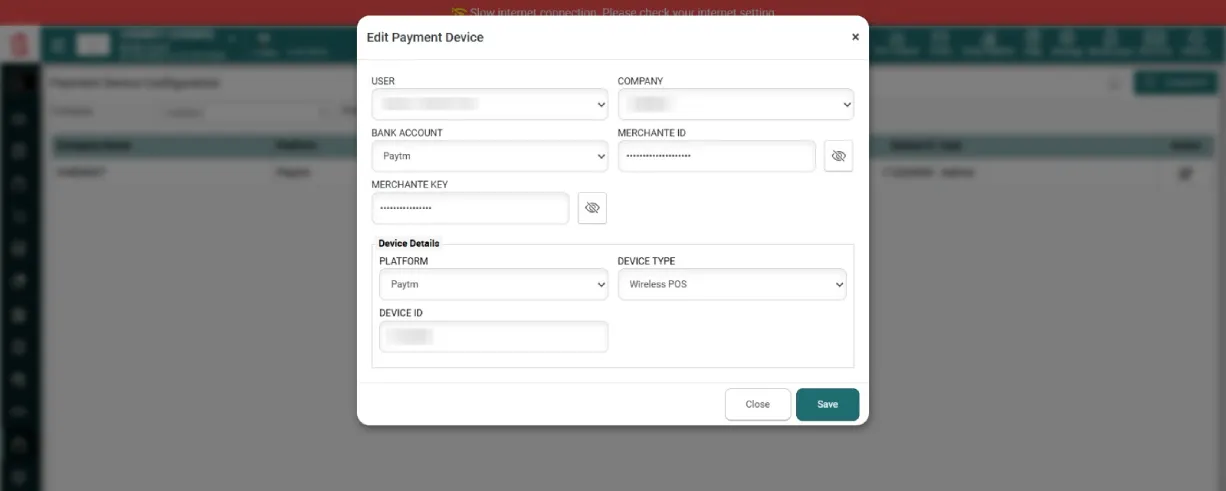
Step 5: Create a Payment Device Master

  • Click on Payment Device.
  • A pop-up window will appear and you have to fill out the following information:
    • User Name
    • Company Name
    • Bank Account Name
    • Merchant ID
    • Merchant Key
  • After filling in all details, click Save.
  • The created device will now appear in your Payment Device List.
Create a Payment Device Master

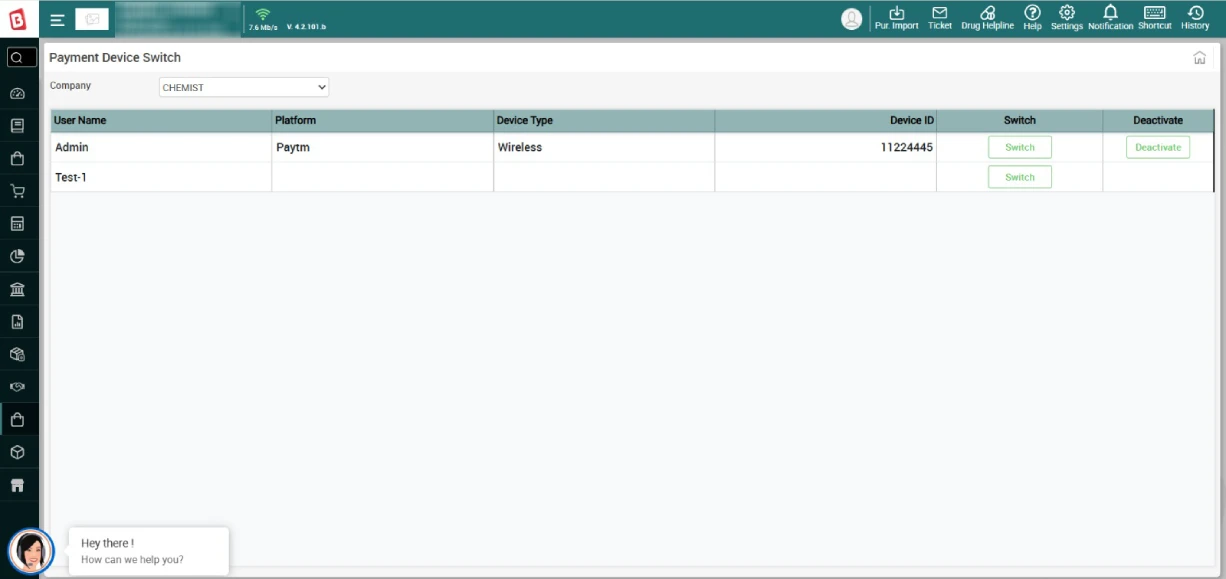
Step 6: Connect and Use Paytm Device

  • Once your Paytm device is created, it can be connected to your MargBooks account for payment collection.
  • When a transaction is processed through Paytm, the payment request will automatically be sent to your Paytm machine.
  • The bill amount will display on the device, and a QR code will appear for the customer to scan and make payment.
  • After successful payment, the status will automatically be updated in MargBooks.
Connect and Use Paytm Device

Step 7: Manage Payment Failures (If Any)

  • If a payment fails for any reason, you can record it manually.
  • Go to the Manual Payment Option, enter the Transaction ID and Remarks, and click Save.
  • Once the payment is received successfully later, the record will automatically be updated in the system.

By following the above steps, you can easily integrate Paytm with MargBooks and start accepting UPI or Card payments directly inside our software. This integration helps you make digital transactions easy, reduce manual effort, and ensure faster payment processing, all within your MargBooks software account.

1